
BLOG
Construction & Real Estate Insights
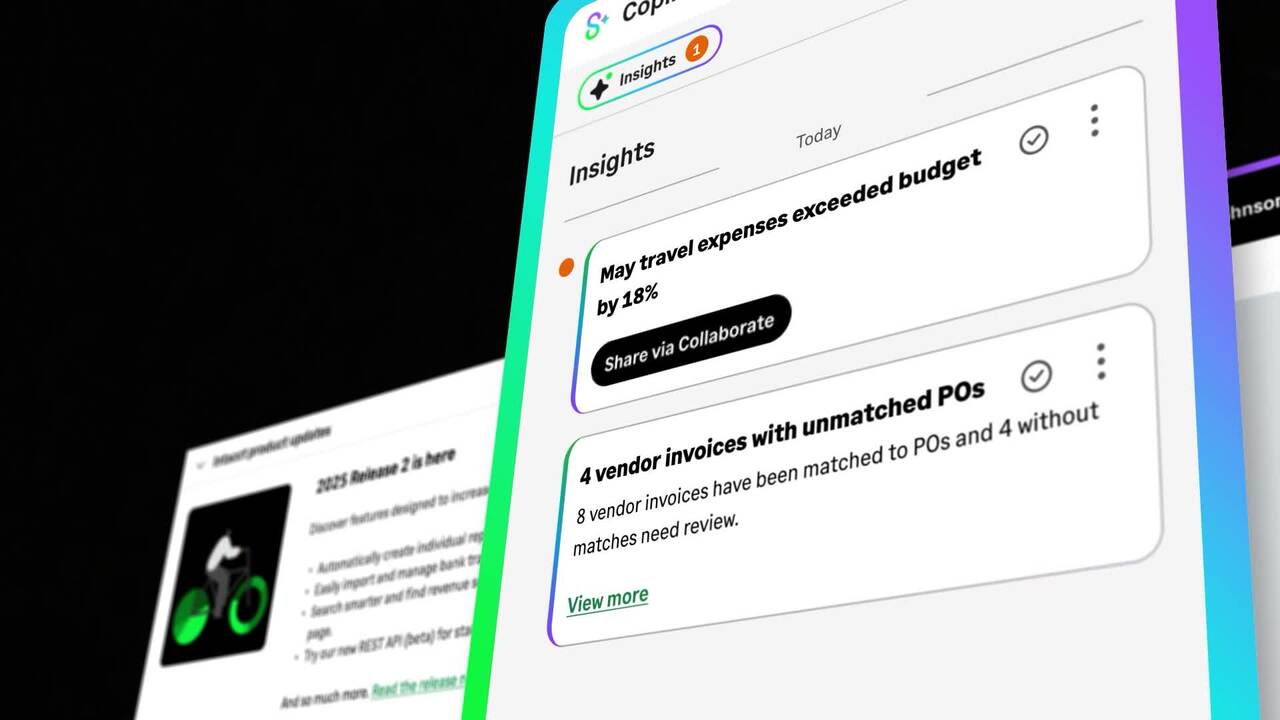
What Sage Copilot Actually Does and Why Construction and Real Estate Teams Should Pay Attention
Blog Posts

Why Software Rollouts Fail for Specialty Contractors

Why Software Rollouts Fail for Specialty Contractors
Six weeks after go-live, an operations manager at a specialty electrical contracting firm pulls up the new system's dashboard, expecting a clean read on the week's service calls. Half the techs are still texting job notes to the dispatcher instead of logging them in the app. Two work orders show materials that were never marked as used. The office is quietly running a shadow process: printing the old paper tickets just in case, and re-entering half of what the new system was supposed to capture automatically.
The software works. It handles the job costing, the multi-mode billing, the inventory tracking, everything it was purchased to do. The rollout is failing anyway, one skipped entry and one printed ticket at a time.
That is the story behind most failed specialty contractor software rollouts. The system rarely fails on capability. It fails on adoption, and adoption fails for reasons that have nothing to do with the software itself.
The Software Wasn't the Problem
Upgrading systems is a business decision. Making the upgrade stick is a cultural shift, and that distinction is where most rollouts go wrong. It is not enough to buy new software and hope the team uses it. A rollout holds when leadership visibly champions the change, makes the investment clear to everyone affected, and sets expectations across the board before go-live, not after adoption has already started to slip.
Why Rollouts Break Differently for Specialty Contractors
Specialty contractors carry a specific kind of operational complexity that makes a rollout harder to land than it is for a business running one type of work.
- Service work, install work, and recurring maintenance all run in parallel, often with the same crews moving between modes in the same week.
- Inventory moves between trucks, warehouses, and job sites every day, which makes a single clean record of what happened, and where, much harder to maintain.
- Growth usually shows up as more trades, more regions, or more jobs layered onto the same systems, not as a clean, planned expansion.
- The person running the company is often also the one who knows how the work actually gets done, which means a lot of operational knowledge lives in one person's head instead of in a documented process.
A tool that worked fine at a smaller scale, or that was built for straightforward project work rather than a mix of service, install, and maintenance, starts to show cracks as the business grows. Whiteboards, spreadsheets, and paper tickets are not fragile because the people using them are careless. They are fragile because they were never built to hold this much operational complexity at once, the exact gap a system like Sage Intacct Construction is built to close, if the rollout actually gets the data flowing into it.
The Real Reasons Rollouts Stall
The specific breakdowns that stall a rollout tend to repeat across specialty trades.
- No visible leadership backing. The team hears about the new system in an email, not from ownership standing behind the investment.
- No single internal champion. Nobody owns the transition day to day, so questions and resistance have nowhere to go.
- An all-at-once launch. The whole operation flips over on one date instead of starting with a single crew or process.
- No training or feedback loop. The team never hears the why behind the new tool, only the what.
- No early win called out. Without a visible, early result, the old system starts to look safer than it actually is, even as it quietly breaks down.
Any one of these gaps can stall a rollout on its own. Most failed rollouts have three or four of them stacked together, which is why the failure often looks like a technology problem when it is really a change management problem.
What's at Stake If the Rollout Doesn't Stick
A stalled rollout is not only an internal headache. Customer expectations for specialty contractors keep rising regardless of what is happening in the back office: online scheduling and payment options, fast and accurate communication, transparent job updates and documentation, and maintenance work built around clear service-level agreements. A shop still running a shadow process of paper tickets and re-entry is not positioned to meet any of that, no matter how capable the underlying system actually is.
The difference between a rollout that is failing and one that is sticking usually shows up in a handful of ordinary moments well before anyone is willing to call it a failure. A tech logging a job the same day it happens instead of texting the dispatcher and hoping someone remembers to key it in later. Materials that tie back to a job automatically instead of turning up as inventory nobody can trace. An office spending its week reviewing the handful of exceptions the system already flagged, instead of re-entering paper tickets that should not have existed in the first place. None of that takes new software. It takes the rollout actually holding.
There is a cost on the automation side too. Much of the value in Sage Intacct Construction comes from letting automation handle the repetitive work, invoice entry, transaction coding, approval routing, so the office team can spend its time on the judgment calls that actually need a person. None of that value shows up if adoption stalls at the point of data capture. Sage Intacct can flag a missing time entry or a mismatched material cost automatically, but only if the data is actually going in. The rollout is not just a technology milestone. It is the gate that decides whether any of the capability the shop paid for ever gets used.
What Successful Rollouts Actually Do Differently
The specialty contractors who land a rollout and keep it running share a consistent pattern.
- Leadership backs the investment visibly, with clear goals stated to the whole team, not just approved in a budget meeting.
- One named person owns the transition day to day and becomes the go-to for questions and troubleshooting.
- The rollout starts with a single crew, trade, or process as a pilot before expanding to the rest of the business.
- Training happens before go-live, with a real feedback loop afterward so early friction gets fixed instead of ignored.
- A simple, visible win gets called out early, such as service tickets getting billed the same day instead of three days later.
None of this is complicated. It is also not automatic. A rollout plan that skips any one of these steps is choosing to find out the hard way what happens when adoption is left to chance.
Where Alliance and Sage Intacct Construction Fit
Sage Intacct Construction runs service work, install work, and maintenance contracts in one financial system instead of three, with job costing tied to real field activity and inventory that follows materials across trucks, warehouses, and job sites. It also supports flexible billing in that same system, including time and materials, fixed-price, and service agreements, rather than forcing every job into one billing structure that only fits part of the business. That capability solves the technical half of the problem specialty contractors actually have.
The other half is the rollout itself, and that is where Alliance's implementation discipline matters as much as the software. Alliance configures the go-live around how a specific trade actually works: mobile time and material capture built around how techs already move through a day, a phased rollout that starts with one crew or process rather than the whole operation at once, and training scheduled before launch instead of squeezed in afterward.
Before setting a go-live date, it is worth asking one blunt question: who owns this, day to day, once the vendor leaves the room? If the honest answer is nobody in particular, that is usually the whole story right there. The rollouts that hold have a named owner, a plan that starts with one crew instead of the whole shop, training that happens before anyone is expected to run the system live, and a leadership team willing to say out loud, in front of the team, that this matters. Skip any one of those and the rollout is already behind before the first login.
Find the Path That Fits Your Trade
Rollout complexity looks different by trade. Alliance works with specialty contractors across the following verticals.
Land the Rollout That Actually Sticks
The operations manager checking that dashboard six weeks post-launch did not have a software problem. The system worked. What was missing was a named champion, a phased plan, and a visible reason for the field to trust the new process over the old one. Alliance builds that into the rollout from day one, not as a fix after adoption stalls.
Frequently Asked Questions
Why do specialty contractor software rollouts fail?
Most rollouts fail on adoption, not on the software's capability. Common causes include no visible leadership backing, no single person owning the transition day to day, an all-at-once launch instead of a phased pilot, no training or feedback loop so the field never hears the reason behind the change, and no early win called out to build momentum. These gaps tend to stack together three or four at a time, which is why a rollout failure so often gets blamed on the software when the real cause is how the change was managed.
What makes specialty contractor software rollouts different from general contractor rollouts?
Specialty contractors run service work, install work, and recurring maintenance in parallel, often with the same crews moving between modes in the same week, and inventory spread across trucks, warehouses, and job sites rather than one central location. That layered complexity gives a rollout more places to break than a business running a single type of project work, because the same crew, the same tech, and the same truck may need to work three different ways in the same day.
What does a successful software rollout look like for a specialty contractor?
A successful rollout has visible leadership backing stated to the whole team, one named internal champion managing the transition day to day, a phased pilot that starts with a single crew or process before expanding, training completed before go-live with an ongoing feedback loop afterward, and an early, visible win, such as same-day billing, called out in the first few weeks to build momentum and make the change feel worth it to the field.
How does Alliance approach implementation for specialty contractors?
Alliance configures both Sage Intacct Construction and the rollout plan around how a specific trade actually works: mobile time and material capture built around field workflows crews already follow, a phased go-live that starts with one crew or process rather than the whole operation at once, and training scheduled before launch rather than added afterward once problems start showing up. The goal is a rollout that holds after go-live, not just a system that works well on paper during the sales process.
What does Alliance Solutions do for specialty contractors?
Alliance Solutions Group helps specialty contractors run service work, install work, and recurring maintenance in one connected financial system, and builds the implementation around how the trade actually operates day to day. Alliance is Sage's number one Intacct partner in North America, with over 20 years dedicated to construction and real estate, and support built to know each client's business by name rather than by account number.

Where GC Budgets Go Wrong Before Work Even Starts
A general contractor wins a bid on a Friday. Monday morning, the estimator hands the accounting team a spreadsheet with forty line items: labor, materials, equipment, subcontracts, general conditions. Someone retypes each line into the accounting system by hand, mapping it to a cost code that mostly matches what the estimator meant. There is no line for contingency. It did not fit cleanly into a cost code, so it got left off.
Ninety days in, a supplier substitution on an electrical component adds cost nobody planned for. The change gets handled in the field with a phone call, not a documented change order. Sixty days after that, the project accountant runs a budget-to-actual report and finds three cost codes already over, with no contingency line to absorb any of it.
Nobody made a bad call at any single point. The budget was wrong from the day it was built. Nobody looked closely enough to catch it until the money was already spent.
That is the real budget problem in construction. It is not only that costs get missed once work is underway. It is that the budget itself is built on a manual handoff, thin on contingency, and disconnected from the accounting system before a single invoice arrives.
The Budget Fails at the Handoff, Not in the Field
Cost control conversations usually focus on tracking costs once a project is underway: change orders, pay applications, monthly close. But the point of failure is often earlier, at the moment an estimate becomes a working budget. Keeping a construction project within budget is difficult by nature, and cost overruns are common even among well-run firms. A few pressure points show up again and again.
Contractors have to bid competitively to win the work, which keeps margins slim and leaves little room for error if costs move. Layer on complex payment cycles, high upfront costs for materials and labor, and multiple cost types that all need tracking at a granular level, and a budget built by hand is exposed before the crew ever shows up on site.
Four Places the Budget Breaks Before the First Invoice
Four specific gaps show up most often between a winning bid and a working budget.
- Slim margins with no cushion. Competitive bidding keeps margins thin, and many estimates skip a contingency line entirely, or size it too small to matter.
- Manual line-item transcription. Moving an estimate into accounting cost codes by hand introduces transcription errors and mismatched categories at the exact moment the budget is supposed to be most accurate.
- Price volatility nobody priced in. Tariffs have pushed up the cost of steel, aluminum, copper wiring, prefabricated modules, and electrical components. A budget locked before those moves has no built-in flag for the exposure.
- Poor visibility between field and office. Rework that never gets communicated to the finance team, and change orders that get handled verbally instead of documented, both lead directly to revenue leakage: the amount collected falling short of what the job actually cost.
Industry research puts a number on how much time this manual reality actually costs. Roughly 35% of a construction professional's time, about 14 hours a week, goes to unproductive activity such as tracking down project information, resolving conflicts, and managing rework. Much of that time traces straight back to a budget and a field team that are not working from the same numbers.
The Cost of Getting the Handoff Wrong
The financial impact of a manual handoff is bigger than it looks, because it is spread across dozens of small errors rather than one big miss. Research from Accenture estimates that up to 80 percent of transactional finance work, the kind involved in moving an estimate into cost codes and reconciling it against invoices, is a strong candidate for automation. Yet more than half of accounts payable teams still spend over 10 hours a week processing invoices manually, and roughly six in ten re-key invoice data into the accounting system by hand. Every one of those manual touches, spread across dozens of line items on every job, is another point where a budget can drift from what the estimator actually intended before a single invoice arrives. That is not a staffing problem. It is the same handoff, repeated on every job.
Manual Handoff vs. Automated Estimate-to-Budget Flow
The difference between a budget that holds and one that breaks usually comes down to five specific points in the handoff. A sized contingency absorbs the margin pressure from competitive bidding. Automated cost coding removes the transcription errors that come with a manual handoff. Real-time budget-vs-actual visibility and automatic over-budget alerts close the gap between when a cost code drifts and when someone notices. And change orders tied directly to the budget and contract close the same visibility gap that leads to revenue leakage.
Cost code assignment
- Manual Handoff: Retyped by hand from the estimate
- Automated Estimate-to-Budget Flow: Synced automatically as a work breakdown structure
Contingency line
- Manual Handoff: Often dropped or estimated loosely
- Automated Estimate-to-Budget Flow: Built in from the start and tracked as its own line
Budget-vs-actual visibility
- Manual Handoff: Surfaces at month-end close
- Automated Estimate-to-Budget Flow: Updates in real time as costs post
Over-budget alerts
- Manual Handoff: Discovered during a manual review
- Automated Estimate-to-Budget Flow: Triggered automatically when a line item moves over budget
Change order impact
- Manual Handoff: Recorded after the fact, if at all
- Automated Estimate-to-Budget Flow: Tied directly to the project budget and contract
Where Sage Intacct Construction Fits
When a bid is won, Sage Intacct Construction takes the estimated budget breakdown and syncs it directly into the accounting system as a work breakdown structure, sorted by budget groups and cost codes, without the manual rekeying that introduces errors at the handoff. From there, a real-time job costing dashboard recalculates project performance as actual costs post and milestones are reached, and sends an automatic alert the moment a specific line item moves over budget, rather than waiting for someone to notice at month-end. That capability solves the mechanical half of the problem: the software can move a budget forward without a person retyping it.
The other half is getting the cost code structure, the contingency rules, and the change order routing set up correctly in the first place, so what flows through automatically is actually right for that firm. That is where Alliance's implementation work matters as much as the software. Alliance configures each client's cost codes, contingency handling, and change order approval routing around how that specific GC actually estimates and builds, rather than deploying a generic chart of accounts and leaving the firm to adapt its process to fit the software. Alliance Solutions Group is Sage's number one Intacct partner in North America, with real people and real expertise dedicated specifically to construction and real estate. Support that knows you by name, not a ticket number.
A Budget Health Check GCs Can Run This Week
Run this with the team managing budgets and cost codes. Each question has a clear yes or no answer.
- Does every winning estimate flow into the accounting system without anyone retyping a single line?
- Is there a contingency line on every project, sized at 5 to 10 percent?
- Can a project manager see today whether a cost code is trending over budget, or does that only surface at month-end?
- Is there a documented process for routing, reviewing, and approving a change before it hits the budget?
- Is the budget reviewed against actuals on a set schedule, rather than only when someone asks?
Two or more no answers means the budget was already exposed before the first invoice arrived, and the gap will show up as margin loss later in the job.
The Budget That Holds Is Built Once, Correctly
The GC that won that Friday bid could have caught the missing contingency line and the mismatched cost codes in the first week, not in month six. Nothing about that fix requires a bigger team or a slower bid process. It requires a budget that is built correctly at the handoff and tracked against reality from that point forward.
The contractors protecting margin in 2026 are not the ones avoiding every cost pressure. They are the ones who see a cost code drifting in week three instead of discovering it in month six.
Build a Budget That Doesn't Break in Month Six
If a winning bid still turns into a hand-typed spreadsheet before it becomes a working budget, that gap is where the margin goes. Alliance configures Sage Intacct Construction so the estimate, the cost codes, and the budget-to-actual tracking are connected from the day the bid is won.
Take a self-guided product tour
Frequently Asked Questions
Why do general contractor budgets go wrong before a project even starts?
Most GC budget overruns trace back to the estimate-to-budget handoff, not to field execution. Slim competitive margins leave little room for error, manual line-item transcription into cost codes introduces mismatches at the exact moment the budget should be most accurate, contingency often gets dropped or undersized, and price volatility on materials moves costs after the estimate is already locked. By the time a cost code shows as over budget weeks or months later, the exposure was already built in from day one. The fix starts at the handoff, not in the field.
What is an estimate-to-budget handoff and why does it matter?
The estimate-to-budget handoff is the moment a winning bid's line items become the working budget inside the accounting system. When that handoff is manual, someone retypes each line and maps it to a cost code by hand, which introduces transcription errors, dropped contingency lines, and mismatched categories before work ever begins. A budget that starts slightly wrong tends to stay wrong, because nobody goes back to re-check line items that already look accounted for. Automating that handoff keeps the budget accurate from the first day of the job, not just at the moment someone finally audits it.
How much contingency should a GC budget include?
A healthy contingency fund typically runs 5 to 10 percent of the project budget, sized using the team's collective experience and past project data rather than an optimistic guess about how smoothly the job will go. Contingency needs to be built into the budget as its own tracked line from the start, not added in informally after costs begin to move, and not treated as a rounding error that gets absorbed into other cost codes when it does not fit neatly into one.
How does Sage Intacct Construction support budget-to-actual tracking for general contractors?
Sage Intacct Construction syncs a winning estimate directly into the accounting system as a work breakdown structure sorted by budget groups and cost codes, without the manual rekeying that introduces errors at the handoff. A real-time job costing dashboard then recalculates project performance as actual costs post and milestones are reached, and sends automatic alerts the moment a specific line item moves over budget. That means a GC can act on a drifting cost code in week three, while there is still time to course-correct, instead of discovering the gap during a month-six review when the number is already final.
What does Alliance Solutions Group do for general contractors?
Alliance Solutions Group configures Sage Intacct Construction around how general contractors actually build and track a budget, from the estimate-to-budget handoff through ongoing budget-to-actual reporting and change order management. Alliance is Sage's number one Intacct partner in North America, with real people and real expertise dedicated specifically to construction and real estate. Implementation and support are built around how a GC's finance team, project managers, and field crews actually work together, not around a generic accounting setup.

People Behind the Build: The Team That Builds the Foundation
Behind every clean go-live, every balanced conversion, and every client who exhales the moment the system finally clicks — there's an implementation team. Real people who chose the hardest, most consequential stretch of the journey because they believe in getting it right.
This is the next post in our People Behind the Build series. In the first installment, we told you what Alliance Solutions Group believes and the values we hire for. Now we're introducing the people who live those values under real deadlines: our Implementation team. Internally, we call them Build the Foundation — BTF — and the name is not an accident.
"Sometimes the most important part of the job is helping people move from what was to what can be." — Matthew Carlisle, Implementation Consultant
Meet the Crew That Builds the Foundation
Every great build starts underground, with the part nobody sees once the walls go up. Before a client ever runs a real-time job cost report or closes the books in days instead of weeks, someone has to lay the foundation. Clean the data. Design the workflows. Migrate the history. Test it until it balances. Train the people who'll live in it every day.
That's BTF. We surveyed the team — consultants and project coordinators alike — and asked what the work actually feels like from the inside. Here's what they said, in their own words.
"This Is Exactly Why I Do This"
Ask an implementation consultant why they do this, and you'll hear a version of the same story: the moment a nervous client stops white-knuckling the new system and starts trusting it.
For Matthew Carlisle, it happens on site. "Onsite with client and seeing in person, the point in which it all falls into place for them," he said. "The third parties connecting, data syncing, and that moment of 'it balances!'"
Bennett Sherrer finds it at go-live. "We spend months working through strategy, building workflows, training, and solving problems, so seeing everything finally come together is incredibly rewarding," he said. "One of my favorite moments is when a client starts using the system and realizes, 'This is exactly what we were hoping to get out of Intacct.'"
Jacob Green looks for it in the training room. "During training, when I see a client suddenly connect the dots, recognize the opportunities, and understand how it will impact their day-to-day work — that's when I get the feeling: this is exactly why I do this."
For Angie Riddle, a Senior Project Coordinator, the payoff comes right after go-live. "One of my favorite moments is when a client who was nervous at the beginning tells me after go-live, 'That was a lot easier than I expected,'" she said. "Knowing I helped turn something that felt overwhelming into a smooth, successful experience reminds me why I love implementation."
Lisa LaRoux measures it in understanding, not just adoption. "I enjoy breaking down complex processes in a way that makes sense and gives clients the full picture — not just the 'how,' but the 'why' behind it," she said. "Seeing that moment when everything clicks, and knowing I've helped build their confidence, is exactly why I enjoy what I do."
Angela Eubanks knows the feeling from both sides of the table. "I love when it all clicks," she said. "Clients can be so wary and nervous at first, then one day it just all connects and they get excited." Angela's path is its own kind of proof — she was a client first. "After doing a few software implementations I was sad when it was over and I had to go back to just using it. I mentioned that to the person doing my Intacct implementation, and a few months later I was working here."
And Danielle Tupper hears it in the small stuff. "When our client expressed how much easier their day to day was going to be because of a new report or new process we showed them," she said. "It's always nice to hear when a client is excited about the change."
The Part of the Job They'd Do for Free
Implementation isn't one job — it's a half-dozen. Which is why no two people on this team pick the same favorite phase.
Jocelyne Ahrens lives for design. "Phase 2 – Design is my favorite stage. This is where you begin building a trusted partnership with the client by diving deep into their challenges, understanding their business, and identifying system functions to solve their software needs," she said. "I love that no two clients are the same… it's about creating software that not only meets their requirements today, but also makes the client's day-to-day work more efficient, effective, and enjoyable."
Elmuttaqi Ismail starts even earlier — before the first call. "My favorite part is the pre-discovery phase. When a client is initially assigned to me, I immediately start doing research," he said. "Where are they located? Are they a family-owned business? What sector do they specialize in?… This process helps me build a very basic understanding of my client before we've even met. And I'm often able to use this research to ask better questions during the Discovery call."
Jack Cohen likes the build. "I enjoy building out workflows and processes that improve upon what the client was doing in their legacy system," he said. "Some clients are so excited to get off of their old software that every workflow built out results in a lot of gratitude."
Megan Madden is in it for the people. "I love the diverse group of people I get to interact with on a daily basis," she said. "Through my years of implementation consulting I have met a lot of great people and learned more about each one as a person than just as a business. Building a rapport with the client is what keeps me going."
Victoria Bracey is in it for the range. "Learning the variations of industries," she said. "What excites me the most is how much knowledge we can learn as consultants."
Keith Gressel just wants them over the line. "It's a very long journey and a lot of work," he said. "It's great seeing the client get to work in their live environment after all of the preparation and work they have done with consultants."
And for Nicole Murruni, it's the finish line itself. "What keeps me excited is the go-live moment — seeing everything we've worked on come together and knowing the client is successfully up and running."
Nobody Takes the Same Road Here
The best foundations get built by people who've seen the problem from a dozen different angles. Almost nobody on this team arrived by a straight line — and that's the point.
Bennett Sherrer credits four years on the mat. "College wrestling, without a doubt. When I came to Alliance I didn't have years of consulting experience. What I did have was four years of college wrestling, and looking back, I don't think anything prepared me better for this role," he said. "Wrestling teaches you that goals take time. You don't become successful because of one great practice or one great day — you get there by showing up every day with discipline, preparation, and a willingness to improve. Wrestling also taught me resilience. Every implementation has unexpected challenges, and just like in wrestling, you don't get to choose what happens — you only get to choose how you respond."
Elmuttaqi Ismail credits a career that never happened. "A few years ago I wanted to become a voice actor… So, I took about six months of voice acting classes," he said. "My voice acting career never took off. However, I still use many of the skills I learned during that brief flight of fancy during my daily training calls."
Jack Cohen credits the service industry. "Honestly, working in a restaurant," he said. "While I was able to build plenty of technical skills in my corporate life, the skillset of customer service and building relationships with the clients is the key to starting off an implementation on the right foot."
Jocelyne Ahrens brought nearly all of it — construction work, manufacturing, escrow, public accounting, and a Bachelor's in Accounting with a minor in Construction Management. "Performing construction at a young age helps me understand their day-to-day grind," she said. Her time as a construction escrow agent taught her "vendor compliance and lien waivers, AIA documents, commercial/residential billing… and to relate to the struggles they encounter with their everyday billing and payments."
Angie Riddle brought nearly three decades of a different kind of pressure. "Before joining Alliance, I developed strong communication, training, and change management skills through more than 28 years in the pharmacy and healthcare industry," she said. She also spent time with a custom home builder, where she saw how outdated software and resistance to change could cost a business money. "Those experiences taught me that successful implementations are as much about helping people embrace change as they are about the technology itself."
Megan Madden came from the audit world. "My role as an auditor before becoming an implementation consultant has helped me the most," she said. "It gives me the ability to relate to the client how the system is going to help them be better prepared for the audit — from internal controls to notations on void or reversed transactions."
Brian Puckett came from corporate finance. "Financial report building has always been a strong suit of mine," he said. "Now, my goal is to focus on reporting and dashboards that optimize a client's ability to assess financial and operational performance in Sage Intacct."
Nicole Murruni came up through the technical side, back when go-live conversions were done by hand. "My experience manually converting open AR, open AP, and inventory quantities the night prior to go-live gave me a strong understanding of the overall conversion process," she said. Add technical support and some exposure to coding, and she understands not just what each import template does, but why: "It made learning the logic behind Smart Events much easier."
Debora Gomes came from the client's side of the screen. "Having several years of client-facing experience definitely helped me, since communication is such a big part of the role," she said. "Being a Sage Intacct end user also gave me a good understanding of the system from the customer's perspective, which has made it much easier to relate to clients and understand their needs."
Lisa LaRoux learned to teach without a crutch. "One of the most valuable skills I brought to Alliance was learning how to effectively present and teach in front of groups without relying on reading from presentation slides," she said. "That experience helped me become a more engaging and confident trainer."
Keith Gressel brought adaptability from recruiting and management. "You have to be ready for anything and ready to jump in to assist and work through issues," he said. "There are a lot of changes and updates happening, so you have to be ready to think on your feet and adapt."
Danielle Tupper brought patience from customer service. "Being patient and understanding when clients are dealing with difficulties — whether they are related to the implementation or not — is key to maintaining a positive environment during implementation."
Victoria Bracey brought empathy. "Being personable and empathetic has helped me build strong client relationships by recognizing that every client is unique and has different needs," she said. "It's enabled me to adapt my consulting style, provide personalized solutions, and deliver a better overall client experience."
Good Consultants Get It Done. Great Ones Do This.
We asked what separates a good implementation consultant from a great one. Nobody said "knows the most."
"A good consultant gets the job done by following a proven process," Jacob Green said. "A great consultant gets the job done by taking the time to understand the client, their unique needs and challenges, and in doing so, instills confidence in our ability to deliver beyond expectations."
"A great consultant doesn't know EVERYTHING," Megan Madden said. "They listen to the client's needs, wants, and complaints. They do the research, and they know when to pull in someone with more expertise to help the client."
Angela Eubanks put it just as plainly. "Listening. Hear your clients, be adaptable. The system is for them — get them comfortable. If you try to force your way on the client, it will not go well."
Nicole Murruni added a layer about how you communicate. "You may explain the same process differently to an AP clerk than you would to an accountant," she said. "Listening to the client is just as important as speaking."
Elmuttaqi Ismail draws a hard line on credibility. "Knowing your client and knowing their business. It's okay to not know all the technical aspects required to get them implemented," he said. "But if you don't at least have a basic understanding of how they make money, all credibility will be lost."
Bennett Sherrer points to the unglamorous stuff. "Communication and documentation. At the end of the day, the consultant sets the tone," he said. "Technical knowledge is important, but if people don't know what's happening or what the next step is, projects slow down quickly."
Brian Puckett starts at discovery. "Really taking a deep dive in the discovery documents and discussions to make sure you know the key priorities and pain points for the client," he said. "Then making sure the project stays on course and that these items are handled before go-live."
Jack Cohen reframes the relationship entirely. "Being able to work as a team with the client rather than just a customer/vendor relationship," he said. "When the relationship is more based around 'being on the same team,' it's a lot easier to work through difficult scenarios that pop up."
Lisa LaRoux and Jocelyne Ahrens both landed on curiosity. "Great consultants don't stop at knowing just enough to complete a task," Lisa said. "That deeper understanding allows them to anticipate challenges, provide better solutions, and add more value." Jocelyne put it in a sentence: "The consultants who love to constantly learn and start each day wanting to be better than the day before."
For Angie Riddle, the endgame is trust: "Great consultants meet clients where they are, communicate clearly, stay patient, and become trusted advisors rather than just software experts." Danielle Tupper agrees the client comes first: "Great consultants understand their client's business and needs, and are able to transition those needs into the process and workflow of Intacct." And Victoria Bracey keeps it simple: know your material well enough to "educate the topic to any person in the room."
Matthew Carlisle makes the case that depth is what earns you the right to advise. "What truly separates good consultants from great ones is deep system knowledge," he said. "A thorough understanding of what the system can do gives you the confidence to navigate even the most challenging client questions."
What People Get Wrong About Implementation
Every profession has its myths. In implementation, the biggest one is that the software does the work for you.
"One of the biggest misconceptions is that implementing a new system means the system will do all the work for you," Matthew said. "The most successful projects are the ones where clients clean and validate their data, dedicate the right people, and actively participate throughout the process."
Troy Minor cuts to it: "I think one of the biggest misconceptions about implementation consulting is that it's mostly about the software. It's really just as much about understanding people, improving processes, and solving business problems."
Bennett agrees. "Our job isn't just to build the system — it's to understand their business, recommend better ways of doing things, and help them feel confident adopting those changes."
Brian Puckett wants people to know the projects aren't interchangeable. "There is a perception that all projects are virtually the same, but that is far from the truth — even just working in the construction vertical," he said. "I have seen clients set up their environment with 30 cost codes and others with 3,000-plus."
Jacob Green agrees: "No two clients are the same. Our role often extends beyond implementation — we become consultants, advisors, and sometimes even therapists as we guide them through change."
Keith Gressel wishes people saw the invisible hours. "How much extra time the consultants put into the project outside of their twice-a-week calls with clients," he said. "There is a lot of behind-the-scenes prep work that goes on to make sure everything is running smoothly."
Jocelyne Ahrens was the most candid of anyone. "It is not easy. It is multi-tasking to the max," she said. "You live by your calendar and are constantly looking out to the next day, week, month, and six months… You don't ever truly log off, because you find yourself trying to work through or find a solution to an error while driving, showering, eating."
Lisa LaRoux hears a different myth — that consultants have memorized every integration. "There are countless third-party solutions, each with their own functionality and nuances," she said. "Our role is to understand how those systems interact with Intacct, ask the right questions, collaborate with vendors when needed, and find the best solution for the client." Angela hears the same thing: the assumption "that you know every single thing about the system, the third-party apps connecting, and all the error messages."
Advice for Day One
We asked: if you could tell a brand-new Implementation Consultant one thing on their first day, what would it be?
Bennett Sherrer: "Be a sponge. That was the advice another consultant gave me on my first day at Alliance, and it's still the best advice I've received. Ask questions, sit in on as many calls as you can, and learn from the people around you."
Jocelyne Ahrens: "Rome wasn't built in a day. This software is very similar — it's complex and ever-changing. Be humble and show yourself grace, because you will never know it all."
Angela Eubanks: "It is okay to not have the answer. It is okay to have to ask others. It does not make you a weaker consultant — it makes you thorough."
Megan Madden: "Don't try to know everything. The best learning will come from on-the-job experience. And don't be afraid to admit when you need your peers to assist. At a company like Alliance, teamwork is really what it's all about."
Elmuttaqi Ismail: "Make wise use of your uncommitted time. Use it to study, brush up on skills, or experiment with Intacct. You'd be amazed how a passing familiarity with something might pay off big in the future."
Brian Puckett: "Soak up as much as you can from other consultants and shadow the work that others do. That is the quickest path to learning Sage Intacct."
Lisa LaRoux: "Practice presenting by recording yourself, and always test everything before your client call… Taking the time to prepare ensures you can focus on the client and the training rather than troubleshooting avoidable issues."
Matthew Carlisle: "Document every process you learn and repeat it in your test environment. Making mistakes in a test environment helps you recognize common errors, understand why they happen, and resolve them before working in production."
Nicole Murruni: "Come in with an open mind. Your way isn't always the right way, and every implementation is different. Be willing to listen, learn, and adapt."
Angie Riddle: "Listen first and focus on building relationships. Technical skills are important, but understanding your client's goals, communicating clearly, and building trust are what make projects successful."
Danielle Tupper: "Keep learning through the library of knowledge that is being given to you and eventually it will all come together. If you feel like it is taking a long time, you're halfway there."
Jacob Green: "Practice. Before each call, review old recordings with the same subject. Test in the implementation environment to ensure settings are correctly configured."
Keith Gressel: "You have an awesome team to learn from and are in good hands. Be ready to learn and adapt and you will do well."
The Wins That Stick
Ask about a success story and you learn what this team actually values: not the flashiest logo, but the clients who show up ready and the relationships that keep coming back.
For Matthew, that client is Aquila. "Aquila stands out as the ideal client experience and represents the kind of implementation every consultant dreams of," he said. They came prepared, cleaned their data, and took full ownership of their cutover plan — completing the entire cutover checklist within the first two weeks of go-live, all while integrating with Procore, a process that typically takes several weeks on its own. "Their preparation, engagement, and commitment were the key factors."
For Angie, the win is measured in repeat business. "One client success story I'm particularly proud of is our work with Integra. They continue to bring additional implementations to ASG because of their positive experience with our team," she said. "Seeing that trust grow to the point where they repeatedly choose ASG is incredibly rewarding — and a great measure of success."
Brian Puckett points to Southern Land, one of his first projects at Alliance. "They were a very complex client with several integrations and many end-users to train," he said. "The team that worked on this project put in a lot of hours, but getting them to go-live as a happy client was well worth the effort."
Jack Cohen points to a client who didn't want to be there. "Boys Electrical Contractors — they were very resistant to change and very critical of Intacct," he said. "But once they were live and operating in the system, they gave very positive reviews."
Elmuttaqi Ismail is proudest of a workaround. When ClearLight Solar wanted to see expense report attachments directly in the entries grid, he built a custom field so users could reach receipts from the grid. "It wasn't a perfect solution, but it solved the immediate problem," he said. "Even though it wasn't a native feature, the client was happy with the result."
Sometimes the win arrives in the inbox. Jacob Green saved a note from a client he'd helped with custom reports: "Amazing! I'm stunned. You are literally a magician. I tried that so many times." And Keith Gressel recalls a go-live signoff where the client's review of consultant Heather read: "Heather was the best, we wish we could go through implementation longer just to work together." As Keith put it, "It's awesome to see the client recognize all of the hard work put in."
Jocelyne Ahrens is quick to credit the clients themselves. Her favorites "really listened, learned, and made it enjoyable to work with. They asked challenging questions that help us consultants learn and grow."
What Keeps Them Going
Implementations are hard. Timelines slip, data fights back, and go-live weekends are long. So what keeps this team showing up? Overwhelmingly, two things: the people beside them, and the people at home.
"My children are my biggest motivation," Nicole Murruni said. "Life doesn't stop for anyone — there will always be challenges, but you have to keep moving forward. At the end of the day, I hope my children see that perseverance and are proud of me."
"My goals," Bennett Sherrer said. "Sometimes that means putting in extra time to help a client hit a deadline. Other times it means slowing down and making sure they truly understand a new workflow before moving on. At the end of the day, I want every client to feel like they had someone in their corner."
For Matthew, it's the bench: "The team. We have remarkable people who keep expanding the boundaries of what's achievable." Megan feels the same net: "Challenging implementations are doable because I have a great support system in my team at ASG. Everyone is rooting for success." Lisa LaRoux agrees: "Knowing I have the full Alliance team behind me… That support gives me the confidence to keep pushing forward." Keith Gressel frames it as obligation, in the best way: "I don't want to let our team or the client down. It really is a team effort." And Jacob Green, still new, says he's "amazed by the level of professionalism on my team. We have a lot of fun, but everyone is extremely knowledgeable and always eager to assist and support one another."
Angie Riddle summed up the culture in what's become something of a team motto. "We are known as the Dream Team, and I can honestly say it truly is a dream to work at Alliance," she said. "As we've grown so rapidly, we've continued to attract incredibly talented people who genuinely support one another and care deeply about our clients' success."
The rest keep it short. Angela Eubanks: "I love seeing the client happy and succeeding." Victoria Bracey: "My team motivates me every day." Jack Cohen: "Gratitude from clients — especially from ones that were anxious about transitioning." Danielle Tupper: "Making a change in my coworkers' and clients' day-to-day that will last." And Jocelyne Ahrens, ever the realist: "Knowing that tomorrow is a new day and the challenges encountered today are only temporary."
The People Behind the Build
Software gets a lot of the credit. But Sage Intacct doesn't clean anyone's data, sit with a nervous controller at 6 a.m. on go-live morning, or explain a journal entry reversal to a room full of skeptics. People do that. This team does that.
Alliance Solutions Group has been a Sage partner since 2005 and grown into Sage's #1 Intacct partner in North America. But the reason clients like Aquila, Integra, and Southern Land keep coming back isn't a stat on a website. It's the foundation — and the people who build it.
If You're Reading This and It Resonates
We're growing fast, and we're selective about who joins this team — not because we're chasing perfect resumes, but because we're looking for people who care about the work as much as our BTF crew does.
Wrestlers, auditors, restaurant servers, escrow agents, voice actors: the road here doesn't have to be a straight line. If building the foundation sounds like the kind of work you'd be proud of, we'd love to hear from you.
Explore Career Opportunities or Get to Know Us
More in This Series
This is the latest installment of People Behind the Build, a series from Alliance Solutions Group exploring the culture, careers, and people that power construction and real estate technology. Follow along as we introduce the team behind the partnership.

Your Aging Report Is Lying to You
No one made an error. The report itself was never built to tell the difference between overdue and withheld.
A CFO at an electrical contracting firm is prepping for a credit line renewal meeting. The banker asked for the AR aging summary a week ago, and they are looking at it now before they sends it over. The 90-plus day column shows $214,000. For a company this size, that number will get questions.
They knows the answer before they finishes the call with thier controller. Almost all of it is retainage: 10 percent held back across a dozen active jobs, sitting there because the contracts say it can't be released until specific conditions are met, not because anyone stopped paying. But the report doesn't say that. It just shows a number in a column labeled past due, and the banker doesn't know the difference unless she explains it.
That is the real problem with how most electrical contractors track retainage: an aging report that can't separate retainage from true past-due debt is incomplete by design, and incomplete numbers get read as bad ones.
The Report Isn't Wrong. It's Incomplete.
Retainage is a standard clause on nearly every construction contract. A general contractor holds back 10 percent of each billing, typically the amount tied to the AIA G702 pay application, until the job hits a defined milestone: substantial completion, final inspection, punch list closeout. That holdback is not a payment problem. It is a contractual mechanism that exists on almost every job in the industry.
Most accounting systems have no place to record that distinction. They were built for general businesses that invoice and expect payment on standard terms, not for an industry where a piece of every invoice is intentionally withheld for months by design. So the system does the only thing it knows how to do: it counts days since the invoice date and puts the whole balance in a bucket.
What Retainage Actually Is, and What It Isn't
Retainage is money a contractor is not yet allowed to collect, under the terms it agreed to when it signed the contract, not money it failed to collect. The wrong framing here causes its own damage.
That distinction matters because it rules out a certain kind of fix. No accounting platform, no reporting tool, and no software vendor can turn contractually withheld retainage into cash on a faster timeline than the contract allows. The job still has to reach the milestone the contract specifies. What changes with better tracking is not when the money becomes collectible, it's whether anyone reading the report can tell the difference between collectible and withheld in the first place.
Where the Fix Actually Lives
Sage Intacct's AR aging report carries retainage in its own column, separate from the standard 30, 60, and 90-day past-due buckets. A controller pulling that report for a lender sees two numbers instead of one: what is actually collectible right now, and what is being held under contract until the job closes out.
That single change turns a $214,000 red flag into a five-minute conversation instead of a credit committee meeting, because the banker is really asking how much of this is genuinely at risk, and the aging report now answers that directly instead of forcing someone to explain it after the fact.
Why This Matters More at Renewal Time Than Any Other Time
A distorted aging report is a background annoyance most months. At a credit line renewal, a bonding review, or any point where a lender or surety is actively evaluating the business, it becomes the thing the whole conversation turns on.
- Lenders and sureties routinely discount receivables sitting past 90 days unless retainage is clearly broken out, which means unclear reporting can shrink a company's effective working capital on paper, even though nothing was actually lost.
- A collections team working off an undifferentiated aging report chases the wrong accounts, spending time and goodwill pursuing customers who are current and simply holding contractual retainage.
- A CFO who can't separate true past-due balances from retainage at a glance is making working capital and credit decisions on a number that overstates risk in one direction and hides it in another.
None of these are software problems in the narrow sense. They are visibility problems that happen to be solvable with software, which is a different thing. The contract terms don't change. What changes is whether the person reading the report has to reconstruct the truth by hand or can just see it.
Frequently Asked Questions
How much retainage is normal on an electrical contracting job?
Ten percent per pay application is the standard figure, matching the AIA G702/G703 format most electrical subs bill against. Some contracts step the percentage down or cap it once a job passes a set completion threshold, but the rate itself is set by the contract, not by any accounting system.
Does retainage sitting in the aging report actually affect bonding capacity?
It can. Underwriters routinely discount receivables sitting past 90 days unless retainage is clearly broken out, so an aging report that lumps everything together can understate a contractor's real working capital right when a bonding line or credit renewal is under review.
If retainage can't be collected early anyway, what does separating it actually change?
Nothing about when the money becomes collectible changes. What changes is whether the person reading the report, a controller, a banker, or a surety, can tell the difference between money that's overdue and money that's simply not due yet, without someone walking them through it by hand.
Know What's Actually Collectible
The CFO in this scenario had an aging report that couldn't tell her story for her, so she had to tell it herself, on a call, under time pressure. Sage Intacct separates retainage at the point of posting so the next aging report she pulls already makes the distinction the bank is asking about.

QuickBooks vs. Sage Intacct: How Each System Handles Retainage for Electrical Contractors
A controller at a mid-size electrical subcontractor is closing the books for the month. They pull the AR aging report before the Friday finance meeting and stop on one line: a general contractor showing $38,400 past due, sitting in the 90-plus column.
That GC pays on time. They know this. So they open the invoice detail and find the answer: it is not past due. It is retainage, the 10 percent held back on three separate pay applications going back to spring, and QuickBooks has no way to tell the aging report the difference. It just counts the days.
This is the single most common reason electrical contractors move off QuickBooks and onto Sage Intacct: QuickBooks was never built to record a holdback that construction contracts require and general businesses don't have.
Same Invoice, Two Different Ledger Entries
Here is what happens on a standard $100,000 pay application with a 10 percent retainage clause.
In QuickBooks, the full $100,000 posts to accounts receivable. There is no field on the invoice that tells the system $10,000 of that balance is contractually withheld and $90,000 is a normal receivable. Both amounts sit in the same bucket and age the same way.
Sage Intacct posts retainage to a dedicated Retainage Receivable account the moment the invoice is created, separate from standard AR. Ninety thousand dollars posts as a normal receivable. Ten thousand posts as retainage receivable. Two accounts, two behaviors, and an aging report that finally matches reality.
What Shows Up on the Aging Report
Run the aging report in each system and the difference is immediate.
- QuickBooks: the full $100,000 ages against the invoice date. At 90 days, all of it looks past due, including the part that was never supposed to be collected yet.
- Sage Intacct: the $90,000 ages normally in the 30/60/90 buckets. The $10,000 sits in its own retainage column, outside the past-due calculation, because it is not past due. It is held under contract.
That distinction is not cosmetic. A collections team working from a QuickBooks aging report will chase a customer for money that isn't actually owed yet, waste time, and damage a relationship over a misread number.
Comparing the Two Systems Directly
Retainage isolated from standard AR
- QuickBooks: No, lumped into the AR balance
- Sage Intacct: Yes, posts to a dedicated GL account
Aging report accuracy
- QuickBooks: Retainage shows as overdue AR
- Sage Intacct: Retainage excluded from the past-due buckets
AP retainage tracking
- QuickBooks: Manual workaround required
- Sage Intacct: Posts to its own payable account, same as AR
Retainage release workflow
- QuickBooks: No native workflow
- Sage Intacct: One-step release once the GC authorizes it
WIP integration
- QuickBooks: None
- Sage Intacct: AIA billing feeds directly into WIP
Audit-ready retainage reporting
- QuickBooks: Manual export required
- Sage Intacct: Native report, drillable by contract and pay app
Every row above shows up somewhere else in a contractor's billing cycle, not just on the aging report. AP retainage, the money an electrical sub withholds from its own subcontractors, is just as invisible in QuickBooks as AR retainage. Most shops track it in a side spreadsheet, which means two reconciliation problems instead of one. Sage Intacct handles the payable side the same way it handles the receivable side: retainage withheld from a subcontractor posts to its own payable account instead of sitting inside the regular AP balance, so the contractor can see what it owes now versus what it's holding until the sub's work is accepted.
The release workflow matters just as much as the tracking. Once a general contractor authorizes release, Sage Intacct's retainage tool moves the held amount from retainage receivable into a billable invoice in a single step. QuickBooks has no equivalent function, so the release becomes a manual journal entry someone has to remember to make correctly.
WIP integration is where the two systems diverge the most. A schedule of values built once in Sage Intacct feeds every pay application and rolls straight into WIP calculations. In QuickBooks, that same schedule usually lives in a separate spreadsheet, disconnected from both the invoice and the WIP schedule it's supposed to inform.
Because retainage sits in its own account instead of a manual export, a contractor can run a native retainage report and drill into exactly which contracts and pay applications make up that balance, the kind of detail an auditor or surety asks for at renewal time.
Who Actually Needs to Make This Change
This is not strictly a small-company problem. Plenty of electrical subs running seven and eight figures in annual revenue are still on QuickBooks, and some of them should have moved off it years ago. The pattern that matters is not size, it's whether the system was built for construction billing in the first place. Anything without retainage tracking, whether that's QuickBooks or a generic accounting platform, creates the same aging distortion regardless of how big the company gets.
What This Actually Fixes (and What It Doesn't)
Switching systems does not make retainage collectible sooner. It is contractually withheld until the job meets whatever conditions the contract specifies, and no accounting platform changes that timeline. What changes is whether a controller can look at an aging report and immediately tell the difference between money that's overdue and money that's simply not due yet.
Frequently Asked Questions
Can Sage Intacct release retainage automatically once contract conditions are met?
No. Someone still has to confirm the conditions in the contract have been satisfied. Once that happens, Intacct's retainage tool moves the held amount into a billable invoice in one step instead of a manual reclassification entry.
Does QuickBooks track AP retainage, the amount withheld from subcontractors?
Not natively. Most QuickBooks shops track subcontractor retainage in a separate spreadsheet, which creates its own reconciliation gap alongside the AR side.
Will switching to Sage Intacct fix a WIP schedule that's already inaccurate?
Not automatically, but it removes one common cause of drift. Because the schedule of values behind a Sage Intacct pay application is the same data used to calculate percent complete, there are fewer places for the invoice and the WIP schedule to disagree.
See Your True Aging Report
The controller in this scenario had a visibility problem, not a collections problem, and it cost her an afternoon of digging through invoice detail to prove a number wasn't what it looked like. Sage Intacct removes that step by separating retainage at the point of posting, so the next aging report she runs already tells the truth.

7 Signs Your Construction Business Has Outgrown QuickBooks (And One Is Definitely Happening to You Right Now)
Let's be honest about something nobody in your industry is saying out loud.
QuickBooks is a perfectly fine tool. For a landscaping company with one truck and no employees. For a freelance bookkeeper working out of a home office. For your brother-in-law who just started flipping houses for the first time and thinks he's a real estate developer now.
But if you're running a construction company or real estate operation with multiple projects, multiple entities, a growing team, and a month-end close that feels like a full-contact sport, QuickBooks may be the single biggest thing standing between where you are and where you're trying to go.
Here's the part that stings: most contractors and real estate firms don't realize their accounting system is the problem. They think they need more staff. They think they need better processes. They blame the people, the volume, or the complexity of the work itself. And all of that might be partly true. But the deeper truth is this: you can't run a $30M, $50M, or $100M construction business on software that was designed for a $1M one.
At Alliance Solutions Group, we are 100% focused on contractors and real estate firms. We've helped over 4,000+ customers modernize their financial and operational systems so they can see their numbers clearly, protect their margins, and make faster decisions. We've been Sage Intacct Construction Partner of the Year since the product launched. We are, without false modesty, the largest Sage construction partner in the country.
We have seen every version of this problem. And it almost always starts with the same seven warning signs.
A Quick Word Before We Get Into the List
We want to be clear about something. This is not a hit piece on QuickBooks. It served a real purpose for a lot of businesses at a specific stage of their growth. The problem is that growth is exactly what it can't handle.
Construction and real estate are among the most financially complex industries in existence. You're managing job costing across dozens of projects simultaneously. You're dealing with retainage, change orders, AIA billing, subcontractor payments, and lien waivers. You may have multiple legal entities, multiple locations, or joint ventures that require their own sets of books. Your revenue recognition is complex. Your compliance obligations are real. Your margins are thin enough that a few bad months can wipe out a year of profit.
QuickBooks was not designed with any of that in mind. It was designed to help a small business owner track income and expenses and print an invoice. That is a meaningful product for the right customer. That customer just isn't you anymore.
So if you recognize yourself in any of the signs below, know that you are not behind. You are growing. The question is whether your systems are growing with you.
Sign #1: Your Month-End Close Is Basically a Second Job for Your Entire Finance Team
If "closing the books" sounds less like an accounting process and more like a coordinated emergency response, that is not a people problem. That is a system problem.
Think about what a typical month-end close looks like in a QuickBooks environment at a growing construction company:
- Someone is manually pulling job cost data from one system and reconciling it against invoices in another
- Someone else is chasing down approvals over email because there's no formal workflow
- A third person is building consolidation spreadsheets because QuickBooks can't do it automatically
- Everyone is working evenings and weekends just to hit a close date that still somehow slips by a week
And the worst part? By the time the books are finally closed, the data is already old. Leadership is making decisions based on numbers that are three weeks behind. In a business where margins can shift fast and cash flow can turn on a dime, that delay is not just inconvenient. It is genuinely dangerous.
Modern construction accounting platforms can cut monthly close time by up to 79%. That is not a rounding error. That is the difference between a finance team that's constantly putting out fires and one that's actually helping run the business strategically.
When your close takes two weeks, you lose two weeks of decision-making clarity every single month. Multiply that across a year and ask yourself what that's costing you in missed opportunities, reactive decisions, and organizational stress.
What this looks like in practice: A multi-entity general contractor we worked with was spending 18 to 22 days closing their books each month. Between manual intercompany entries, spreadsheet consolidations, and chasing down approvals across four entities, their controller was essentially unavailable for any strategic work from the 25th of one month to the 15th of the next. After implementation, they closed in under five days. That controller now spends her time analyzing job performance, not rebuilding spreadsheets.
Sign #2: You Have a Spreadsheet for Your Spreadsheets (And Everyone Is Afraid to Touch the Original)
We are not judging. We have seen this hundreds of times, in every variation imaginable.
It usually starts innocently enough. QuickBooks can't quite produce the report your VP of Operations needs, so someone builds a workaround in Excel. It works well enough that people start relying on it. Then they add tabs. Then more tabs. Then formulas that reference other workbooks. Then password protections because one too many people accidentally deleted something. Then the person who built the whole thing leaves the company and takes the institutional knowledge with them.
What you're left with is a fragile, undocumented shadow accounting system that nobody fully understands and everyone is afraid to touch.
The risks here are not theoretical:
- Version control is a disaster. Which spreadsheet is the source of truth? The one your CFO has? The one the controller updated last Tuesday? The one that got emailed around last week with "FINAL" in the title, which was then followed by "FINAL_v2" and "FINAL_ACTUAL"?
- Error propagation is a real threat. One broken formula, one deleted row, one wrong paste can corrupt data that flows through every downstream report. And you may not catch it until it's already been presented to your board or your lender.
- Single points of failure create enormous operational risk. If one person owns the spreadsheet and that person gets sick, takes a vacation, or moves on to another company, your financial reporting capability goes with them.
- Audit exposure is significant. When your financials are built on a patchwork of spreadsheets with no clear audit trail, explaining your numbers to an auditor, a banker, or a potential acquirer becomes a very uncomfortable exercise.
The spreadsheet problem is not a symptom of poor financial management. It is a symptom of a system that can't do what your business needs it to do. The people building those spreadsheets are often your sharpest finance professionals doing their best with inadequate tools.
The solution is giving them better tools, not asking them to build smarter spreadsheets.
Sign #3: Your Reports Tell You What Happened Last Month. Your Business Needs to Know What's Happening Right Now.
There's a question we ask every construction and real estate company we work with early in the relationship: "If your CFO walked in right now and asked for job-level profitability across all active projects, how long would it take to produce that report?"
The answers we hear most often are:
- "Probably a day or two"
- "End of the week, realistically"
- "That would be a big ask"
- "We don't really have that"
That is a problem. In construction, job-level visibility is not a nice-to-have. It is the foundational requirement for protecting your margins and running your business well. If you can't quickly see which jobs are trending over budget, which subcontractors are driving cost overruns, and which project managers are consistently delivering and which aren't, you are managing by approximation.
The construction and real estate industries are unforgiving in this regard. Your contracts have fixed scopes. Your materials have volatile prices. Your labor costs are subject to market conditions, union agreements, and weather delays. Your change order management can make or break a project's profitability. None of that complexity shows up in a standard QuickBooks report.
What growing companies actually need from their reporting:
- Job costing visibility at every phase of every project, updated in real time
- Entity-level P&L that doesn't require a weekend of manual assembly
- Dimensional reporting that lets you slice data by project, department, location, manager, or any combination thereof
- Cash flow forecasting that accounts for retainage, scheduled billings, and upcoming subcontractor payments
- Custom dashboards so that your CFO, your COO, and your project managers are all seeing the right information without having to wait for someone in accounting to pull a report for them
Generic reports might confirm that revenue went up. That's nice. But revenue going up on a job that's also going over budget on labor and materials is not a success story. It's a warning sign. If your reporting can't tell the difference, you are not running a data-driven business. You are making educated guesses and calling it strategy.
Sign #4: You Have Multiple Entities or Locations, and Managing Them Is Consuming Your Team
This is where QuickBooks goes from "limited" to "genuinely can't do this."
The construction and real estate industries are full of multi-entity structures. General contractors with separate holding companies. Real estate developers with individual LLCs for each asset. Construction groups with regional operating companies under a parent. Joint ventures that require standalone reporting. Property management operations that sit alongside development entities.
These structures exist for good legal, tax, and liability reasons. But they create accounting complexity that QuickBooks simply was not built to handle:
- Intercompany transactions require manual journal entries in multiple sets of books, with no automated reconciliation or elimination process
- Consolidated reporting has to be assembled by hand, pulling data from separate QuickBooks files and combining it in a spreadsheet (see Sign #2)
- Shared service allocations (shared payroll, shared insurance, shared equipment) have to be manually tracked and allocated across entities, often with inconsistent methodology
- Entity-level visibility requires switching between company files, which is cumbersome and error-prone
- Audit trails across entities are fragmented and difficult to trace
Every one of those manual touchpoints is a place where errors happen, time is wasted, and your close cycle extends. And the more entities you add, the worse it gets. This is not a scalable model.
For a multi-entity contractor or real estate firm, the right accounting platform handles intercompany transactions automatically. It eliminates them in consolidation without manual intervention. It allocates shared costs according to rules you define, not according to whoever had time to do it this month. And it lets you see each entity individually or consolidated together with a single click.
That is not a luxury. For a growing multi-entity organization, that is a baseline operational requirement.
The real cost of getting this wrong: Errors in intercompany accounting don't just create reconciliation headaches. They can distort entity-level profitability, complicate tax filings, create exposure in audits, and produce consolidated financials that misrepresent the performance of your business. When you're seeking bonding, a line of credit, or a potential partner, your financial statements need to be airtight. Manual consolidations are rarely airtight.
Sign #5: Your Best Finance People Are Spending Their Days on Data Entry
This one is frustrating to write, because it's so common and so avoidable.
When did re-keying invoices become an acceptable use of a senior accountant's time? When did three-step email approval chains become a standard internal control? When did manual reconciliation of subcontractor payments become a routine monthly task for someone with 10 years of accounting experience?
The answer, in most cases, is: when you outgrew your system but didn't replace it.
Here's what excessive manual work looks like in a construction finance environment:
- Accounts payable staff manually entering invoices that could be captured automatically
- Project managers emailing change order approvals to accounting instead of routing through a system
- Controllers manually reconciling job costs against contract values because the system can't do it
- Finance teams re-entering data from project management software into the accounting system because the two don't integrate
- Payroll data being manually imported from a separate system every pay period
- Month-end journal entries being built from scratch each month instead of recurring automatically
Every one of those tasks has a cost. Direct labor cost, obviously. But also: error cost, because humans doing repetitive tasks make mistakes; delay cost, because manual processes take longer than automated ones; and opportunity cost, because every hour your senior finance professional spends on data entry is an hour they're not spending on analysis that could actually improve your margins.
There's also a talent cost that often goes unmentioned. Strong finance professionals don't stay long in environments where their primary job is administrative work. If your accounting system is making your finance team's jobs harder instead of easier, turnover becomes a real risk, and the institutional knowledge that walks out the door with each departure is irreplaceable.
Automation in construction accounting is not about replacing people. It is about letting your people do the work they were actually hired to do.
Sign #6: The Words "Audit" and "Compliance" Make Your Controller Visibly Nervous
There's a version of this conversation that happens in almost every company we work with.
We ask about internal controls. There's a pause. Then someone says something like, "Well, our controller handles most of that," or "We have a review process, it's just not super formal," or the classic: "We've never really had a problem."
"We've never really had a problem" is not an internal control. It's luck. And luck, as anyone who's been in construction for more than a few years knows, eventually runs out.
Here's why controls matter more than ever for growing construction and real estate companies:
Lender and bonding requirements are intensifying. Surety companies and construction lenders are asking more detailed questions about your financial processes, your internal controls, and the reliability of your reporting. If your financial statements are built on a manual, spreadsheet-heavy process, that scrutiny is uncomfortable at best and deal-breaking at worst.
Owner and GC requirements are getting stricter. Public-sector work, large commercial contracts, and work for sophisticated private owners increasingly comes with compliance requirements around financial reporting, audit trails, and internal process documentation. If you're pursuing this kind of work and your back office can't support those requirements, you're competing with one hand tied behind your back.
Fraud risk is real and underappreciated. Construction has historically had significant exposure to financial fraud, particularly in accounts payable, subcontractor billing, and payroll. Without proper segregation of duties, role-based access controls, and automated approval workflows, that exposure is hard to manage.
Tax and regulatory complexity is growing. Multi-state operations, diverse entity structures, revenue recognition requirements, and evolving tax regulations all require a level of financial rigor that manual processes struggle to maintain consistently.
What modern construction accounting platforms provide in this area:
- Role-based permissions that control exactly what each user can see and do, down to the transaction level
- Complete, system-generated audit trails for every entry, approval, and modification
- Automated approval workflows that enforce your policies consistently, regardless of who's reviewing
- Separation of duties built into the system so that the person creating a payment can't be the same person approving it
- Compliance reporting that makes audits faster and less painful
None of that is possible in QuickBooks at the scale or with the reliability that a growing construction company needs.
Sign #7: You Are Growing. Your Accounting System Is Slowing You Down.
This is the one that matters most, and it's the one that's hardest to see when you're in the middle of it.
Growth is supposed to feel like momentum. More revenue, more projects, more complexity, all moving in the right direction. But in too many construction and real estate companies, growth creates a paradox: the bigger you get, the more your accounting system becomes a drag on your ability to operate.
More projects mean more job cost data to track manually. More entities mean more intercompany entries to reconcile. More staff means more approval workflows to manage over email. More revenue means more scrutiny from lenders and bonding companies. More complexity means more things that fall through the cracks of a system not built to handle them.
If you're scaling your business while still running on a platform designed for small businesses, every growth milestone creates more friction instead of more momentum. And that friction has real consequences:
- Decisions get delayed because the data isn't ready in time
- Bids get priced conservatively because there's no confidence in the cost data behind them
- Good people get frustrated and leave because the tools make their jobs harder
- Leadership spends time managing financial chaos instead of pursuing strategic opportunities
- Lenders and sureties ask harder questions because the financials don't inspire confidence
The goal of modern financial management is to make growth easier, not harder. The right platform scales with you, handles complexity without adding headcount, and gives you the visibility to run your business proactively instead of reactively.
That is what construction companies that compete at the highest level have in common: financial infrastructure that enables their ambitions instead of limiting them.
The Real Question: What Is Staying on QuickBooks Actually Costing You?
Most of the conversation about accounting software focuses on features and functionality. That is the wrong frame.
The right frame is cost. What does it actually cost your business every year to stay on a platform that can't keep up with you?
Consider the following:
- Labor costs for manual processes can run $50,000 to $100,000 annually, and that is a conservative estimate for a company doing more than $20M in revenue
- Errors in financial reporting can create tax exposure, bonding issues, and audit findings that are expensive to resolve
- Delayed closes mean delayed decisions, which means missed opportunities to correct job performance problems before they become losses
- Compliance failures on public-sector or large commercial contracts can result in penalties or disqualification from future work
- Turnover in finance driven by frustrating manual environments carries replacement costs that often exceed an entire year of a senior employee's salary
And then there are the costs that don't show up on any income statement: the strategic cost of not knowing your numbers well enough to pursue the right opportunities, price jobs with confidence, or manage your cash position proactively.
The investment in modern financial management software is not an expense. It is a return on invested capital. Companies that make the switch typically recover their implementation investment within a few months and continue to realize efficiency gains for years afterward.
What Growing Contractors and Real Estate Firms Are Doing About It
They are switching to Sage Intacct, and most of them ask the same question afterward: why did we wait so long?
Alliance Solutions Group is the largest Sage construction partner in the country. We have been Sage Intacct Construction Partner of the Year since the product launched. We are 100% focused on construction and real estate. Not retail. Not healthcare. Not manufacturing. Your industry, your complexity, your numbers.
We have served over 4,000 customers and we know what happens when a construction business finally gets financial infrastructure that matches its ambition:
- Month-end closes that used to take three weeks now take three to five days
- Consolidated reporting across multiple entities that used to require a full weekend now runs on demand
- Finance teams that used to spend 60% of their time on manual data entry are now spending that time on analysis that actually improves the business
- Controllers who used to dread audits now walk into them with confidence
- Leadership teams that used to wait for month-end to see their numbers now have real-time visibility every day
If any of the seven signs above felt uncomfortably familiar, you are not behind. You are growing. The question is whether you are going to let your systems grow with you.
Here is what you can do today:
Read the Full E-Book
Go deeper on every warning sign, get a detailed breakdown of what to look for in a replacement system, and hear how other construction and real estate companies made the transition successfully.
See what modern construction accounting actually looks like, at your own pace, on your own time, with zero sales pressure. Explore the platform and decide for yourself.
Talk to one of our construction accounting specialists. We will show you exactly how Sage Intacct would work for your specific business: your entities, your projects, your team, your reporting needs.
Alliance Solutions Group solves one problem: when your back office can't keep up with the complexity of your projects and the ambitions of your business. If that sounds like where you are, we should talk.
Customer Testimonials