BLOG
Construction & Real Estate Insights

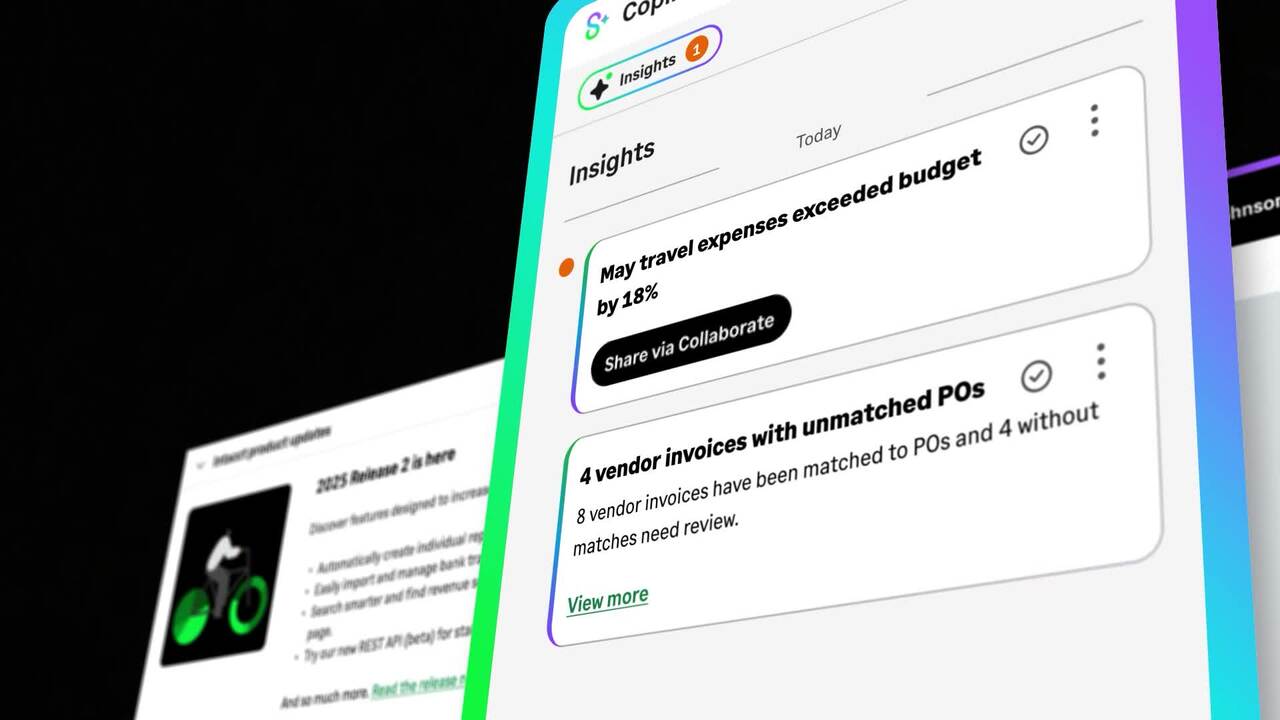
What Sage Copilot Actually Does and Why Construction and Real Estate Teams Should Pay Attention
Blog Posts

People Behind the Build: The Team That Builds the Foundation
Behind every clean go-live, every balanced conversion, and every client who exhales the moment the system finally clicks — there's an implementation team. Real people who chose the hardest, most consequential stretch of the journey because they believe in getting it right.
This is the next post in our People Behind the Build series. In the first installment, we told you what Alliance Solutions Group believes and the values we hire for. Now we're introducing the people who live those values under real deadlines: our Implementation team. Internally, we call them Build the Foundation — BTF — and the name is not an accident.
"Sometimes the most important part of the job is helping people move from what was to what can be." — Matthew Carlisle, Implementation Consultant
Meet the Crew That Builds the Foundation
Every great build starts underground, with the part nobody sees once the walls go up. Before a client ever runs a real-time job cost report or closes the books in days instead of weeks, someone has to lay the foundation. Clean the data. Design the workflows. Migrate the history. Test it until it balances. Train the people who'll live in it every day.
That's BTF. We surveyed the team — consultants and project coordinators alike — and asked what the work actually feels like from the inside. Here's what they said, in their own words.
"This Is Exactly Why I Do This"
Ask an implementation consultant why they do this, and you'll hear a version of the same story: the moment a nervous client stops white-knuckling the new system and starts trusting it.
For Matthew Carlisle, it happens on site. "Onsite with client and seeing in person, the point in which it all falls into place for them," he said. "The third parties connecting, data syncing, and that moment of 'it balances!'"
Bennett Sherrer finds it at go-live. "We spend months working through strategy, building workflows, training, and solving problems, so seeing everything finally come together is incredibly rewarding," he said. "One of my favorite moments is when a client starts using the system and realizes, 'This is exactly what we were hoping to get out of Intacct.'"
Jacob Green looks for it in the training room. "During training, when I see a client suddenly connect the dots, recognize the opportunities, and understand how it will impact their day-to-day work — that's when I get the feeling: this is exactly why I do this."
For Angie Riddle, a Senior Project Coordinator, the payoff comes right after go-live. "One of my favorite moments is when a client who was nervous at the beginning tells me after go-live, 'That was a lot easier than I expected,'" she said. "Knowing I helped turn something that felt overwhelming into a smooth, successful experience reminds me why I love implementation."
Lisa LaRoux measures it in understanding, not just adoption. "I enjoy breaking down complex processes in a way that makes sense and gives clients the full picture — not just the 'how,' but the 'why' behind it," she said. "Seeing that moment when everything clicks, and knowing I've helped build their confidence, is exactly why I enjoy what I do."
Angela Eubanks knows the feeling from both sides of the table. "I love when it all clicks," she said. "Clients can be so wary and nervous at first, then one day it just all connects and they get excited." Angela's path is its own kind of proof — she was a client first. "After doing a few software implementations I was sad when it was over and I had to go back to just using it. I mentioned that to the person doing my Intacct implementation, and a few months later I was working here."
And Danielle Tupper hears it in the small stuff. "When our client expressed how much easier their day to day was going to be because of a new report or new process we showed them," she said. "It's always nice to hear when a client is excited about the change."
The Part of the Job They'd Do for Free
Implementation isn't one job — it's a half-dozen. Which is why no two people on this team pick the same favorite phase.
Jocelyne Ahrens lives for design. "Phase 2 – Design is my favorite stage. This is where you begin building a trusted partnership with the client by diving deep into their challenges, understanding their business, and identifying system functions to solve their software needs," she said. "I love that no two clients are the same… it's about creating software that not only meets their requirements today, but also makes the client's day-to-day work more efficient, effective, and enjoyable."
Elmuttaqi Ismail starts even earlier — before the first call. "My favorite part is the pre-discovery phase. When a client is initially assigned to me, I immediately start doing research," he said. "Where are they located? Are they a family-owned business? What sector do they specialize in?… This process helps me build a very basic understanding of my client before we've even met. And I'm often able to use this research to ask better questions during the Discovery call."
Jack Cohen likes the build. "I enjoy building out workflows and processes that improve upon what the client was doing in their legacy system," he said. "Some clients are so excited to get off of their old software that every workflow built out results in a lot of gratitude."
Megan Madden is in it for the people. "I love the diverse group of people I get to interact with on a daily basis," she said. "Through my years of implementation consulting I have met a lot of great people and learned more about each one as a person than just as a business. Building a rapport with the client is what keeps me going."
Victoria Bracey is in it for the range. "Learning the variations of industries," she said. "What excites me the most is how much knowledge we can learn as consultants."
Keith Gressel just wants them over the line. "It's a very long journey and a lot of work," he said. "It's great seeing the client get to work in their live environment after all of the preparation and work they have done with consultants."
And for Nicole Murruni, it's the finish line itself. "What keeps me excited is the go-live moment — seeing everything we've worked on come together and knowing the client is successfully up and running."
Nobody Takes the Same Road Here
The best foundations get built by people who've seen the problem from a dozen different angles. Almost nobody on this team arrived by a straight line — and that's the point.
Bennett Sherrer credits four years on the mat. "College wrestling, without a doubt. When I came to Alliance I didn't have years of consulting experience. What I did have was four years of college wrestling, and looking back, I don't think anything prepared me better for this role," he said. "Wrestling teaches you that goals take time. You don't become successful because of one great practice or one great day — you get there by showing up every day with discipline, preparation, and a willingness to improve. Wrestling also taught me resilience. Every implementation has unexpected challenges, and just like in wrestling, you don't get to choose what happens — you only get to choose how you respond."
Elmuttaqi Ismail credits a career that never happened. "A few years ago I wanted to become a voice actor… So, I took about six months of voice acting classes," he said. "My voice acting career never took off. However, I still use many of the skills I learned during that brief flight of fancy during my daily training calls."
Jack Cohen credits the service industry. "Honestly, working in a restaurant," he said. "While I was able to build plenty of technical skills in my corporate life, the skillset of customer service and building relationships with the clients is the key to starting off an implementation on the right foot."
Jocelyne Ahrens brought nearly all of it — construction work, manufacturing, escrow, public accounting, and a Bachelor's in Accounting with a minor in Construction Management. "Performing construction at a young age helps me understand their day-to-day grind," she said. Her time as a construction escrow agent taught her "vendor compliance and lien waivers, AIA documents, commercial/residential billing… and to relate to the struggles they encounter with their everyday billing and payments."
Angie Riddle brought nearly three decades of a different kind of pressure. "Before joining Alliance, I developed strong communication, training, and change management skills through more than 28 years in the pharmacy and healthcare industry," she said. She also spent time with a custom home builder, where she saw how outdated software and resistance to change could cost a business money. "Those experiences taught me that successful implementations are as much about helping people embrace change as they are about the technology itself."
Megan Madden came from the audit world. "My role as an auditor before becoming an implementation consultant has helped me the most," she said. "It gives me the ability to relate to the client how the system is going to help them be better prepared for the audit — from internal controls to notations on void or reversed transactions."
Brian Puckett came from corporate finance. "Financial report building has always been a strong suit of mine," he said. "Now, my goal is to focus on reporting and dashboards that optimize a client's ability to assess financial and operational performance in Sage Intacct."
Nicole Murruni came up through the technical side, back when go-live conversions were done by hand. "My experience manually converting open AR, open AP, and inventory quantities the night prior to go-live gave me a strong understanding of the overall conversion process," she said. Add technical support and some exposure to coding, and she understands not just what each import template does, but why: "It made learning the logic behind Smart Events much easier."
Debora Gomes came from the client's side of the screen. "Having several years of client-facing experience definitely helped me, since communication is such a big part of the role," she said. "Being a Sage Intacct end user also gave me a good understanding of the system from the customer's perspective, which has made it much easier to relate to clients and understand their needs."
Lisa LaRoux learned to teach without a crutch. "One of the most valuable skills I brought to Alliance was learning how to effectively present and teach in front of groups without relying on reading from presentation slides," she said. "That experience helped me become a more engaging and confident trainer."
Keith Gressel brought adaptability from recruiting and management. "You have to be ready for anything and ready to jump in to assist and work through issues," he said. "There are a lot of changes and updates happening, so you have to be ready to think on your feet and adapt."
Danielle Tupper brought patience from customer service. "Being patient and understanding when clients are dealing with difficulties — whether they are related to the implementation or not — is key to maintaining a positive environment during implementation."
Victoria Bracey brought empathy. "Being personable and empathetic has helped me build strong client relationships by recognizing that every client is unique and has different needs," she said. "It's enabled me to adapt my consulting style, provide personalized solutions, and deliver a better overall client experience."
Good Consultants Get It Done. Great Ones Do This.
We asked what separates a good implementation consultant from a great one. Nobody said "knows the most."
"A good consultant gets the job done by following a proven process," Jacob Green said. "A great consultant gets the job done by taking the time to understand the client, their unique needs and challenges, and in doing so, instills confidence in our ability to deliver beyond expectations."
"A great consultant doesn't know EVERYTHING," Megan Madden said. "They listen to the client's needs, wants, and complaints. They do the research, and they know when to pull in someone with more expertise to help the client."
Angela Eubanks put it just as plainly. "Listening. Hear your clients, be adaptable. The system is for them — get them comfortable. If you try to force your way on the client, it will not go well."
Nicole Murruni added a layer about how you communicate. "You may explain the same process differently to an AP clerk than you would to an accountant," she said. "Listening to the client is just as important as speaking."
Elmuttaqi Ismail draws a hard line on credibility. "Knowing your client and knowing their business. It's okay to not know all the technical aspects required to get them implemented," he said. "But if you don't at least have a basic understanding of how they make money, all credibility will be lost."
Bennett Sherrer points to the unglamorous stuff. "Communication and documentation. At the end of the day, the consultant sets the tone," he said. "Technical knowledge is important, but if people don't know what's happening or what the next step is, projects slow down quickly."
Brian Puckett starts at discovery. "Really taking a deep dive in the discovery documents and discussions to make sure you know the key priorities and pain points for the client," he said. "Then making sure the project stays on course and that these items are handled before go-live."
Jack Cohen reframes the relationship entirely. "Being able to work as a team with the client rather than just a customer/vendor relationship," he said. "When the relationship is more based around 'being on the same team,' it's a lot easier to work through difficult scenarios that pop up."
Lisa LaRoux and Jocelyne Ahrens both landed on curiosity. "Great consultants don't stop at knowing just enough to complete a task," Lisa said. "That deeper understanding allows them to anticipate challenges, provide better solutions, and add more value." Jocelyne put it in a sentence: "The consultants who love to constantly learn and start each day wanting to be better than the day before."
For Angie Riddle, the endgame is trust: "Great consultants meet clients where they are, communicate clearly, stay patient, and become trusted advisors rather than just software experts." Danielle Tupper agrees the client comes first: "Great consultants understand their client's business and needs, and are able to transition those needs into the process and workflow of Intacct." And Victoria Bracey keeps it simple: know your material well enough to "educate the topic to any person in the room."
Matthew Carlisle makes the case that depth is what earns you the right to advise. "What truly separates good consultants from great ones is deep system knowledge," he said. "A thorough understanding of what the system can do gives you the confidence to navigate even the most challenging client questions."
What People Get Wrong About Implementation
Every profession has its myths. In implementation, the biggest one is that the software does the work for you.
"One of the biggest misconceptions is that implementing a new system means the system will do all the work for you," Matthew said. "The most successful projects are the ones where clients clean and validate their data, dedicate the right people, and actively participate throughout the process."
Troy Minor cuts to it: "I think one of the biggest misconceptions about implementation consulting is that it's mostly about the software. It's really just as much about understanding people, improving processes, and solving business problems."
Bennett agrees. "Our job isn't just to build the system — it's to understand their business, recommend better ways of doing things, and help them feel confident adopting those changes."
Brian Puckett wants people to know the projects aren't interchangeable. "There is a perception that all projects are virtually the same, but that is far from the truth — even just working in the construction vertical," he said. "I have seen clients set up their environment with 30 cost codes and others with 3,000-plus."
Jacob Green agrees: "No two clients are the same. Our role often extends beyond implementation — we become consultants, advisors, and sometimes even therapists as we guide them through change."
Keith Gressel wishes people saw the invisible hours. "How much extra time the consultants put into the project outside of their twice-a-week calls with clients," he said. "There is a lot of behind-the-scenes prep work that goes on to make sure everything is running smoothly."
Jocelyne Ahrens was the most candid of anyone. "It is not easy. It is multi-tasking to the max," she said. "You live by your calendar and are constantly looking out to the next day, week, month, and six months… You don't ever truly log off, because you find yourself trying to work through or find a solution to an error while driving, showering, eating."
Lisa LaRoux hears a different myth — that consultants have memorized every integration. "There are countless third-party solutions, each with their own functionality and nuances," she said. "Our role is to understand how those systems interact with Intacct, ask the right questions, collaborate with vendors when needed, and find the best solution for the client." Angela hears the same thing: the assumption "that you know every single thing about the system, the third-party apps connecting, and all the error messages."
Advice for Day One
We asked: if you could tell a brand-new Implementation Consultant one thing on their first day, what would it be?
Bennett Sherrer: "Be a sponge. That was the advice another consultant gave me on my first day at Alliance, and it's still the best advice I've received. Ask questions, sit in on as many calls as you can, and learn from the people around you."
Jocelyne Ahrens: "Rome wasn't built in a day. This software is very similar — it's complex and ever-changing. Be humble and show yourself grace, because you will never know it all."
Angela Eubanks: "It is okay to not have the answer. It is okay to have to ask others. It does not make you a weaker consultant — it makes you thorough."
Megan Madden: "Don't try to know everything. The best learning will come from on-the-job experience. And don't be afraid to admit when you need your peers to assist. At a company like Alliance, teamwork is really what it's all about."
Elmuttaqi Ismail: "Make wise use of your uncommitted time. Use it to study, brush up on skills, or experiment with Intacct. You'd be amazed how a passing familiarity with something might pay off big in the future."
Brian Puckett: "Soak up as much as you can from other consultants and shadow the work that others do. That is the quickest path to learning Sage Intacct."
Lisa LaRoux: "Practice presenting by recording yourself, and always test everything before your client call… Taking the time to prepare ensures you can focus on the client and the training rather than troubleshooting avoidable issues."
Matthew Carlisle: "Document every process you learn and repeat it in your test environment. Making mistakes in a test environment helps you recognize common errors, understand why they happen, and resolve them before working in production."
Nicole Murruni: "Come in with an open mind. Your way isn't always the right way, and every implementation is different. Be willing to listen, learn, and adapt."
Angie Riddle: "Listen first and focus on building relationships. Technical skills are important, but understanding your client's goals, communicating clearly, and building trust are what make projects successful."
Danielle Tupper: "Keep learning through the library of knowledge that is being given to you and eventually it will all come together. If you feel like it is taking a long time, you're halfway there."
Jacob Green: "Practice. Before each call, review old recordings with the same subject. Test in the implementation environment to ensure settings are correctly configured."
Keith Gressel: "You have an awesome team to learn from and are in good hands. Be ready to learn and adapt and you will do well."
The Wins That Stick
Ask about a success story and you learn what this team actually values: not the flashiest logo, but the clients who show up ready and the relationships that keep coming back.
For Matthew, that client is Aquila. "Aquila stands out as the ideal client experience and represents the kind of implementation every consultant dreams of," he said. They came prepared, cleaned their data, and took full ownership of their cutover plan — completing the entire cutover checklist within the first two weeks of go-live, all while integrating with Procore, a process that typically takes several weeks on its own. "Their preparation, engagement, and commitment were the key factors."
For Angie, the win is measured in repeat business. "One client success story I'm particularly proud of is our work with Integra. They continue to bring additional implementations to ASG because of their positive experience with our team," she said. "Seeing that trust grow to the point where they repeatedly choose ASG is incredibly rewarding — and a great measure of success."
Brian Puckett points to Southern Land, one of his first projects at Alliance. "They were a very complex client with several integrations and many end-users to train," he said. "The team that worked on this project put in a lot of hours, but getting them to go-live as a happy client was well worth the effort."
Jack Cohen points to a client who didn't want to be there. "Boys Electrical Contractors — they were very resistant to change and very critical of Intacct," he said. "But once they were live and operating in the system, they gave very positive reviews."
Elmuttaqi Ismail is proudest of a workaround. When ClearLight Solar wanted to see expense report attachments directly in the entries grid, he built a custom field so users could reach receipts from the grid. "It wasn't a perfect solution, but it solved the immediate problem," he said. "Even though it wasn't a native feature, the client was happy with the result."
Sometimes the win arrives in the inbox. Jacob Green saved a note from a client he'd helped with custom reports: "Amazing! I'm stunned. You are literally a magician. I tried that so many times." And Keith Gressel recalls a go-live signoff where the client's review of consultant Heather read: "Heather was the best, we wish we could go through implementation longer just to work together." As Keith put it, "It's awesome to see the client recognize all of the hard work put in."
Jocelyne Ahrens is quick to credit the clients themselves. Her favorites "really listened, learned, and made it enjoyable to work with. They asked challenging questions that help us consultants learn and grow."
What Keeps Them Going
Implementations are hard. Timelines slip, data fights back, and go-live weekends are long. So what keeps this team showing up? Overwhelmingly, two things: the people beside them, and the people at home.
"My children are my biggest motivation," Nicole Murruni said. "Life doesn't stop for anyone — there will always be challenges, but you have to keep moving forward. At the end of the day, I hope my children see that perseverance and are proud of me."
"My goals," Bennett Sherrer said. "Sometimes that means putting in extra time to help a client hit a deadline. Other times it means slowing down and making sure they truly understand a new workflow before moving on. At the end of the day, I want every client to feel like they had someone in their corner."
For Matthew, it's the bench: "The team. We have remarkable people who keep expanding the boundaries of what's achievable." Megan feels the same net: "Challenging implementations are doable because I have a great support system in my team at ASG. Everyone is rooting for success." Lisa LaRoux agrees: "Knowing I have the full Alliance team behind me… That support gives me the confidence to keep pushing forward." Keith Gressel frames it as obligation, in the best way: "I don't want to let our team or the client down. It really is a team effort." And Jacob Green, still new, says he's "amazed by the level of professionalism on my team. We have a lot of fun, but everyone is extremely knowledgeable and always eager to assist and support one another."
Angie Riddle summed up the culture in what's become something of a team motto. "We are known as the Dream Team, and I can honestly say it truly is a dream to work at Alliance," she said. "As we've grown so rapidly, we've continued to attract incredibly talented people who genuinely support one another and care deeply about our clients' success."
The rest keep it short. Angela Eubanks: "I love seeing the client happy and succeeding." Victoria Bracey: "My team motivates me every day." Jack Cohen: "Gratitude from clients — especially from ones that were anxious about transitioning." Danielle Tupper: "Making a change in my coworkers' and clients' day-to-day that will last." And Jocelyne Ahrens, ever the realist: "Knowing that tomorrow is a new day and the challenges encountered today are only temporary."
The People Behind the Build
Software gets a lot of the credit. But Sage Intacct doesn't clean anyone's data, sit with a nervous controller at 6 a.m. on go-live morning, or explain a journal entry reversal to a room full of skeptics. People do that. This team does that.
Alliance Solutions Group has been a Sage partner since 2005 and grown into Sage's #1 Intacct partner in North America. But the reason clients like Aquila, Integra, and Southern Land keep coming back isn't a stat on a website. It's the foundation — and the people who build it.
If You're Reading This and It Resonates
We're growing fast, and we're selective about who joins this team — not because we're chasing perfect resumes, but because we're looking for people who care about the work as much as our BTF crew does.
Wrestlers, auditors, restaurant servers, escrow agents, voice actors: the road here doesn't have to be a straight line. If building the foundation sounds like the kind of work you'd be proud of, we'd love to hear from you.
Explore Career Opportunities or Get to Know Us
More in This Series
This is the latest installment of People Behind the Build, a series from Alliance Solutions Group exploring the culture, careers, and people that power construction and real estate technology. Follow along as we introduce the team behind the partnership.

7 Signs Your Construction Business Has Outgrown QuickBooks (And One Is Definitely Happening to You Right Now)
Let's be honest about something nobody in your industry is saying out loud.
QuickBooks is a perfectly fine tool. For a landscaping company with one truck and no employees. For a freelance bookkeeper working out of a home office. For your brother-in-law who just started flipping houses for the first time and thinks he's a real estate developer now.
But if you're running a construction company or real estate operation with multiple projects, multiple entities, a growing team, and a month-end close that feels like a full-contact sport, QuickBooks may be the single biggest thing standing between where you are and where you're trying to go.
Here's the part that stings: most contractors and real estate firms don't realize their accounting system is the problem. They think they need more staff. They think they need better processes. They blame the people, the volume, or the complexity of the work itself. And all of that might be partly true. But the deeper truth is this: you can't run a $30M, $50M, or $100M construction business on software that was designed for a $1M one.
At Alliance Solutions Group, we are 100% focused on contractors and real estate firms. We've helped over 4,000+ customers modernize their financial and operational systems so they can see their numbers clearly, protect their margins, and make faster decisions. We've been Sage Intacct Construction Partner of the Year since the product launched. We are, without false modesty, the largest Sage construction partner in the country.
We have seen every version of this problem. And it almost always starts with the same seven warning signs.
A Quick Word Before We Get Into the List
We want to be clear about something. This is not a hit piece on QuickBooks. It served a real purpose for a lot of businesses at a specific stage of their growth. The problem is that growth is exactly what it can't handle.
Construction and real estate are among the most financially complex industries in existence. You're managing job costing across dozens of projects simultaneously. You're dealing with retainage, change orders, AIA billing, subcontractor payments, and lien waivers. You may have multiple legal entities, multiple locations, or joint ventures that require their own sets of books. Your revenue recognition is complex. Your compliance obligations are real. Your margins are thin enough that a few bad months can wipe out a year of profit.
QuickBooks was not designed with any of that in mind. It was designed to help a small business owner track income and expenses and print an invoice. That is a meaningful product for the right customer. That customer just isn't you anymore.
So if you recognize yourself in any of the signs below, know that you are not behind. You are growing. The question is whether your systems are growing with you.
Sign #1: Your Month-End Close Is Basically a Second Job for Your Entire Finance Team
If "closing the books" sounds less like an accounting process and more like a coordinated emergency response, that is not a people problem. That is a system problem.
Think about what a typical month-end close looks like in a QuickBooks environment at a growing construction company:
- Someone is manually pulling job cost data from one system and reconciling it against invoices in another
- Someone else is chasing down approvals over email because there's no formal workflow
- A third person is building consolidation spreadsheets because QuickBooks can't do it automatically
- Everyone is working evenings and weekends just to hit a close date that still somehow slips by a week
And the worst part? By the time the books are finally closed, the data is already old. Leadership is making decisions based on numbers that are three weeks behind. In a business where margins can shift fast and cash flow can turn on a dime, that delay is not just inconvenient. It is genuinely dangerous.
Modern construction accounting platforms can cut monthly close time by up to 79%. That is not a rounding error. That is the difference between a finance team that's constantly putting out fires and one that's actually helping run the business strategically.
When your close takes two weeks, you lose two weeks of decision-making clarity every single month. Multiply that across a year and ask yourself what that's costing you in missed opportunities, reactive decisions, and organizational stress.
What this looks like in practice: A multi-entity general contractor we worked with was spending 18 to 22 days closing their books each month. Between manual intercompany entries, spreadsheet consolidations, and chasing down approvals across four entities, their controller was essentially unavailable for any strategic work from the 25th of one month to the 15th of the next. After implementation, they closed in under five days. That controller now spends her time analyzing job performance, not rebuilding spreadsheets.
Sign #2: You Have a Spreadsheet for Your Spreadsheets (And Everyone Is Afraid to Touch the Original)
We are not judging. We have seen this hundreds of times, in every variation imaginable.
It usually starts innocently enough. QuickBooks can't quite produce the report your VP of Operations needs, so someone builds a workaround in Excel. It works well enough that people start relying on it. Then they add tabs. Then more tabs. Then formulas that reference other workbooks. Then password protections because one too many people accidentally deleted something. Then the person who built the whole thing leaves the company and takes the institutional knowledge with them.
What you're left with is a fragile, undocumented shadow accounting system that nobody fully understands and everyone is afraid to touch.
The risks here are not theoretical:
- Version control is a disaster. Which spreadsheet is the source of truth? The one your CFO has? The one the controller updated last Tuesday? The one that got emailed around last week with "FINAL" in the title, which was then followed by "FINAL_v2" and "FINAL_ACTUAL"?
- Error propagation is a real threat. One broken formula, one deleted row, one wrong paste can corrupt data that flows through every downstream report. And you may not catch it until it's already been presented to your board or your lender.
- Single points of failure create enormous operational risk. If one person owns the spreadsheet and that person gets sick, takes a vacation, or moves on to another company, your financial reporting capability goes with them.
- Audit exposure is significant. When your financials are built on a patchwork of spreadsheets with no clear audit trail, explaining your numbers to an auditor, a banker, or a potential acquirer becomes a very uncomfortable exercise.
The spreadsheet problem is not a symptom of poor financial management. It is a symptom of a system that can't do what your business needs it to do. The people building those spreadsheets are often your sharpest finance professionals doing their best with inadequate tools.
The solution is giving them better tools, not asking them to build smarter spreadsheets.
Sign #3: Your Reports Tell You What Happened Last Month. Your Business Needs to Know What's Happening Right Now.
There's a question we ask every construction and real estate company we work with early in the relationship: "If your CFO walked in right now and asked for job-level profitability across all active projects, how long would it take to produce that report?"
The answers we hear most often are:
- "Probably a day or two"
- "End of the week, realistically"
- "That would be a big ask"
- "We don't really have that"
That is a problem. In construction, job-level visibility is not a nice-to-have. It is the foundational requirement for protecting your margins and running your business well. If you can't quickly see which jobs are trending over budget, which subcontractors are driving cost overruns, and which project managers are consistently delivering and which aren't, you are managing by approximation.
The construction and real estate industries are unforgiving in this regard. Your contracts have fixed scopes. Your materials have volatile prices. Your labor costs are subject to market conditions, union agreements, and weather delays. Your change order management can make or break a project's profitability. None of that complexity shows up in a standard QuickBooks report.
What growing companies actually need from their reporting:
- Job costing visibility at every phase of every project, updated in real time
- Entity-level P&L that doesn't require a weekend of manual assembly
- Dimensional reporting that lets you slice data by project, department, location, manager, or any combination thereof
- Cash flow forecasting that accounts for retainage, scheduled billings, and upcoming subcontractor payments
- Custom dashboards so that your CFO, your COO, and your project managers are all seeing the right information without having to wait for someone in accounting to pull a report for them
Generic reports might confirm that revenue went up. That's nice. But revenue going up on a job that's also going over budget on labor and materials is not a success story. It's a warning sign. If your reporting can't tell the difference, you are not running a data-driven business. You are making educated guesses and calling it strategy.
Sign #4: You Have Multiple Entities or Locations, and Managing Them Is Consuming Your Team
This is where QuickBooks goes from "limited" to "genuinely can't do this."
The construction and real estate industries are full of multi-entity structures. General contractors with separate holding companies. Real estate developers with individual LLCs for each asset. Construction groups with regional operating companies under a parent. Joint ventures that require standalone reporting. Property management operations that sit alongside development entities.
These structures exist for good legal, tax, and liability reasons. But they create accounting complexity that QuickBooks simply was not built to handle:
- Intercompany transactions require manual journal entries in multiple sets of books, with no automated reconciliation or elimination process
- Consolidated reporting has to be assembled by hand, pulling data from separate QuickBooks files and combining it in a spreadsheet (see Sign #2)
- Shared service allocations (shared payroll, shared insurance, shared equipment) have to be manually tracked and allocated across entities, often with inconsistent methodology
- Entity-level visibility requires switching between company files, which is cumbersome and error-prone
- Audit trails across entities are fragmented and difficult to trace
Every one of those manual touchpoints is a place where errors happen, time is wasted, and your close cycle extends. And the more entities you add, the worse it gets. This is not a scalable model.
For a multi-entity contractor or real estate firm, the right accounting platform handles intercompany transactions automatically. It eliminates them in consolidation without manual intervention. It allocates shared costs according to rules you define, not according to whoever had time to do it this month. And it lets you see each entity individually or consolidated together with a single click.
That is not a luxury. For a growing multi-entity organization, that is a baseline operational requirement.
The real cost of getting this wrong: Errors in intercompany accounting don't just create reconciliation headaches. They can distort entity-level profitability, complicate tax filings, create exposure in audits, and produce consolidated financials that misrepresent the performance of your business. When you're seeking bonding, a line of credit, or a potential partner, your financial statements need to be airtight. Manual consolidations are rarely airtight.
Sign #5: Your Best Finance People Are Spending Their Days on Data Entry
This one is frustrating to write, because it's so common and so avoidable.
When did re-keying invoices become an acceptable use of a senior accountant's time? When did three-step email approval chains become a standard internal control? When did manual reconciliation of subcontractor payments become a routine monthly task for someone with 10 years of accounting experience?
The answer, in most cases, is: when you outgrew your system but didn't replace it.
Here's what excessive manual work looks like in a construction finance environment:
- Accounts payable staff manually entering invoices that could be captured automatically
- Project managers emailing change order approvals to accounting instead of routing through a system
- Controllers manually reconciling job costs against contract values because the system can't do it
- Finance teams re-entering data from project management software into the accounting system because the two don't integrate
- Payroll data being manually imported from a separate system every pay period
- Month-end journal entries being built from scratch each month instead of recurring automatically
Every one of those tasks has a cost. Direct labor cost, obviously. But also: error cost, because humans doing repetitive tasks make mistakes; delay cost, because manual processes take longer than automated ones; and opportunity cost, because every hour your senior finance professional spends on data entry is an hour they're not spending on analysis that could actually improve your margins.
There's also a talent cost that often goes unmentioned. Strong finance professionals don't stay long in environments where their primary job is administrative work. If your accounting system is making your finance team's jobs harder instead of easier, turnover becomes a real risk, and the institutional knowledge that walks out the door with each departure is irreplaceable.
Automation in construction accounting is not about replacing people. It is about letting your people do the work they were actually hired to do.
Sign #6: The Words "Audit" and "Compliance" Make Your Controller Visibly Nervous
There's a version of this conversation that happens in almost every company we work with.
We ask about internal controls. There's a pause. Then someone says something like, "Well, our controller handles most of that," or "We have a review process, it's just not super formal," or the classic: "We've never really had a problem."
"We've never really had a problem" is not an internal control. It's luck. And luck, as anyone who's been in construction for more than a few years knows, eventually runs out.
Here's why controls matter more than ever for growing construction and real estate companies:
Lender and bonding requirements are intensifying. Surety companies and construction lenders are asking more detailed questions about your financial processes, your internal controls, and the reliability of your reporting. If your financial statements are built on a manual, spreadsheet-heavy process, that scrutiny is uncomfortable at best and deal-breaking at worst.
Owner and GC requirements are getting stricter. Public-sector work, large commercial contracts, and work for sophisticated private owners increasingly comes with compliance requirements around financial reporting, audit trails, and internal process documentation. If you're pursuing this kind of work and your back office can't support those requirements, you're competing with one hand tied behind your back.
Fraud risk is real and underappreciated. Construction has historically had significant exposure to financial fraud, particularly in accounts payable, subcontractor billing, and payroll. Without proper segregation of duties, role-based access controls, and automated approval workflows, that exposure is hard to manage.
Tax and regulatory complexity is growing. Multi-state operations, diverse entity structures, revenue recognition requirements, and evolving tax regulations all require a level of financial rigor that manual processes struggle to maintain consistently.
What modern construction accounting platforms provide in this area:
- Role-based permissions that control exactly what each user can see and do, down to the transaction level
- Complete, system-generated audit trails for every entry, approval, and modification
- Automated approval workflows that enforce your policies consistently, regardless of who's reviewing
- Separation of duties built into the system so that the person creating a payment can't be the same person approving it
- Compliance reporting that makes audits faster and less painful
None of that is possible in QuickBooks at the scale or with the reliability that a growing construction company needs.
Sign #7: You Are Growing. Your Accounting System Is Slowing You Down.
This is the one that matters most, and it's the one that's hardest to see when you're in the middle of it.
Growth is supposed to feel like momentum. More revenue, more projects, more complexity, all moving in the right direction. But in too many construction and real estate companies, growth creates a paradox: the bigger you get, the more your accounting system becomes a drag on your ability to operate.
More projects mean more job cost data to track manually. More entities mean more intercompany entries to reconcile. More staff means more approval workflows to manage over email. More revenue means more scrutiny from lenders and bonding companies. More complexity means more things that fall through the cracks of a system not built to handle them.
If you're scaling your business while still running on a platform designed for small businesses, every growth milestone creates more friction instead of more momentum. And that friction has real consequences:
- Decisions get delayed because the data isn't ready in time
- Bids get priced conservatively because there's no confidence in the cost data behind them
- Good people get frustrated and leave because the tools make their jobs harder
- Leadership spends time managing financial chaos instead of pursuing strategic opportunities
- Lenders and sureties ask harder questions because the financials don't inspire confidence
The goal of modern financial management is to make growth easier, not harder. The right platform scales with you, handles complexity without adding headcount, and gives you the visibility to run your business proactively instead of reactively.
That is what construction companies that compete at the highest level have in common: financial infrastructure that enables their ambitions instead of limiting them.
The Real Question: What Is Staying on QuickBooks Actually Costing You?
Most of the conversation about accounting software focuses on features and functionality. That is the wrong frame.
The right frame is cost. What does it actually cost your business every year to stay on a platform that can't keep up with you?
Consider the following:
- Labor costs for manual processes can run $50,000 to $100,000 annually, and that is a conservative estimate for a company doing more than $20M in revenue
- Errors in financial reporting can create tax exposure, bonding issues, and audit findings that are expensive to resolve
- Delayed closes mean delayed decisions, which means missed opportunities to correct job performance problems before they become losses
- Compliance failures on public-sector or large commercial contracts can result in penalties or disqualification from future work
- Turnover in finance driven by frustrating manual environments carries replacement costs that often exceed an entire year of a senior employee's salary
And then there are the costs that don't show up on any income statement: the strategic cost of not knowing your numbers well enough to pursue the right opportunities, price jobs with confidence, or manage your cash position proactively.
The investment in modern financial management software is not an expense. It is a return on invested capital. Companies that make the switch typically recover their implementation investment within a few months and continue to realize efficiency gains for years afterward.
What Growing Contractors and Real Estate Firms Are Doing About It
They are switching to Sage Intacct, and most of them ask the same question afterward: why did we wait so long?
Alliance Solutions Group is the largest Sage construction partner in the country. We have been Sage Intacct Construction Partner of the Year since the product launched. We are 100% focused on construction and real estate. Not retail. Not healthcare. Not manufacturing. Your industry, your complexity, your numbers.
We have served over 4,000 customers and we know what happens when a construction business finally gets financial infrastructure that matches its ambition:
- Month-end closes that used to take three weeks now take three to five days
- Consolidated reporting across multiple entities that used to require a full weekend now runs on demand
- Finance teams that used to spend 60% of their time on manual data entry are now spending that time on analysis that actually improves the business
- Controllers who used to dread audits now walk into them with confidence
- Leadership teams that used to wait for month-end to see their numbers now have real-time visibility every day
If any of the seven signs above felt uncomfortably familiar, you are not behind. You are growing. The question is whether you are going to let your systems grow with you.
Here is what you can do today:
Read the Full E-Book
Go deeper on every warning sign, get a detailed breakdown of what to look for in a replacement system, and hear how other construction and real estate companies made the transition successfully.
See what modern construction accounting actually looks like, at your own pace, on your own time, with zero sales pressure. Explore the platform and decide for yourself.
Talk to one of our construction accounting specialists. We will show you exactly how Sage Intacct would work for your specific business: your entities, your projects, your team, your reporting needs.
Alliance Solutions Group solves one problem: when your back office can't keep up with the complexity of your projects and the ambitions of your business. If that sounds like where you are, we should talk.

How to Protect Margins and Stay Funded in 2026 & Beyond
The construction industry is heading into 2026 with a mixed bag, and at Alliance Solutions Group, we've been watching these shifts closely.
Every year, we dig into the data from the Associated General Contractors of America and Sage's annual Construction Hiring and Business Outlook to understand where the industry is headed. This year's report, titled Dampened Expectations, tells an honest story: there's real demand out there, but the landscape has gotten more complicated.
Data centers and power facilities are surging. Five market segments have flipped to negative expectations, up from just two last year. Sixty-two percent of firms say recession risk is their top concern. And the labor shortage? It's not getting easier. Eighty-two percent of contractors are struggling to fill craft positions.
For contractors, the question isn't whether there's work. It's whether your business is set up to manage the complexity that comes with it.
Here's what we're paying attention to, and what we think you should be thinking about, too.
Data Centers Are Booming. That Doesn't Make Them Simple.
The biggest headline in this year's outlook is the continued surge in data center demand. According to the AGC and Sage report, data centers posted a net reading of 57 percent, the highest of any market segment and the only one to see double-digit growth from a year ago. Power facilities came in second at 34 percent, and those two segments are the only categories where contractor confidence actually increased compared to last year.
The demand is real, and it's being driven by AI, cloud computing, and the broader expansion of digital infrastructure.
But here's the part of this story that doesn't always get enough attention: data centers are resource-intensive in ways that directly affect the communities where they're built. They require significant energy, large volumes of water for cooling, substantial land, and major infrastructure investment. As these projects multiply, the conversations around them are getting bigger, and rightly so. Communities are asking harder questions about environmental impact, strain on local utilities, long-term sustainability, and who bears the cost of supporting these facilities.
As a firm that works closely with contractors, we think this matters. Growth is good, but not if it comes without careful planning.
For contractors, data center work can be a real opportunity, but it also demands strong cost controls, accurate forecasting, and clear visibility into project performance from day one. These are complex, resource-heavy projects, and the margin for error is smaller than it might look from the outside.
The takeaway isn't just that data centers are a growth area. It's that the kind of work driving demand right now requires contractors to manage risk more carefully than ever.
The Rest of the Market? Contractors Are Playing It Cautious.
While data centers and power projects are running hot, the broader picture is more guarded.
The AGC report shows that five market segments now carry negative net expectations, up from just two in last year's survey. Retail, private office, and hotel construction are seeing the weakest outlook. And even the segments that are still expected to grow, like healthcare, manufacturing, water and sewer, are seeing lower confidence compared to a year ago.
That said, contractors aren't sitting on their hands. Nearly 40 percent report backlogs that are bigger than a year ago, and 63 percent still plan to add workers this year. The work is there. But firms are being more selective about the work they take on and more focused on protecting their margins.
From where we sit, this is actually the right instinct. When the market shifts, the contractors who come out ahead aren't the ones chasing every opportunity. They're the ones who know exactly which projects are profitable, where costs are moving, and how fast they need to act on financial decisions. That kind of clarity doesn't come from spreadsheets updated once a month. It comes from having real-time visibility into your numbers.
Economic Uncertainty Isn't Going Away
If there's one theme that runs through this entire outlook, it's uncertainty.
Sixty-two percent of contractors cited an economic slowdown or recession as their top concern for 2026. That's not a small number. And it's compounded by everything else on the list: tariff policies that keep shifting, tighter project financing, rising material costs, and immigration enforcement pressures that are affecting labor availability in certain regions.
The AGC report also notes that many firms have already seen owners postpone, scale back, or cancel projects. That's the kind of environment where one delayed decision or one missed cost trend can ripple through a contractor's entire pipeline.
We talk to construction firms every day, and what we hear is that the challenge isn't just winning work. It's understanding whether the work is financially sound before you commit to it. That requires up-to-date job cost data, connected reporting, and systems that let leadership act on current information rather than catching problems after the fact.
If your financial data lives in disconnected spreadsheets or your reports are running weeks behind, that's not just an inconvenience. In this kind of environment, it's a real business risk.
The Labor Shortage Is Still Squeezing the Industry
The skilled labor shortage has been a headline for years now, and 2026 is no exception.
According to the AGC and Sage report, 82 percent of firms are having difficulty filling hourly craft positions, and 80 percent are struggling with salaried roles. Those are the highest numbers in the past three years. And 63 percent of firms still plan to grow their headcount, which means the competition for qualified workers is only going to intensify.
When your teams are stretched thin, every inefficient process costs you more. It costs you in time, in errors, and in the energy your people spend on work that could be automated or streamlined. Whether it's project accounting, approvals, payroll, or field reporting, the processes that still rely on manual entry are the ones most likely to slow your team down and introduce mistakes.
We've seen this firsthand with the contractors we work with. When firms invest in reducing the manual burden on their teams, they don't just save time. They create room for their people to focus on the work that actually moves projects forward.
AI Investment Is Accelerating, But the Foundation Matters
One of the most striking findings in this year's report is how quickly AI adoption is growing in construction.
Sixty-one percent of firms now say they're either using AI or planning to increase their investment in it, up from 44 percent just a year ago. That's a significant jump. Contractors are putting AI to work across administrative functions (45 percent), estimating (23 percent), design and preconstruction (20 percent), and recruiting and training (16 percent).
This isn't a trend that's going to slow down. But here's what we keep coming back to in our conversations with clients: AI is only as good as the data and systems underneath it.
If your financial data is scattered across disconnected tools, if your reporting processes are manual, if your accounting system wasn't built for the way construction actually works, then layering AI on top of that isn't going to solve the underlying problem. It's going to amplify the gaps.
The firms that are getting the most out of technology right now are the ones that invested in a solid cloud-based foundation first. Centralized data, connected workflows, clean reporting. That's the groundwork that makes everything else, including AI, actually useful.
What We Think This All Means
The 2026 outlook is complicated. Some segments are thriving, others are pulling back. The labor market is tight. Costs are unpredictable. Owners are cautious. And at the same time, the pace of technology adoption is accelerating.
For construction leaders, this is a moment to step back and honestly assess whether the systems behind your business are keeping up with the demands in front of you.
Can you see your financial performance clearly and in real time? Do you know which projects are making money and which ones aren't? Can your teams get what they need without chasing down spreadsheets or waiting on manual reports? Are you positioned to adopt new technology when it makes sense, or will outdated infrastructure hold you back?
These aren't hypothetical questions. They're the ones that separate the firms that navigate years like this successfully from the ones that spend the whole time reacting.
At Alliance Solutions Group, this is the work we do every day. We help construction businesses modernize the financial and operational systems that everything else depends on, from Sage Intacct Construction to connected solutions that support reporting, project visibility, and workflow efficiency. Our goal is to help contractors build a foundation that's strong enough for what's coming, not just what's here today.
If any of what you've read here hits close to home, we'd love to have a conversation.
The data referenced in this article comes from the AGC and Sage 2026 Construction Hiring and Business Outlook report. You can read the full report here.

2026 Construction Outlook: What We're Watching (And What You Should Be, Too)
The construction industry is heading into 2026 with a mixed bag, and at Alliance Solutions Group, we've been watching these shifts closely.
Every year, we dig into the data from the Associated General Contractors of America and Sage's annual Construction Hiring and Business Outlook to understand where the industry is headed. This year's report, titled Dampened Expectations, tells an honest story: there's real demand out there, but the landscape has gotten more complicated.
Data centers and power facilities are surging. Five market segments have flipped to negative expectations, up from just two last year. Sixty-two percent of firms say recession risk is their top concern. And the labor shortage? It's not getting easier. Eighty-two percent of contractors are struggling to fill craft positions.
For contractors, the question isn't whether there's work. It's whether your business is set up to manage the complexity that comes with it.
Here's what we're paying attention to, and what we think you should be thinking about, too.
Data Centers Are Booming. That Doesn't Make Them Simple.
The biggest headline in this year's outlook is the continued surge in data center demand. According to the AGC and Sage report, data centers posted a net reading of 57 percent, the highest of any market segment and the only one to see double-digit growth from a year ago. Power facilities came in second at 34 percent, and those two segments are the only categories where contractor confidence actually increased compared to last year.
The demand is real, and it's being driven by AI, cloud computing, and the broader expansion of digital infrastructure.
But here's the part of this story that doesn't always get enough attention: data centers are resource-intensive in ways that directly affect the communities where they're built. They require significant energy, large volumes of water for cooling, substantial land, and major infrastructure investment. As these projects multiply, the conversations around them are getting bigger, and rightly so. Communities are asking harder questions about environmental impact, strain on local utilities, long-term sustainability, and who bears the cost of supporting these facilities.
As a firm that works closely with contractors, we think this matters. Growth is good, but not if it comes without careful planning.
For contractors, data center work can be a real opportunity, but it also demands strong cost controls, accurate forecasting, and clear visibility into project performance from day one. These are complex, resource-heavy projects, and the margin for error is smaller than it might look from the outside.
The takeaway isn't just that data centers are a growth area. It's that the kind of work driving demand right now requires contractors to manage risk more carefully than ever.
The Rest of the Market? Contractors Are Playing It Cautious.
While data centers and power projects are running hot, the broader picture is more guarded.
The AGC report shows that five market segments now carry negative net expectations, up from just two in last year's survey. Retail, private office, and hotel construction are seeing the weakest outlook. And even the segments that are still expected to grow, like healthcare, manufacturing, water and sewer, are seeing lower confidence compared to a year ago.
That said, contractors aren't sitting on their hands. Nearly 40 percent report backlogs that are bigger than a year ago, and 63 percent still plan to add workers this year. The work is there. But firms are being more selective about the work they take on and more focused on protecting their margins.
From where we sit, this is actually the right instinct. When the market shifts, the contractors who come out ahead aren't the ones chasing every opportunity. They're the ones who know exactly which projects are profitable, where costs are moving, and how fast they need to act on financial decisions. That kind of clarity doesn't come from spreadsheets updated once a month. It comes from having real-time visibility into your numbers.
Economic Uncertainty Isn't Going Away
If there's one theme that runs through this entire outlook, it's uncertainty.
Sixty-two percent of contractors cited an economic slowdown or recession as their top concern for 2026. That's not a small number. And it's compounded by everything else on the list: tariff policies that keep shifting, tighter project financing, rising material costs, and immigration enforcement pressures that are affecting labor availability in certain regions.
The AGC report also notes that many firms have already seen owners postpone, scale back, or cancel projects. That's the kind of environment where one delayed decision or one missed cost trend can ripple through a contractor's entire pipeline.
We talk to construction firms every day, and what we hear is that the challenge isn't just winning work. It's understanding whether the work is financially sound before you commit to it. That requires up-to-date job cost data, connected reporting, and systems that let leadership act on current information rather than catching problems after the fact.
If your financial data lives in disconnected spreadsheets or your reports are running weeks behind, that's not just an inconvenience. In this kind of environment, it's a real business risk.
The Labor Shortage Is Still Squeezing the Industry
The skilled labor shortage has been a headline for years now, and 2026 is no exception.
According to the AGC and Sage report, 82 percent of firms are having difficulty filling hourly craft positions, and 80 percent are struggling with salaried roles. Those are the highest numbers in the past three years. And 63 percent of firms still plan to grow their headcount, which means the competition for qualified workers is only going to intensify.
When your teams are stretched thin, every inefficient process costs you more. It costs you in time, in errors, and in the energy your people spend on work that could be automated or streamlined. Whether it's project accounting, approvals, payroll, or field reporting, the processes that still rely on manual entry are the ones most likely to slow your team down and introduce mistakes.
We've seen this firsthand with the contractors we work with. When firms invest in reducing the manual burden on their teams, they don't just save time. They create room for their people to focus on the work that actually moves projects forward.
AI Investment Is Accelerating, But the Foundation Matters
One of the most striking findings in this year's report is how quickly AI adoption is growing in construction.
Sixty-one percent of firms now say they're either using AI or planning to increase their investment in it, up from 44 percent just a year ago. That's a significant jump. Contractors are putting AI to work across administrative functions (45 percent), estimating (23 percent), design and preconstruction (20 percent), and recruiting and training (16 percent).
This isn't a trend that's going to slow down. But here's what we keep coming back to in our conversations with clients: AI is only as good as the data and systems underneath it.
If your financial data is scattered across disconnected tools, if your reporting processes are manual, if your accounting system wasn't built for the way construction actually works, then layering AI on top of that isn't going to solve the underlying problem. It's going to amplify the gaps.
The firms that are getting the most out of technology right now are the ones that invested in a solid cloud-based foundation first. Centralized data, connected workflows, clean reporting. That's the groundwork that makes everything else, including AI, actually useful.
What We Think This All Means
The 2026 outlook is complicated. Some segments are thriving, others are pulling back. The labor market is tight. Costs are unpredictable. Owners are cautious. And at the same time, the pace of technology adoption is accelerating.
For construction leaders, this is a moment to step back and honestly assess whether the systems behind your business are keeping up with the demands in front of you.
Can you see your financial performance clearly and in real time? Do you know which projects are making money and which ones aren't? Can your teams get what they need without chasing down spreadsheets or waiting on manual reports? Are you positioned to adopt new technology when it makes sense, or will outdated infrastructure hold you back?
These aren't hypothetical questions. They're the ones that separate the firms that navigate years like this successfully from the ones that spend the whole time reacting.
At Alliance Solutions Group, this is the work we do every day. We help construction businesses modernize the financial and operational systems that everything else depends on, from Sage Intacct Construction to connected solutions that support reporting, project visibility, and workflow efficiency. Our goal is to help contractors build a foundation that's strong enough for what's coming, not just what's here today.
If any of what you've read here hits close to home, we'd love to have a conversation.
The data referenced in this article comes from the AGC and Sage 2026 Construction Hiring and Business Outlook report. You can read the full report here.

Why Your Service Department Looks Profitable But Isn’t
A specialty contractor’s controller pulls the monthly P\&L. The service department margin reads 18%. The president is happy. The service manager is happy. The board is happy. Everybody moves on.
Six months later, the company runs a true cost analysis on the service business. Once unbilled labor hours, mis-coded materials, parts pulled from inventory without job allocation, and service contracts that ended up under-billed are all accounted for, the actual service department margin reads 11%.
ViewReported marginWhat’s includedMonthly P\&L18%Only revenue that got billed against cost that got charged to that jobTrue cost analysis11%Unbilled labor, mis-coded materials, under-billed contracts, untracked parts
Seven points of margin were never in the books.
This is the service profitability problem most specialty contractors are running on. The service department looks profitable because the P\&L is reporting captured revenue against captured cost. Across the specialty contractor service businesses Alliance Solutions Group has worked with, the actual profitability picture is typically 4 to 8 points lower than what the P\&L shows.
Here is where the gap comes from, why it shows up in service work specifically, and what the contractors who close it are doing differently.
Why the Service P\&L Lies
The service department P\&L looks profitable for a specific reason: it only reports what got billed. The work that didn’t make it to the invoice never shows up as a margin drag, because it never shows up at all.
What the P\&L sees vs. what’s actually happening:
What the P\&L seesWhat’s actually happeningJob shows completeSome hours never made it to a ticketRevenue shows billedSome service tickets billed in the wrong periodMaterial cost looks normalMaterials landed on the wrong jobService contracts look profitableSome entitlements were over- or under-billed
The P\&L is doing its job. The job of the P\&L is to report what happened in the financial system. The problem is what doesn’t make it into the financial system. For service work, that gap is larger than for any other mode of work a specialty contractor runs.
Service work runs on per-call billing, time and materials, flat-rate billing, or contract entitlements. The cost data flows in from technicians in the field. Parts flow out of inventory across multiple trucks and warehouses. The reconciliation between work performed, cost incurred, and revenue billed depends on a dozen small handoffs every day, each of which is a potential leak point.
Install work and recurring maintenance leak too. Service work leaks worse because the transaction volume is higher and the billing cycles are tighter. A specialty contractor’s service department can run hundreds of small transactions per week. Even a small percentage of leakage on each one compounds into real margin loss across a quarter.
The Five Places Service Margin Leaks
Five specific gaps absorb most of the margin loss in service work. None are unusual. Every specialty contractor running a service business has dealt with all five.
- Technician hours that never get billed. A technician finishes a service call at 4 p.m., enters time three days later, and bills the customer for two hours instead of three. The hour is gone. Service work generates more billable hours per day than any other mode, which means time capture accuracy is the single biggest lever in service profitability.
- Parts pulled from trucks without job allocation. A technician pulls parts from the truck, completes the work, drives to the next call without recording where the parts went. The cost hits inventory expense, but no specific job got charged. The service customer is billed for labor only or for an estimated parts charge that may or may not reflect actual cost.
- Service tickets billed in the wrong period. Work performed at the end of a billing cycle does not always make it onto the customer’s invoice until the next cycle. Revenue recognition lags. For service contracts with monthly billing, the timing error compounds into a meaningful AR aging issue and a margin distortion that takes months to surface.
- Contract entitlements not enforced. A service contract includes specific entitlements: monthly preventive maintenance visits, a set number of emergency response calls per year, parts replacement against a covered list. When work performed exceeds the entitlement and isn’t flagged, the customer gets the work for free. When work falls under the entitlement and the contract is billed at the full rate anyway, the customer eventually catches it and disputes the invoice.
- Recurring service work that loses cost discipline over time. A service customer signed five years ago at a profitable rate may now be unprofitable because labor costs rose, material costs rose, or scope expanded informally. Without periodic profitability reviews tied to clean job cost data, unprofitable customers stay on the books.
Each gap individually looks small. Together, across a real service business, they typically account for the 4-to-8 point margin gap between the P\&L and the actual profitability picture.
For a closer look at how job costing visibility surfaces this kind of margin risk before it shows up at month-end, see Financial Visibility for Electrical Contractors: Understanding Job Costing and Margin Risk and Electrical Contractor Job Cost Reporting: Why Budget vs Actual Isn’t Enough.
What 4 to 8 Points of Margin Recovery Is Worth
The financial impact is larger than most specialty contractors estimate, for the same reason the gap itself is invisible. The losses are distributed across thousands of small transactions rather than concentrated in any single event.
How the math scales by service business size, assuming a reported margin of 18% and a true margin 4 to 8 points lower:
Service business sizeReported margin (18%)Real margin (10–14%)Annual gapRecoverable per year$5M$900K$500K–$700K$200K–$400K$200K–$400K$15M$2.7M$1.5M–$2.1M$600K–$1.2M$600K–$1.2M$30M$5.4M$3.0M–$4.2M$1.2M–$2.4M$1.2M–$2.4M
These figures aren’t theoretical. They reflect the kind of recovery specialty contractors typically see when they close the five gaps above through better time capture, better material tracking, contract entitlement enforcement, and periodic profitability review on service customers. The work is operational rather than heroic, and the recovery usually pays for the platform investment inside the first year.
This is why service profitability is one of the most actionable problems for a specialty contractor to fix. The revenue is already earned. The cost is already incurred. The only thing keeping the margin from showing up correctly is the gap between field activity and the financial system.
How AI and Real-Time Data Are Changing the Service Profitability Picture
For the broader picture on how AI tools are compressing this gap in 2026, see How AI Is Quietly Changing Specialty Contractor Finance in 2026.
The short version: AI inside a connected financial system is one of the most direct ways specialty contractors are closing the time-and-billing accuracy gap in service work specifically. Service ticket coding, billing readiness, and anomaly detection are three production-grade AI use cases in service department finance today.
The contractors getting the most out of these tools are not the ones with the biggest AI investment. They are the ones with the cleanest underlying service data. AI on a clean service ticket flow surfaces margin risk in time to act. AI on a chaotic service ticket flow surfaces faster versions of the same chaos.
Where Sage Intacct Construction Fits in Service Profitability
Sage Intacct Construction is the cloud-native construction ERP specialty contractors run when they want service, install, and maintenance work in one financial system. The platform supports the specific workflow that closes the service profitability gap:
Platform capabilityWhat it closesTime capture at the point of workTechnician hours that used to get entered three days laterInventory and parts tied to the jobParts pulled from the truck now follow the cost to the right jobContract entitlement enforcementWork that exceeds entitlement gets flagged; work under entitlement isn’t over-billedReal-time profitability visibilityCustomers drifting toward unprofitable margin get flagged continuously, not annually
At Alliance Solutions Group, our team configures Sage Intacct Construction around the actual service operations the contractor runs today: how technicians capture time, how parts flow from trucks to jobs, how service contracts are structured, how billing cycles are set up. Take a self-guided tour of Sage Intacct Construction to see how the platform handles service profitability without scheduling a call.
A Quick Service Profitability Diagnostic
Five questions that surface whether the firm is running on a P\&L that overstates service profitability, or one that reflects what’s actually happening. Each is either true today or it isn’t.
- Service technicians log time inside the financial system at the point of work, not later from notes.
- When parts move from a truck to a service call, the cost follows the materials automatically.
- Service contract entitlements are visible in the system at the time of billing, not only at annual review.
- The team can name the dollar value of service work performed but not yet billed within five minutes.
- Service customer profitability is reviewed continuously, not annually.
Two or more false answers means the reported service margin is overstating the real picture. Three or more means the 4-to-8 point gap is almost certainly showing up somewhere in the business.
Specialty Contractor Trade-Specific Resources
Service profitability looks slightly different by trade. See how Sage Intacct can improve operations at your specific trade:
Frequently Asked Questions
Why does the service department P\&L look more profitable than the actual margin? The P\&L only reports what got billed against what got charged to that job. Service revenue that should have been billed but wasn’t never shows up as a margin drag, because it never shows up at all. Material cost that landed on the wrong job inflates the wrong margin and deflates the right one. Service contracts under-billed against entitlements look like normal profitable contracts. The reported margin is accurate to what was captured. The gap is everything that wasn’t captured.
Where does service margin leak most in a typical specialty contractor? The five most common leak points are: technician hours that don’t get billed accurately, parts pulled from trucks without job allocation, service tickets billed in the wrong period, contract entitlements not enforced at billing time, and recurring service customers who became unprofitable without anyone noticing.
How much margin is typically hidden in the service profitability gap? Across the specialty contractor service businesses Alliance has worked with, the actual service margin tends to run 4 to 8 points lower than the reported margin. On a $5 million service business at 18% reported margin, that translates to $200,000 to $400,000 of recoverable revenue per year. The gap scales with service business size.
How does Sage Intacct Construction help specialty contractors close the service profitability gap? Sage Intacct Construction supports time capture at the point of work, inventory and parts tied directly to service jobs, contract entitlement enforcement at billing time, and continuous service customer profitability visibility. The workflow closes the gap between service work performed and the data the financial system uses to calculate margin.
What does Alliance Solutions do for specialty contractors running service businesses? Alliance Solutions Group helps specialty contractors configure Sage Intacct Construction around the actual service operations the firm runs: technician time capture, truck-to-job parts flow, service contract structures, and billing cycles. As Sage’s number one Intacct partner in North America with over 20 years of construction-only focus, the team works with service businesses across all the trades where this conversation matters.
The Margin Already on Your Books
Service department profitability is one of the most under-managed financial questions in specialty contracting. The reported margin tends to look fine, which means the conversation about what is actually happening rarely starts. The contractors that go looking for the gap typically find it. The recovery is real, the work to capture it is operational rather than heroic, and the systems to support the capture have matured.
Take a self-guided product tour to explore Sage Intacct Construction at your own pace, or book a demo to see what real-time service profitability visibility looks like for a specialty contractor at your size.

How to Cut Change Order Cycles from 90 Days to 15
A general contractor on a $90 million commercial project flags a change in the field on day 92 of the job. The framers got out ahead of the electrical sub. Walls went up before the high-voltage wiring went in. The fix is a real $180,000 change order. The PM tells the sub it will get handled. Work continues.
Here is how that change order moves on a typical manual workflow:
Total cycle: 126 days from field identification to payment.
That is the favorable version of the story. The unfavorable version is the one where the 90-day billing window in the contract closes before the change order is documented, and the contractor eats the cost.
This is the change order cycle most general contractors are still running. The contractors that have moved to 15-day approval cycles have a tactical playbook that compresses the cycle by removing the manual handoffs between field, PM, accounting, and owner. The technology to support it has matured. The math is well-documented.
Here is what the 15-day cycle actually looks like and what it is worth across an active portfolio.
Why the 60-to-90 Day Cycle Is the Standard
The 60-to-90 day cycle is not an outlier. For contractors running on manual or partially manual change order workflows, it is the norm. The reasons are structural, not operational:
- Multiple stakeholders, disconnected systems. PM, accounting, operations, and owner each work in different tools with manual handoffs between them.
- Pricing requires data the PM doesn’t have at their desk. Subcontractor commitments, current material costs, and labor cost-to-date live in the financial system. The PM either guesses, asks accounting to pull it, or waits for month-end visibility.
- Documentation gaps drive extra rounds. Change request and change order records often don’t match exactly. Owners ask questions. Revisions follow.
- Approval and billing happen separately. Once the change order is finally approved, it sits another 15 to 30 days waiting to be rolled into the next pay application.
This is not a story about lazy teams or bad software. It is the predictable outcome of running a multi-stakeholder workflow across disconnected systems with manual handoffs.
The Financial Stakes Are Bigger Than Most Teams Realize
A 60-to-90 day cycle has three specific financial consequences that compound across a portfolio.
- The 90-day billing window. Many construction contracts include a clause stating that if a change is not billed within 90 days of being identified, the owner is not legally obligated to pay. A cycle that takes 75 days to approve and 30 days to bill closes that window before billing happens. For contractors running on manual change order processes, this is one of the most common causes of unbilled change order revenue.
- Cash flow exposure. A change order that takes 60 days to approve, 30 days to bill, and 45 days to collect is 135 days of capital the contractor has financed out of working capital. On a $200,000 change order, that is meaningful interest cost or opportunity cost on the working capital. Multiply across an active portfolio and the impact gets meaningful fast.
- Margin disputes. Long cycles produce documentation drift. By the time an owner reviews a change order from 75 days ago, the supporting context (drawings, field photos, sub correspondence) is harder to assemble. Documentation gaps drive owner pushback. Pushback drives margin concessions.
What the 15-Day Cycle Actually Looks Like
The 15-day cycle is not a software feature. It is a workflow built on connected systems that handle the manual handoffs automatically. Here is the same change scenario, run on an integrated workflow:
DayStepWhat happens1Field identificationForeman opens a change request on a mobile field tool, attaches photos and documentation, submits to PM. Live record in both the field tool and the financial system.1–2PricingPM uses current subcontractor commitments and cost-to-date data live in the financial system. Pricing finalizes same day or next day.2–3Internal approvalApproval routes through the system automatically based on dollar threshold. Captured with audit trail.4–12Owner reviewOwner receives change request with full documentation, current pricing, and audit-ready supporting context. Typical 7-to-10 day review window.12–15BillingSystem updates project budget, client contract, and next pay application automatically. Owner billed within a few days of approval.
Total cycle: 15 days or less on most changes.
The cycle gets longer only when there is real disagreement about pricing or scope, which is the kind of friction that should exist in the workflow rather than being amplified by it.
The 15-day cycle requires three specific things to be true:
- The field tool and the financial system are connected, with change records flowing between them automatically.
- The financial system maintains current commitment data and cost-to-date data the PM can use for same-day pricing.
- Approval routing is built into the system rather than running through email.
The Financial Impact of Closing the Cycle
The dollar impact of moving from a 60-to-90 day cycle to a 15-day cycle depends on portfolio scale and change order volume, but the math compounds quickly. Take a representative GC profile:
Portfolio metricValueActive jobs at any time30Change orders per job15Average change order value$40,000Annual change order volume$18 million
Now the recoverable revenue at different leakage rates:
Leakage rate (90-day window losses + documentation-driven margin concessions)Annual recoverable revenue2%$360,0003%$540,0005%$900,000
These figures aren’t aspirational. They reflect the kind of recovery contractors typically see when they move from a 60-to-90 day cycle to a 15-day cycle inside an integrated workflow. The recovery comes from the same source: closing the billing window before contractual exposure kicks in, and reducing documentation-driven margin concessions through cleaner first-submission documentation.
This is why change order workflow is the highest-impact tactical workflow change available to most general contractors. The revenue is already on the table. The workflow is the only thing keeping it from being captured.
Where Sage Intacct Construction Fits in the 15-Day Cycle
Sage Intacct Construction is the financial system that supports the 15-day change order cycle for general contractors. The three platform capabilities that the cycle depends on:
CapabilityWhat it doesLive change order recordsChange requests are live records tied directly to the project budget and client contract. Every stakeholder sees the same data, with attached documentation.Real-time cost data for same-day pricingSubcontractor commitments and cost-to-date data update continuously. The PM pricing a change order works from current data.Integrated approval and billingApproved change requests convert to project change orders in a single action. Project budget, client contract, and next pay app update simultaneously.
For a closer look at how Sage Intacct treats committed costs as the first line of control on jobs (the foundation for confident change order pricing), see Why Sage Intacct Treats Committed Costs as the First Line of Control for Electrical Jobs.
At Alliance Solutions Group, we focus on Implementation, configuration, and ongoing support that’s all built specifically for construction firms. Our team configures Sage Intacct Construction around the actual change order workflow the contractor runs today, not around a generic process template. See how Alliance helps GCs control margin and master change, or take a self-guided product tour to see the change management workflow in the platform.
A Diagnostic GCs Can Run Today
A short self-assessment surfaces whether the firm is running a 60-to-90 day cycle without realizing it. Run these with the project management and accounting leads in the room.
Field-to-finance flow
- When a change is identified in the field, how does the financial system find out? Automatic or manual?
- How long after field identification does the change show up as a record in the financial system?
Pricing speed
- When a PM prices a change order, is the cost data current as of today, or current as of the last close?
- Can the PM price a change order confidently on the same day it comes in?
Approval and billing
- How are change order approvals routed? In the financial system or through email?
- Once a change order is approved, how many days pass before it is reflected in the next pay application?
If any of the answers involve email, spreadsheets, or “we have to ask accounting,” the cycle is longer than it needs to be. If most answers involve “the system handles it,” the firm is already running near the 15-day target.
The Cycle Is the Lever
Change order workflow is one of the highest-impact tactical changes a general contractor can make. The revenue is already earned. The work is already done. The cycle time between work and billing is the only thing keeping the revenue from being captured cleanly.
The contractors moving to 15-day cycles are not running faster versions of the same process. They are running a different process built on connected systems. The path from 60-to-90 days to 15 days is well-traveled, the ROI is well-documented, and the technology to support it has matured.
For the broader 2026 outlook on labor, tariffs, and AI that shape the financial environment around change order management, see What General Contractors Are Watching in 2026: Labor, Tariffs, and Where AI Is Actually Showing Up.
Frequently Asked Questions
Why does the typical change order cycle take 60 to 90 days? The cycle takes that long because it involves multiple stakeholders (PM, accounting, operations, owner) running on disconnected systems with manual handoffs. Each handoff adds time. Documentation gaps drive additional rounds of clarification. Pricing depends on data that may not be current. The 60-to-90 day cycle is the predictable outcome of that workflow, not an outlier.
What is the 90-day billing rule in construction contracts? Many construction contracts include a clause stating that if a change is not billed within 90 days of being identified, the owner is not legally obligated to pay it. For contractors running 60-to-90 day approval cycles plus a billing lag, the contractual window can close before the change order is invoiced. This is one of the most common causes of unbilled change order revenue for contractors running on manual workflows.
How does Sage Intacct Construction support a 15-day change order cycle? Sage Intacct Construction maintains change orders as live records tied directly to the project budget and client contract. Real-time commitment and cost data let PMs price change orders the same day they come in. Approval routing is built into the system rather than running through email. When approved, the system updates the project budget, client contract, and next pay application in a single action.
What does a 15-day cycle save a typical general contractor? A GC running 30 active jobs with 15 change orders per job processes roughly 450 change orders annually. If the average change order is $40,000, that is $18 million in annual change order volume. Recovering even 2% of that volume from the 90-day billing window and documentation-driven margin concessions is $360,000 of recoverable revenue per year. At 5% recovery, it is $900,000.
How long does it take to implement Sage Intacct Construction with Alliance? Implementation timelines vary by the size of the contractor, the number of entities, and the complexity of the existing financial environment. Alliance Solutions Group runs a proven go-live discipline focused on faster implementations, cleaner data migration, and stronger ROI from day one.
What does Alliance Solutions do for general contractors managing change orders? Alliance Solutions Group helps general contractors compress change order cycles by configuring Sage Intacct Construction around the actual workflow the firm runs today. As Sage’s number one Intacct partner in North America with over 20 years of construction-only focus, the team has implemented the 15-day cycle across contractors of every size and project type.
Close the Cycle, Capture the Margin
The 60-to-90 day change order cycle is a real margin tax. The 15-day cycle is a well-documented alternative built on connected systems and integrated workflows. The contractors making the move are not the ones taking the biggest technology risks. They are the ones acting on the math that the recoverable revenue is already on the table.
Take a self-guided product tour to explore Sage Intacct Construction’s change management workflow at your own pace, or book a product demo to see what a 15-day cycle looks like for a contractor your size.