
BLOG
Construction & Real Estate Insights
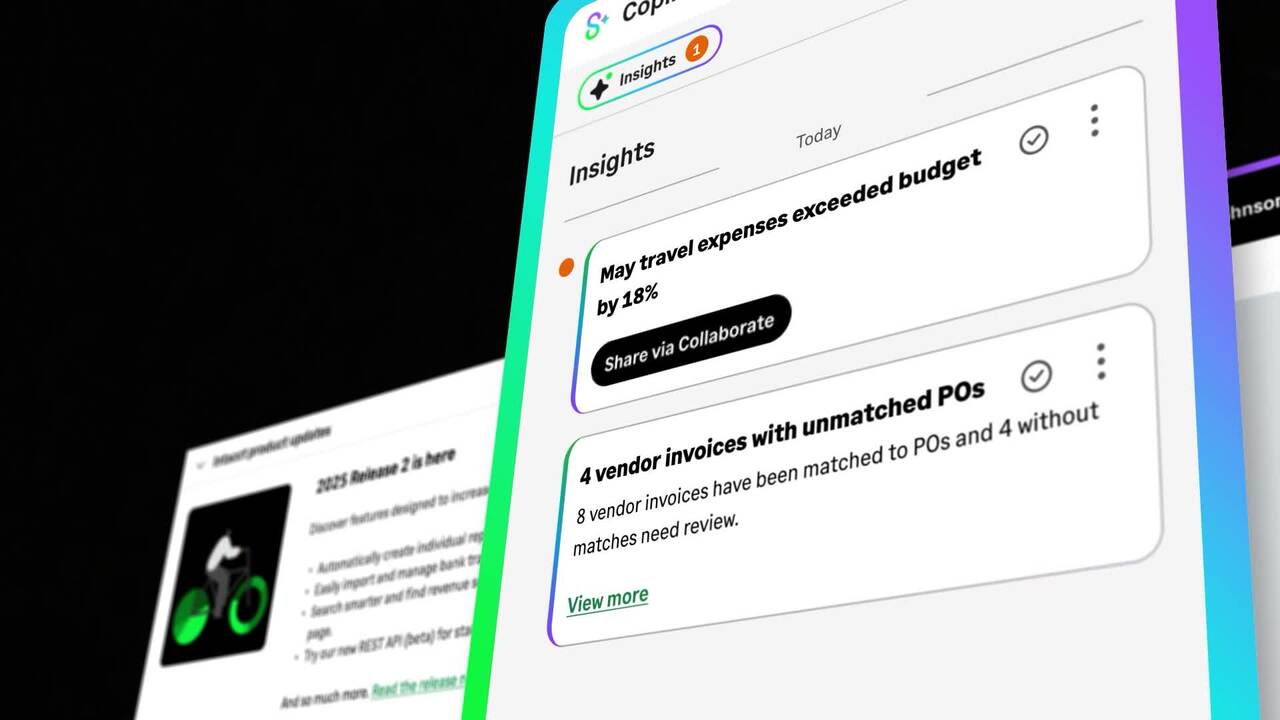
What Sage Copilot Actually Does and Why Construction and Real Estate Teams Should Pay Attention
Blog Posts

Job Costing Visibility: How Dimensions Replace Spreadsheet Chaos for Electrical Contractors

Job Costing Visibility: How Dimensions Replace Spreadsheet Chaos for Electrical Contractors
The CFO wants to know which project type is most profitable before the next business development meeting. The answer should take thirty seconds to pull from the financial system. The controller runs the job cost report, sorts by project type, and stops. The commercial projects are coded three different ways across four different GL accounts. Healthcare has its own structure. The highway jobs use a fifth.
To compare margin across project types, she needs to export everything to Excel, manually map the overlapping codes to a common framework, and reconcile the differences. That is three hours of work before she can answer a thirty-second question. The CFO does not know the work is happening. The controller cannot skip it.
Every cost is recorded correctly. Every transaction is in the system. The problem is not what went in. It is how it is organized on the way out. A chart of accounts that accumulated over years of project managers, acquisitions, and shifting reporting requirements has no common structure. And a financial system with no common structure cannot answer a straightforward question without manual intervention.
How Charts of Accounts Get Out of Control
In a legacy system, every unique combination of reporting needrequires its own GL code. A labor cost on a commercial project in the downtown office is a different code from a labor cost on a residential job in the suburbs, which is different again from labor on a healthcare build. That logic compounds fast.
A small electrical contractor with twenty active projects, six cost types, and three departments can end up with hundreds of GL codes. Most of them overlap in meaning. Few of them compare cleanly across jobs. The chart of accounts was not designed for cross-job analysis—it was designed to record individual transactions, and that is all it does well.
The result is that every reporting question that crosses more than one job or one cost type requires manual work to answer. The data exists. Getting to it requires effort that belongs to the controller but produces no revenue for the company.
What a Dimension Is and Why It Changes the Equation
A dimension is a tag attached to a transaction. It is not a GL code. You do not need a new account for every reporting combination. You need one GL code and several dimensions that describe the transaction from multiple angles at once.
Instead of creating a unique GL code for commercial-labor-downtown-zone-three, you post to GL 5020 (Labor) and tag the transaction: Project \= Downtown Substation, Cost Type \= Labor, Department \= Commercial, Location \= Zone 3. The code stays clean. The reporting becomes fully flexible.
Inside Sage Intacct, every transaction can be tagged to multiple dimensions simultaneously: project, cost code, cost type, department, location, and more. Contractors who have made the switch find they can shrink their chart of accounts by half while gaining more granular reporting capability, not less. The accounts get simpler. The questions they can answer get more specific.
The Questions Dimensions Let You Answer
The real value of a dimension-based structure is not in how transactions are stored. It is in what becomes possible to ask.
Which jobs are running over on labor? Filter by cost type: labor, across all active projects. The answer comes from the data directly, not from a reconciled spreadsheet.
Which project manager is trending over budget? Filter by dimension: project manager. A pattern visible across one PM's jobs but not another's is a management conversation, not a mystery.
Which project type generates the highest margin? Filter by dimension: project type. If commercial healthcare returns better margin than ground-up residential, that is a business development insight with real strategic value.
Where are material overruns concentrated? Filter by cost code and cost type: materials. If copper is running over on the same project type repeatedly, the estimating assumption may be the problem, not the field.
None of these questions require a spreadsheet to answer. They require dimensions on the transactions and a reporting tool that can filter by them. That is the shift dimension-based accounting makes possible.
Dimensions Organize Good Data. They Cannot Fix Bad Data.
This is the part of dimension-based accounting that does not show up in a product demo. Dimensions are a reporting tool. They surface what is in the system. They cannot correct what was coded incorrectly, posted late, or never entered at all.
Change orders are a useful example. A change order with a vague or undocumented scope gets posted to a vague cost code. A dimension tag on that transaction reflects the vague code accurately. The reporting is clean. The data it is reporting on is not. Undocumented change requests produce undocumented cost entries, and no amount of dimension tagging makes an ambiguous posting queryable.
Timing matters in the same way. A change order that sits approved but unposted for three billing cycles eventually lands in the ledger—in the wrong period, tagged to the right dimensions. The cross-job margin report will show the cost in the month it posted, not the month the work happened. CO approval delays do not just slow cash flow; they distort the dimension-based reporting that depends on timely posting.
The same applies to field time entry. If labor hours are batched weekly and entered from a photo of a time card, the dimension tags on those entries reflect last week's job, not today's. Field data that posts daily carries current dimension tags. Batched field data carries dimension tags applied to work that is already history.
For electrical contractors implementing dimensions, the reporting capability is real. But it performs at the level of the data feeding it. Contractors who get the most value from dimension-based reporting are the ones who have also gotten disciplined about what goes into the system—correct cost codes, timely postings, and documented scope on every change. That is what makes the CFO's thirty-second question answerable.
Frequently Asked Questions
What exactly is a dimension in accounting software?
A dimension is a tag attached to a financial transaction that describes it from a specific angle—project, cost type, department, location, and so on. Unlike a GL code, which is a fixed account in the chart of accounts, a dimension can be applied to any transaction in any account. The same labor posting can carry a dimension for the project it belongs to, the cost type it represents, the PM responsible, and the geographic location—all at once. This enables multi-angle reporting from a single, clean set of transaction data.
How does dimension-based accounting reduce chart of accounts bloat?
In traditional systems, every unique reporting combination requires its own GL code. A contractor with ten project types, six cost types, and four departments might end up with hundreds of codes to accommodate every combination. With dimensions, you maintain one GL code per cost category and use dimension tags to carry all the context. The chart of accounts shrinks to a manageable set of true account categories. The reporting detail lives in the dimensions, not in the accounts themselves.
Can dimensions be added to an existing Sage Intacct setup, or does it require starting over?
Dimensions can be added to an existing configuration. New dimension values can be created and applied to transactions going forward without restructuring historical data. The most useful reporting comes from consistent tagging from the start of a project, but there is no technical barrier to introducing or refining dimensions mid-deployment. Contractors who implement dimensions mid-year typically apply them fully to new projects and do a partial cleanup on active jobs where reclassification is worth the effort.
What is the difference between a cost code and a dimension?
A cost code is a specific category within a project budget—typically tied to a scope of work like rough-in wiring, gear installation, or service labor. It is a line in the job cost structure. A dimension is broader and more flexible: it describes a transaction attribute that applies across all projects and cost codes, such as which project manager owns the work, which department it belongs to, or what project type it falls under. Cost codes tell you what the cost is for. Dimensions tell you who, where, and what kind—enabling comparisons that cut across the job cost structure.
How do dimensions help when a contractor is trying to identify which jobs are going underwater?
Without dimensions, spotting a problem job typically requires pulling individual job cost reports and comparing them manually. With dimensions, a controller can run a single report filtered by dimension—cost type, project manager, or project type—and see margin performance across the full portfolio at once. A job that is trending over budget on labor in week four is visible alongside every other job running the same pattern. Early visibility is what creates the opportunity to intervene before the overrun becomes a write-off.
See What Your Job Cost Data Should Look Like
If your team is spending weekends in spreadsheets to answer questions the financial system should be able to answer on its own, the issue is structure, not effort. Alliance Solutions Group works with electrical contractors to implement the dimension-based reporting that turns transaction data into management visibility.

Field to Financials: Why Your Job Cost Data Is Always Two Weeks Behind
Field to Financials: Why Your Job Cost Data Is Always Two Weeks Behind
A foreman on a Thursday afternoon has five electricians finishing rough-in on a commercial office build. Before he leaves the site, he tallies the week's hours from the time cards on his clipboard, writes the totals on a sheet, and texts a photo to the project coordinator. The coordinator forwards it to accounting. Accounting enters the hours on Monday.
By the time those hours hit the job cost ledger, the work is seven days old. If Monday is busy, or the photo is unclear, or accounting has pay applications going out, the entry slips to Tuesday or Wednesday. The foreman finished the work Thursday. The numbers appear in the system the following week.
This is not a failure of effort or attention. This is the standard process at most electrical contracting firms. And for contractors trying to manage job budgets, price change orders, and prepare pay applications from accurate numbers, the standard is a persistent problem: by the time the cost data is available, it is already wrong.
The Gap Is Structural, Not a People Problem
The accounting team is not slow. The foreman is not careless. The process was built around paper and weekly batches, and it performs exactly as designed. The problem is that the expectations around data have changed while the process has not.
Owners want tighter billing cycles. Project managers need to price change orders the same week a scope change happens. Controllers need WIP numbers that reflect the current state of the job, not last Tuesday's. The jobs have not slowed down. The data has to keep up.
Every step between the field and the financial system adds delay, and each delay compounds the others. A week of labor that has not posted is a week of cost invisible to everyone managing the job. Multiply that across a portfolio of active projects and the aggregate gap between what is happening and what the numbers show is substantial.
What Gets Decided on Stale Data
The cost of the lag is not abstract. It shows up in specific decisions made from incomplete inputs.
Pay applications. The monthly pay application is built from posted costs and earned revenue. If a week of labor and material receipts has not made it into the system by the time the pay app is assembled, that work does not get billed this cycle. It carries to next month, or gets caught in a revision that the owner's rep processes on their own schedule.
Change order pricing. A project manager pricing a change order from a cost report that is ten days old is building the estimate on last week's committed costs and labor actuals. How that plays out in margin is covered in Pricing Change Orders the Same Day: Why Accuracy Matters More Than Speed. The short version: the estimate is wrong before it is written.
WIP and forecasting. The percent-complete calculation driving WIP reporting depends on costs that have fully posted. If two weeks of labor and materials are missing, the job looks less complete than it is. The forecast overstates remaining margin. The controller is managing a number that does not reflect the actual job.
Crew and resource decisions. A PM deciding whether to add an electrician to a crew is asking that question against a job budget that may not include the last ten days of posted hours. The answer the cost report gives may not be the right answer.
Where the Lag Actually Lives
The delay does not come from one place. It compounds across four distinct hand-off points.
Time entry. Field hours are collected weekly, usually by foremen who aggregate time cards at the end of the week and submit them to the office. Best case, they are entered Monday. On busy weeks or when the submission is incomplete, they slip later. The lag is structural, not exceptional.
Material receipts. A purchase order goes out. Material arrives on site. The delivery receipt has to be matched to the PO and entered into the system. Each step is a separate action, often handled by different people. Until the receipt is matched and entered, the material cost is a commitment—visible on the PO, not posted to the job as actual cost.
Subcontractor billing. Subs invoice on their own schedules. Until the invoice arrives, is reviewed, and is approved for entry, the subcontractor's cost does not appear in the job cost ledger. On jobs with multiple subs, this can represent a significant share of total cost that is simply not visible until billing happens.
Daily logs and field notes. Field observations, productivity notes, and daily reports often live in informal channels: texts, photos, a foreman's notebook. They rarely make it into the financial system at all. The cost picture is missing the context that explains why the numbers are what they are.
What Changes When Field Data Posts the Same Day
The fix is not to make the accounting team work faster. It is to remove the manual steps that introduce delay in the first place.
When field crews log time directly from a mobile app at the end of each shift, that entry flows into Sage Intacct the same evening. No photo, no forwarded email, no Monday batch entry. The foreman submits from the job site. The hours are in the ledger that night. A PM checking the job cost report the next morning sees yesterday's labor, not last week's.
When a purchase order is issued, the committed cost appears on the job immediately—before the invoice, before the delivery receipt. The job cost report shows what is spoken for on the project, not just what has been billed and matched. A controller preparing the pay application is working from a full picture of obligations, including material that has been ordered but not yet invoiced.
For electrical contractors managing multiple active jobs, this shift changes the nature of the job cost review. The question stops being what happened two weeks ago and starts being what is happening now. That makes the data useful in real time: for change order decisions, for crew planning, and for the pay application that closes at the end of the month.
When job cost data is current, it also becomes the foundation for the reporting and analysis that gives management real visibility into profitability across the portfolio. How that dimension-based reporting works in practice is the subject of Job Costing Visibility: How Dimensions Replace Spreadsheet Chaos for Electrical Contractors.
Close the Field-to-Financial Gap
If your team is making job decisions from a cost report that is a week or more behind the actual job, the margin impact is showing up somewhere—in short pay applications, in stale CO estimates, or in WIP reports that do not reflect what the job is actually doing. Alliance Solutions Group works with electrical contractors to replace manual batch workflows with real-time field-to-financial data.
→ Take a self-guided product tour
Frequently Asked Questions
How long does it typically take for field time entries to post to the job cost ledger in a manual process?
In a typical manual workflow, field hours collected Friday reach the ledger on Monday at the earliest. When submissions are incomplete, photo quality is poor, or the accounting team has competing priorities, the entry slips to Tuesday or Wednesday. A seven-to-ten-day lag between hours worked and hours posted is common. On jobs where a pay application coincides with the week's close, the delay can extend further as accounting prioritizes billing over entry.
What is the difference between a committed cost and an actual cost in job costing?
A committed cost is an obligation already incurred but not yet invoiced or paid—most commonly a purchase order that has been issued. An actual cost is a transaction that has posted to the ledger, typically from a received and matched invoice. Both matter for job cost accuracy. A contractor who tracks only actual costs is missing the full picture of what the job has spent and committed. Committed cost visibility, available the moment a PO is issued, closes that gap before the invoice arrives.
How does job cost data lag affect the accuracy of a monthly pay application?
Pay applications are built from posted costs and earned revenue. If a week or more of labor entries and material receipts have not made it into the system by the time the pay app is assembled, that work is not included in the billing cycle. The pay application goes out short. The contractor has done the work and incurred the cost but has not captured the revenue. That shortfall either carries to next month or requires a revision, both of which slow cash flow and add administrative burden.
Is same-day time entry realistic for field crews on a busy electrical job?
Yes. Daily time entry via a mobile app takes a few minutes per crew member and is typically completed before leaving the job site—similar to the time it already takes to fill out a paper time card. The barrier is habit and process change, not the time required. Contractors who have made the switch report that foremen adapt quickly once they see that the data from Monday's entry is visible to the PM on Tuesday morning rather than the following week.
Does faster field data entry also help with change order documentation?
It does. When field time and material costs post daily, a project manager pricing a change order has access to current committed costs and labor actuals on the job—not a snapshot from ten days ago. The estimate is built from data that reflects the real state of the project on the day the change is priced. That accuracy is the foundation of defensible CO pricing, and it depends entirely on how current the underlying data is.

Change Order Aging: Why Approved COs Quietly Lose Money in Electrical Contracting
Change Order Aging: Why Approved COs Quietly Lose Money
The pay application goes out on the 25th. It looks short. The controller pulls the job cost report and finds nine change orders that were approved weeks ago and never posted to the GL. Two are more than a month old. Both will miss this billing cycle.
The COs were priced correctly. The owner signed off. The work is done. None of that moves money until a CO becomes a posted, billable line on a pay application, and these are not.
This is the change order problem nobody talks about. It is not slow pricing. It is not bad estimating. It shows up after the estimate is right and the approval is signed. It lives in the gap between approved and posted. That gap has a name: aging. And for electrical contractors running active portfolios with dozens of changes per job, CO aging is one of the most expensive invisible line items on the schedule.
The Change Order Does Not End When It Is Priced
Most conversations about change orders focus on speed to price, getting the number in front of the owner quickly and moving on. Getting that price right from accurate, current job data is the necessary first step. But the work after approval gets far less attention, and it is where the margin actually shows up or disappears.
A priced CO has to be submitted, approved by the owner's rep, signed, posted to the job cost ledger, and rolled into the next pay application. Every one of those steps is a handoff. Every handoff is a place where a CO can sit.
In a healthy process, the gap between priced and posted is a few days. In most contractors' real-world workflows, it is two to four weeks. Sometimes longer.
Why Aging Is the Right Way to Think About It
AR teams have been tracking invoice aging for decades. The logic is simple: the older an unpaid invoice gets, the less likely it is to be collected in full. Buckets at 30, 60, 90, and 120 days drive collection priorities.
Change orders deserve the same discipline. CO aging is the time between when a CO is priced and when it is a posted, billable line on the job. The longer that window, the more risk piles up.
Owners forget the context behind the change, and disputes get easier. Field conditions shift, and documentation becomes harder to assemble. Subcontractor markups stack—nested COs from subs sit because yours is sitting. And cash that should be in your pay application is not.
For electrical contractors, the volume problem makes this worse. A single job can generate dozens of small COs across the life of a project. Nested COs from subs amplify the count. If even a quarter of those age past two weeks, the aggregate cash drag adds up fast.
What Aging COs Actually Cost
The visible cost is unpaid work. The hidden costs are harder to spot until they show up in a quarterly review.
Cash flow. Revenue earned but not invoiced is revenue not financing the job. Pay applications go out short. Working capital tightens. The contractor borrows to cover what should already be billable.
Job costing accuracy. WIP reports understate revenue and overstate variance until the CO posts. Anyone looking at the job before posting sees a worse picture than reality. Bad data drives bad decisions.
Forecasting. PMs run one number in their heads. Accounting runs another. The owner sees a third. None of them line up until the CO clears.
Owner pushback. A CO submitted within a week of the change is easy to defend. A CO submitted three weeks later, after the work is done and the cost is sunk, invites scrutiny. Some get reduced. Some get rejected.
Subcontractor friction. When your CO sits, your sub's CO sits. They feel the delay in their pay application. The next time you negotiate, that memory is in the room.
The Four Reasons COs Age
Most aging COs trace back to one of four causes. Each has a structural fix.
1. Documentation gaps. The CO is priced, but the supporting field documentation is incomplete. Photos, time entries, signed RFIs, or T\&M tickets are missing. The owner's rep asks for more, and the CO goes back.
The fix is tying field documentation directly to CO creation so the package is complete before it leaves the field. That principle starts with how change requests are documented in the first place.
2. Approval chain ambiguity. Nobody knows who signs next. A CO sits in an owner's inbox because three people think someone else is reviewing it. The fix is a pre-defined approval workflow for every project, agreed at kickoff and built into the system.
3. The accounting handoff. The PM marks a CO approved. The post to the GL still has to happen. If that step lives in a manual email, the CO sits until someone in accounting has time. The fix is real-time integration between project tools and the general ledger so posting is automatic, not a task on a to-do list.
4. No visibility into aging. Nobody is watching aging until it becomes a problem. By the time a CO crosses 30 days, the cost is already real. The fix is a live view of every open CO with days-since-priced as a sortable column. If a PM can see that CO 14 has been sitting for eleven days, they can make a phone call. If they cannot see it, they cannot act on it.
How a Modern Construction ERP Closes the Aging Gap
Most of these causes are structural, which means procedural fixes like more follow-up emails and more check-ins only go so far. The more durable fix is a system that removes the manual handoffs.
Inside Sage Intacct construction, CO aging is a managed metric, not a quarterly surprise. Every open change order carries a live aging counter visible at the line level, the job level, and across the full portfolio—sortable by PM, by project, by days outstanding. When an owner approves a CO, that status flows to the GL automatically without a manual email or batch entry in between. T\&M changes close faster because field time posts to the job daily rather than in a weekly batch that can miss a billing cycle. The result is a CO dashboard that tells a PM exactly which approvals to chase before the pay application closes.
For electrical contractors specifically, the volume problem matters. Hundreds of small COs across a busy portfolio are not unusual. Tracking them in spreadsheets or across two disconnected systems is where aging compounds. One system, one source of truth, one set of numbers everyone trusts.
What a Healthier CO Process Looks Like
A contractor with CO aging under control runs the process on three principles.
Target aging windows are defined upfront. A reasonable target is seven days from priced to owner approval, two days from approval to posting. That gives a worst case of roughly nine days from price to billable. Without a target, aging is not a metric. It is just a byproduct of however long things happen to take.
Aging is reviewed weekly, not when someone notices a problem. A standing PM and accounting meeting that opens with the CO aging report turns aging into a managed metric instead of a quarterly surprise. If a CO has been sitting for eleven days without owner sign-off, someone needs to make a call, not find out at month close.
PMs and accounting share one number, in one system. When the project management view and the GL view show different CO statuses, someone is working from bad data. The single source of truth is the difference between a CO process that protects margin and one that bleeds it quietly across the year.
"Manual processes push change order turnarounds to 60 to 90 days. And it is a pretty common practice in construction: if you are not billed within 90 days of a change order being identified, the owner does not have to pay it."— Spencer Doak, Account Executive, Alliance Solutions Group
Get CO Aging Under Control
If your team is chasing CO approvals through email, posting to the GL once a week, or finding out about aging only when an owner pushes back, there is a better way to run this. Alliance Solutions Group works with electrical contractors to get CO workflows under control using the visibility and structure needed to keep aging short and margins protected.
→ Take a self-guided product tour
Frequently Asked Questions
What is change order aging?
CO aging is the time elapsed between when a change order is priced and when it posts as a billable line to the job. The longer that window stays open, the greater the risk of missed billing cycles, owner disputes, cash flow drag, and WIP reporting that understates where the job actually stands. Most electrical contractors do not track CO aging as a metric, which means the problem accumulates quietly until it shows up in a quarterly review or an owner pushback.
What is the 90-day contractual billing window, and does it apply to most electrical contracts?
Many construction contracts include a provision that limits the owner's obligation to pay for work not billed within 90 days of identification. If a change order is priced in week one, sits through approval delays, misses two pay applications, and is finally submitted at day 95, the owner may not be legally required to pay it. That’s a contract enforcement question, not a billing dispute. The specific language varies by contract, but the 90-day window is common enough that CO aging directly affects whether approved work gets paid. Contractors should confirm the billing provisions in each contract at project kickoff.
What is a realistic target aging window for change orders?
A reasonable target for most electrical contractors is seven days from priced to owner approval, two days from approval to GL posting. That puts the worst-case gap at roughly nine days from estimate to billable line. Contractors who hit that target consistently find that owner disputes drop, WIP accuracy improves, and pay applications go out fuller. The specific targets will vary by project size and owner sophistication, but any target is better than no target.
How does an aging CO affect WIP and job cost reporting?
Until a CO posts to the job cost ledger, the revenue it represents does not appear in WIP. The job looks less complete than it is. Cost-to-date looks worse relative to budget. The over-under calculation that drives billing decisions is working from an incomplete picture. Anyone reading the job cost report, whether it is a controller, PM, or CFO, is seeing an understated revenue position. Decisions made on that data, including pay application amounts, are decisions made on bad inputs.
What is the most common cause of CO aging in electrical contracting?
In most operations, it is the handoff between project management and accounting. The PM marks a CO approved. The GL post is a separate step that is often handled through a manual email, spreadsheet update, or periodic batch entry. Until someone in accounting acts on it, the CO is approved in theory but unposted in reality. The field and the office are tracking different statuses on the same CO. Closing that handoff through real-time integration between the project system and the general ledger removes the most common single point of delay.

Pricing Electrical Change Orders the Same Day They Happen
Pricing Change Orders the Same Day: Why Accuracy Matters More Than Speed
A project manager gets a scope change notification on a Tuesday morning. A wall needs to move. The electrical rough-in has to be re-run. The owner wants a number by end of day.
The PM opens the spreadsheet. It was last updated eleven days ago. Labor rates have been renegotiated since then. The copper pricing in the master file reflects last month’s market. The PM knows the numbers are a little off, but the gap feels manageable. Close enough.
The CO goes out. The owner accepts it. Work starts Wednesday.
Three weeks later, the job cost report shows that CO running six percent margin against a bid of eleven. The shortfall is not a labor overrun. The crew executed cleanly. The materials came in on scope. The margin disappeared because the price was built on data that was already wrong when it was submitted.
This is not a rare outcome. For electrical contractors pricing change orders from spreadsheets, it is the expected one.
The Problem Is Not How Fast You Price It. It Is What You Price It From.
Most conversations about change order performance focus on cycle time: how quickly a CO gets approved, how fast it moves through the chain. Speed matters, but it is a secondary problem.
The first problem is accuracy.
An electrical change order is only worth what the price can support. If the labor rate in the estimate is stale, the margin in the estimate is wrong. If the material pricing reflects last month’s market rather than this week’s purchase orders, the bid is not a real number. The owner accepts it at face value. The job runs at actual cost. The contractor absorbs the difference.
For electrical contractors, two cost categories move fast enough to matter: labor and materials. Union and non-union rates adjust on agreement cycles that do not align neatly with project billing cadences. Copper, conduit, and prefabricated assemblies move with commodity markets. A spreadsheet that has not been touched in eleven days is not a pricing tool. It is a historical record.
The compounding effect is where the real damage accumulates. A single CO priced $1,800 low on a $50,000 change represents 3.6 percent of margin given back before work starts. Multiply that across twenty or thirty change orders on an active job and the aggregate shortfall is significant. It’s not one bad decision, it’s a pattern of small decisions made against inaccurate inputs.
Where the Inaccuracy Comes From
The root cause is structural. Most electrical contractors maintain pricing data in spreadsheets that are updated manually, on someone’s schedule, which is not daily. That spreadsheet is disconnected from the job cost ledger, from the purchasing system, from the commitments already posted on the job.
When a PM sits down to price a CO, they are working from a static snapshot. The job is a live document. The snapshot is not.
In practice, the disconnect looks like this: A foreman flags an additional scope item on Monday. The PM gets the notification Tuesday. They open the master pricing file and see it was last updated eight days ago. Labor rates were revised on Thursday. Materials were purchased Friday at a different price than the file reflects. The CO estimate is built on inputs that were already behind reality before the first number went in.
The faster a CO needs to go out, the worse this problem gets. Speed pressure pushes PMs toward the most available data, which is usually the least current.
What Accurate, Same-Day CO Pricing Actually Requires
The goal is not to price change orders faster. The goal is to price them right, from data that reflects the actual state of the job on the day the change is priced.
That requires the pricing tool to be connected to the same data source the job cost ledger uses. Not a separate spreadsheet that gets updated when someone gets around to it. The live ledger.
When labor rates update, they should update everywhere at once: in the job cost tracking, in the estimate templates, in the CO pricing workflow. When a purchase order is issued for materials, that committed cost should be visible to the PM pricing the next change on the same job.
Inside Sage Intacct, change orders are priced against the live job ledger rather than a standalone spreadsheet. Current labor rates, committed material costs, and existing budget data pull into the CO estimate from the same source the accounting team is working from. The PM submitting the CO and the controller reviewing the job cost report are looking at the same set of numbers at the same moment.
That alignment is what makes the price defensible. Not because the PM worked faster, but because the estimate was built on accurate inputs.
The Change Request Is the Foundation
Accurate CO pricing depends on accurate documentation of what changed. A PM who prices a change based on a verbal description from a foreman is working from an incomplete input. A PM who prices from a formal change request, where scope, cost impact, and schedule impact are already documented, is working from a complete picture.
The change request step creates the record that the CO pricing is based on. Without it, the number is a guess dressed as an estimate. For a deeper look at why that documentation gap is so costly, see Why Electrical Contractors Lose Money on Undocumented Change Requests. The traceability matters most when the owner questions the number four weeks after the work is done.
A Correct Price Is Step One
Getting the CO price right is the beginning of the process, not the end. A CO priced accurately still needs to be submitted, approved, posted, and rolled into the next pay application. Every step between the estimate and the billable line is a place where margin can disappear. Accurate pricing and a fast, clean posting process are both required. Neither is sufficient on its own.
The contractors who protect margin on change orders do both: they price from current data and they move the CO through the approval and posting workflow without letting it sit. One without the other still produces margin loss, just at a different point in the process.
If your team is pricing change orders from a spreadsheet that is more than a week old, the margin shortfall is probably visible in your job cost reports. Alliance Solutions Group works with electrical contractors to close that gap, starting with the data that feeds every estimate.
→ Take a self-guided product tour
Frequently Asked Questions
What does 'pricing data' mean in the context of a change order estimate?
For an electrical contractor, the two inputs that move fast enough to matter are labor rates and material costs. Labor rates shift on union agreement cycles and can change mid-project. Material costs, particularly copper, conduit, and prefabricated assemblies, move with commodity markets and recent purchase orders. A CO estimate is only as accurate as these two inputs on the day the estimate is built. Everything else in the calculation can be perfectly accurate and the margin will still be wrong if those two numbers are stale.
How outdated does pricing data need to be before it affects CO margin?
That depends on how fast your costs are moving. On a job with active material purchasing and recent rate changes, even a week-old spreadsheet can carry inaccuracies large enough to matter. The problem is rarely a single large error. It is a pattern of small ones that compound across twenty or thirty change orders on a busy job. A single CO priced $1,800 low on a $50,000 change is a 3.6-percent margin give-back before work starts. Across a full project, those gaps add up.
What is a change request, and why does it come before a change order?
A change request is the internal documentation of a scope change before a price is attached to it. It captures what changed, why, and what the field impact is. A change order is the priced and submitted version that goes to the owner. Pricing a CO without a formal change request means the estimate is built on a verbal description rather than a documented scope, which creates traceability problems when the owner questions the number after the work is done.
Does pricing from live job data mean the PM is not estimating anymore?
No. The PM still builds the estimate using quantity takeoff, labor hours, and markup logic. What changes is the inputs feeding that estimate. When labor rates and committed material costs pull from the live job ledger rather than a static spreadsheet, the estimate starts from an accurate baseline. The judgment and expertise still belong to the PM; the data those judgments depend on is just current.
Why do owners push back more on change orders submitted after the work is done?
By the time a CO is submitted post-completion, the owner has already seen the finished result. The urgency is gone. Documentation is harder to assemble and easier to challenge. Disputes over scope, timing, and cost are more common when the CO follows the work instead of preceding it. Submitting promptly and using accurate data keeps the number defensible at the moment it matters most.

People Behind the Build: Why the Best Construction Tech Partner Is Built on People, Not Just Products
Behind every successful ERP implementation, every go-live celebration, and every client relationship that lasts a decade — there are people. Real people who chose this work because they believe in it.
This is the first post in a new series we're calling People Behind the Build. It's our way of pulling back the curtain on who we are at Alliance Solutions Group — not just what we sell, but who shows up every day, why they stay, and what makes this team different from any other place they've worked.
We've spent twenty years helping construction and real estate companies build stronger operations. It's time we told you about the people who make that possible — and why they're the real reason our clients trust us.
Why This Series Exists
Alliance Solutions Group has been a Sage partner since 2005. We've grown into Sage's #1 Intacct partner in North America. We serve electrical contractors, general contractors, real estate developers, mechanical and plumbing contractors, home builders, and fire & life safety firms across the country. Those are facts you can find on our website.
What you won't find — at least not until now — is what it actually feels like to work here. What our Monday mornings look like. Why someone who joined as a junior consultant six years ago is now leading an entire practice. How a team of roughly one hundred people manages to feel tight-knit even as we grow at a pace that would break most companies.
This series is going to change that.
We're Not a Tech Company That Happens to Have People. We're a People Company That Happens to Deliver Tech.
There's a difference, and it shows up in everything we do.
When a client calls Alliance, they don't get routed to a queue. They get a consultant who already knows their chart of accounts, their job cost structure, and their reporting headaches. That kind of service doesn't come from a playbook — it comes from people who are deeply invested in the outcome.
Our 4.9 client satisfaction score isn't a vanity metric. It's a reflection of a culture where people feel ownership over their work, trust in their leadership, and genuine connection to the mission. We protect that culture the same way we protect our client relationships — deliberately, and without compromise.
The Values That Actually Mean Something Here
A lot of companies list values on a wall and never mention them again. At Alliance, our values are operational. They shape how we hire, how we promote, how we handle conflict, and how we celebrate wins. Here's what they look like in practice — not in theory.
Velocity: Move with Purpose
We don't confuse speed with recklessness. Velocity at Alliance means we prioritize progress, cut through bureaucracy, and make decisions quickly so our clients aren't left waiting. When Sage releases a new feature, our team is already testing it. When a client hits a wall during implementation, we don't schedule a meeting about the meeting — we solve it.
Collaboration: Win Together
This is a team sport, and everyone here knows it. Our consultants share knowledge across practice areas. Our operations team anticipates what delivery needs before they ask. We break down silos because our clients' problems don't fit neatly into one department — and neither do our solutions.
Innovation: Lead, Don't Follow
We are Sage's top partner for a reason. Our clients trust us to stay ahead of the technology curve — whether that's AI-powered financial tools like Sage Copilot, new integrations through Alliance Connects, or workflow optimizations nobody else has thought of yet. Innovation here isn't a buzzword. It's an expectation.
Extreme Ownership: Own the Outcome
No finger-pointing. No passing the buck. When something goes wrong — and in complex ERP implementations, things do go wrong — our team steps up, takes responsibility, and fixes it. That accountability runs from the newest hire to the CEO. It's the standard, not the exception.
Client-Centric: Clients First, Always
We're building lifetime relationships, not closing transactions. Some of our client partnerships are approaching two decades. That doesn't happen because of a contract — it happens because every person at Alliance treats their clients' business like their own.
What You'll See in This Series
In the posts ahead, we're going to introduce you to the people who live these values every day. You'll hear from consultants who've helped contractors modernize decades-old financial workflows. From project managers who've guided multi-entity real estate firms through complex implementations without a single missed deadline. From the team members behind the scenes — in operations, in support, in people and culture — who make the engine run.
You'll get honest stories about what it's like to grow your career here, what we look for when we hire, and why people who join Alliance tend to stay.
If You're Reading This and It Resonates
We're growing. Fast. And we're selective about who joins this team — not because we're looking for perfect resumes, but because we're looking for people who care about the work as much as we do.
If you're a construction or real estate technology professional — or someone who's ready to become one — and you want to be part of something that's scaling without losing its soul, we'd love to hear from you.
Explore Career Opportunities in or Get to Know Us
This is the first installment of People Behind the Build, a series from Alliance Solutions Group exploring the culture, careers, and people that power construction and real estate technology. Follow along as we introduce the team behind the partnership.

Why Specialty Contractors Lose Money on Work They've Already Done
Why Specialty Contractors Lose Money on Work They've Already Done
A specialty contractor wraps up a long week. Two service calls. Three install jobs. One maintenance route across a dozen accounts. The crews did the work. The materials were used. The hours were logged on phones, on paper, in a foreman's truck. By the time the office team gets to billing on Monday, two service tickets are missing parts, one install job has materials assigned to the wrong phase, and the maintenance route has 14 hours that no one can definitively tie back to a contract.
The work was done. It was done well. But somewhere between the field and the invoice, between Friday and Monday, money slipped out.
This is the specialty contractor's quiet margin problem. Not bad jobs. Not bad bids. Just gaps in the system. The gaps live in the seams between modes of work, where the standard P&L does not show them and most contractors do not look.
The Margin Problem That Doesn't Show Up on the P&L
Specialty contractor revenue slips through revenue that should have been billed but wasn't, billed slowly enough to lose the contractual window, or billed with the wrong cost basis attached. None of that shows up in a standard P&L. The job shows as complete. The revenue shows as billed. The actual gap between earned revenue and captured revenue stays invisible until someone goes looking for it.
Most contractors don't go looking. The crews are busy. The customers are happy. The office is moving fast enough to keep up with the inbound. As long as the books close and the bills get paid, the loss stays hidden in the seams.
Why Specialty Contractors Leak Differently
Specialty contractors run more operating modes in parallel than other construction businesses. A single firm might run service calls, install jobs, and recurring maintenance contracts at the same time, often with the same crews moving between modes mid-week.
The three modes run on different billing structures, different cost flows, and different customer expectations:
- Service work runs on per-call billing, time and materials, or flat-rate billing depending on the customer.
- Install work runs on progress billing, draw schedules, change orders, and retainage.
- Recurring maintenance runs on contract billing, scheduled service routes, and parts replacement against entitlements.
On top of that, inventory moves between trucks, warehouses, and job sites every day. Field crews move between modes in the same week, sometimes in the same day.
A general contractor running pure project work has fewer modes, fewer billing models, and fewer paths for revenue to slip. A specialty contractor at $20 million in revenue can have the operational complexity of a $50 million GC, and the standard accounting tools were built for the simpler picture. That mismatch is where most of the leakage starts.
The Five Places Specialty Contractor Revenue Disappears
Five specific gaps absorb most of the lost margin. None are unusual. Every specialty contractor has dealt with all five at some point. The contractors that close them outperform.
- Field hours that never get billed. Hours captured on paper, on phones, or in a foreman's truck that don't make it back to the right ticket or job before the billing cycle closes. A technician finishes a service call at 4 p.m., enters the time three days later, and the customer is billed for two hours instead of three. The hour is gone. Multiply across a year of service work and the lost revenue is real money.
- Materials assigned to the wrong job. Pulled from a truck or warehouse without a clean record of where they ended up. The cost of the goods is recorded against inventory. The job that consumed them is not. The job runs over budget on margin reporting that looks fine. The customer is billed correctly, or under-billed, depending on which side of the gap the materials landed.
- Service tickets billed in the wrong period. Work performed at the end of a month that does not make it onto a customer invoice until two cycles later. Revenue recognition lags. Billing windows close. Customer disputes get harder to win because the supporting documentation has aged.
- Change orders that fall outside the billing window. Work performed on verbal authorization, never formally documented, and discovered too late. In service and install work, change orders often start as verbal approvals in the field. By the time they are documented, approved, and billed, the window to collect can be gone. For specialty contractors running service plus install plus maintenance, the rate of change inside any single customer relationship often runs higher than that project-level average.
Maintenance work that doesn't tie back to a contract. Hours and parts logged against a customer but not against the specific service contract they are entitled to. Either over-billed and disputed, or under-billed and absorbed. Either way, margin lost.The Cost of Already-Done Work
The financial impact of these gaps is bigger than most contractors realize because it compounds across hundreds of small transactions instead of showing up in one obvious place.
Accenture estimates that up to 80 percent of transactional finance work is automatable. The gaps above are mostly transactional, which means almost all of them are addressable. Industry research shows that 52 percent of accounts payable teams still spend more than 10 hours a week processing invoices manually, with 60 percent of teams re-keying invoice data into the accounting system by hand. The same manual reality drives the AR side, where billing accuracy and timing depend on how cleanly field data lands in the office.
Translate the macro numbers into a contractor-level picture. A specialty contractor at $20 million in revenue, leaking 1.5 to 3 percent of revenue through the gaps above, is losing $300,000 to $600,000 of margin annually on work that was already done. The contractor that closes the gap is not earning new revenue. The work is done. The revenue just never makes it to the invoice.
Where Already-Done Work Falls Out of Billing
Most of these gaps trace back to one issue: how field activity becomes billable data.
Mobile time capture in real time is not the same as paper or end-of-week batch entry. Inventory tracking by truck and job is not the same as inventory tracking by warehouse only. A service ticket captured at the point of work, with photos and signatures, is a different document than a ticket retyped from a clipboard three days later. Change order documentation captured in the field with a customer signature is enforceable in a way that an email thread is not. Approvals routed automatically by dollar threshold and project move faster and document better than approvals routed by email.
The field-to-office gap is where specialty contractor margin lives or dies. The contractors that close it earn back the leakage as net margin. The ones that don't keep paying the same hidden tax every cycle.
What Modern Specialty Contractor Software Actually Does
The right financial system for a specialty contractor does a few specific things. It does not just record transactions. It connects the parts of the business that the standard accounting tools were not designed for.
Specifically, it:
- Runs service work, install work, and maintenance contracts in one financial system, not three
- Supports real-time job costing tied to field activity instead of month-end batch posting
- Tracks inventory across job sites, trucks, and warehouses, with cost following the materials
- Supports multiple billing models in one system: progress, time and materials, per-call, flat-rate, and contract
- Is cloud-native with open APIs so the rest of the technology stack can integrate without custom builds
- Produces role-based dashboards so owners, controllers, service managers, and project managers see what they need without exporting to spreadsheets
- Uses AI-assisted automation in accounts payable, approvals, and routine billing
Where Sage Intacct Construction Fits
Specialty contractors need a system built for service, install, and maintenance running side by side. With Sage Intacct Construction, field activity flows into real-time job costing as the work happens. Inventory follows the materials across trucks, warehouses, and job sites. The billing models specialty contractors actually use, including per-call, time and materials, flat-rate, progress, and contract billing, all run inside the same system without the manual reconciliation that produces the gaps above.
For specialty contractors specifically, AI-assisted automation in accounts payable and approvals removes the manual layers that absorb staff hours every week, and role-based dashboards put service managers, controllers, and owners on the same page.
Alliance Solutions Group makes the platform fit. As Sage's number one Intacct partner in North America, with over 20 years of construction-only focus, the team configures Sage Intacct Construction around how specialty contractors actually run, not around how generic accounting software thinks they should.
A Five-Minute Self-Check for Specialty Contractors
Run this checklist with the leadership team. Each statement is either true today or it isn't. Count the false answers.
- Field hours from yesterday are visible in the billing system today.
- Service work, install work, and maintenance contracts all post to the same financial system.
- The team can name the dollar value of work performed but not yet billed across active service customers within five minutes.
- Materials moving from a truck to a job carry their cost with them automatically.
- Most service tickets are billed within seven days of the work being performed.
Two or more false answers means the field-to-office gap is open wide enough to cost real margin. Three or more means the recapture work pays for itself almost immediately.
Find the Path That Fits Your Trade
Specialty contractor financial complexity looks different by trade. The right next step depends on which work the firm spends the most time on and which gaps cost the most.
Fire & Life Safety Contractors
Frequently Asked Questions
Where do specialty contractors lose the most revenue? Specialty contractors most often lose revenue in five places: field hours that don't get billed, materials assigned to the wrong job, service tickets billed in the wrong period, change orders that fall outside the contractual billing window, and maintenance work that doesn't tie back to a service contract. All five are gaps in the data flow between the field and the financial system. Closing those gaps recaptures margin the contractor already earned.
Why is specialty contractor accounting different from general contractor accounting? Specialty contractors run service work, install work, and recurring maintenance in parallel, often with the same crews moving between modes mid-week. They use multiple billing models, including per-call, time and materials, flat-rate, progress, and contract billing. They track inventory across trucks, warehouses, and job sites. General contractors typically run pure project work with fewer billing models and a more concentrated inventory pattern. The financial system has to support that complexity natively, not through workarounds.
How does Sage Intacct Construction handle service work, install work, and maintenance contracts in one system? Sage Intacct Construction unifies the financial picture across service, install, and maintenance work in one system rather than three. Real-time job costing ties to field activity. Inventory follows the materials across trucks, warehouses, and job sites. Multiple billing models, including progress, time and materials, per-call, flat-rate, and contract, run in the same system. Role-based dashboards put service managers, controllers, and owners on the same page. The result is one financial view across all three modes of work.
What is the 90-day billing rule and why does it matter for specialty contractors? Many construction contracts include a clause stating that if a change is not billed within 90 days of being identified, the customer is not legally obligated to pay it. For specialty contractors running on manual or partially manual change documentation, that window can close before the change ever gets formally captured. The contractual exposure is the reason change documentation needs to live inside the financial system, not in email threads or spreadsheets.
How long does a typical Sage Intacct Construction implementation take with Alliance? Implementation timelines vary by the size of the contractor, the number of entities or service routes, the trades served, and the complexity of the existing financial environment. Alliance Solutions Group runs a proven go-live discipline that focuses on faster implementations, cleaner data migration, and stronger ROI from day one. The conversation about timeline is best had with an Alliance expert who can scope the specific situation.
What does Alliance Solutions do for specialty contractors? Alliance Solutions Group helps specialty contractors run service work, install work, and recurring maintenance in one financial view. The team configures Sage Intacct Construction to match how field, service, and finance teams actually work. Alliance is Sage's number one Intacct partner in North America, with over 20 years dedicated to construction and real estate. Real people, real expertise, support that knows you by name.
The Move That Pays for Itself This Quarter
Closing the field-to-office gap is not a transformation project. It is a sequence of specific moves a specialty contractor can start this quarter:
- Capture field hours and service tickets at the point of work, not in batch
- Tie inventory cost to the job that consumed the materials
- Bill service tickets inside seven days of the work
- Document change orders inside the financial system, not in email
- Match maintenance work to the contract entitlement before invoicing
Each move recaptures a slice of margin that the contractor already earned. Done together, they close the gap that absorbs most specialty contractor margin loss.
Take a self-guided product tour to explore Sage Intacct Construction on your own time, or book a product demo to see what a real-time financial stack looks like for a contractor your size.
Customer Testimonials