
BLOG
Construction & Real Estate Insights
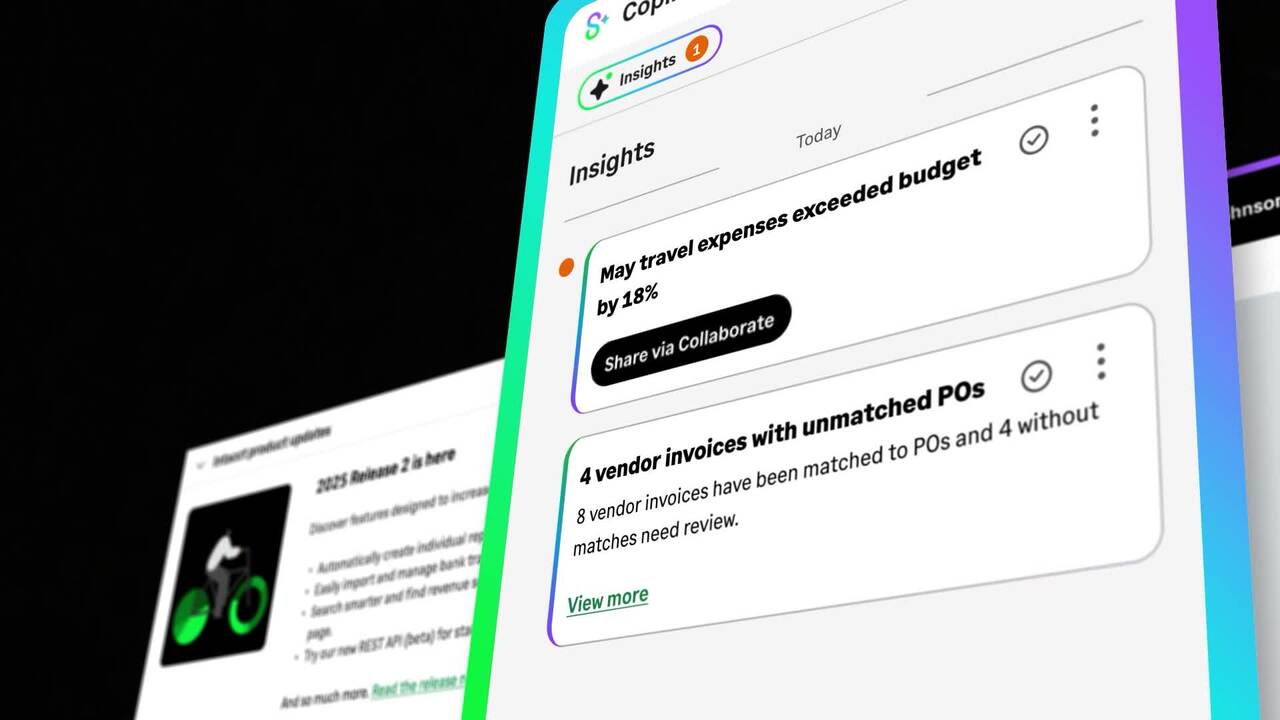
What Sage Copilot Actually Does and Why Construction and Real Estate Teams Should Pay Attention
Blog Posts

The Real-Time Financials Every GC Needs to Protect Margin in 2026

The Real-Time Financials Every GC Needs to Protect Margin in 2026
A general contractor closes the books on a strong quarter. The team posts the final journal entries on day 12. By day 14, the numbers are clean enough to share with leadership. Two jobs came in a full point of margin under plan. One that was projected for 8 percent landed flat. Nothing went obviously wrong. No big change order dispute, no sub default, no cost spike anyone could point to. The margin leaked across the quarter. Now those projects are 80 percent complete, and the outcome is locked in.
Nobody made a bad decision. The decisions were made on stale data.
Real-time financials are no longer a competitive advantage. They are the operating standard. The contractors holding margin in 2026 run finance on the same clock as their projects.
The 2010 Close Cycle in a 2026 Construction Market
Construction did not get more complicated by accident. Owners are running tighter capital plans. Sureties are scrutinizing portfolio risk on a rolling basis instead of an annual one. Lenders are asking for current data before every draw. Subcontractors and suppliers are bidding tighter and updating commitments faster. The buyers, the regulators, and the partners all expect a current view of every active job.
The finance function has not kept pace. A construction finance team closing in 10 to 15 days is reporting on a portfolio that has already moved on. WIP reports built on month-old commitment data overstate margin until the actual cost catches up. Change orders sitting in approval queues age out of contractual billing windows before they get billed. By the time the picture is clean enough to act on, the picture is no longer accurate.
The gap between the project clock and the finance clock is where margin leaks. Closing it is the work.
The Four Places Margin Leaks Between Closes
There are four places GC margin leaks. All of them trace back to one root cause: data that does not reach the financial picture in time to inform a decision.
Change orders that age in the workflow. The Construction Industry Institute has found that more than 35 percent of construction projects experience major changes during execution. Change orders are the most common cause and the most expensive when they age. Many construction contracts include a 90-day clause: if a change is not billed within 90 days of being identified, the owner is not legally obligated to pay it. A change order that takes 45 days to approve and 30 days to bill leaves a thin margin for anything else to slow it down.
For a deeper look at how undocumented change requests cost contractors, see (Internal link: Why Electrical Contractors Lose Money on Undocumented Change Requests).
WIP blind spots from disconnected sub and supplier data. Subs and suppliers update on different cycles. Some send commitments weekly. Some send them at month-end. Some send them when they remember. A WIP report built on outdated commitment data reads optimistic until the actual cost catches up, at which point the project is past the point where the team could have intervened. The finance team is not making bad WIP. The finance team is making accurate WIP from inaccurate inputs.
"Being able to go through that workflow in my ERP means that you don't have any delays in my data. You get real-time updates for all of my projects because you can manage my change order process right in the ERP."
- Lorianna Garza, Alliance Solutions Group
Manual consolidations that delay every decision. GCs with multiple entities often spend the first half of the month on consolidation. Intercompany eliminations, allocations, and entity-level adjustments stack up. Decisions wait. By the time the leadership team sees the full picture, the picture has aged a week or two. The GCs that stay ahead are the ones spotting overruns early, not consolidating faster after the fact.
Owner and surety transparency demands. Sureties want updated WIP weekly. Owners want job cost rollups on demand. A finance function that can only deliver on a monthly cadence creates friction at every check-in. It also produces a competitive disadvantage at bond renewal time, when underwriters compare a contractor running real-time reporting against one running monthly close. The contractor with current data wins the conversation.
"No owner or developer wants to know about a change order when we're a month away from completing a job and we think we're going to make a ton of money on this job, and now I have a $400,000 change order I had no idea about that was from 90 days ago and I'm just now hearing it."
- Spencer Doak, Alliance Solutions Group
These four leaks compound. They are not separate problems. They are four symptoms of one problem.
What Real-Time Financials Actually Means for GCs
Real-time is not a marketing term. For a general contractor, it has a specific operational definition:
- Job cost data posted within hours of the field activity, not at month-end
- Committed cost reconciled against actual cost continuously, not in a quarterly cleanup
- WIP and cash positions current as of the last business day, not the last close
- Change orders that update the project budget and the client contract in one action
- Consolidations across entities that run automatically
Bond-ready reporting available on demand, not pulled together when the underwriter calls
The shift is not about replacing accountants with software. It is about replacing the calendar that the accounting function operates on. Finance teams running real-time financials still close the books. They just stop using close as the only moment leadership can trust the numbers.
The Cost of Operating on a Monthly Cadence
The financial impact of operating on a delayed cadence is bigger than most contractors realize because it is distributed.
Industry research shows that 70 percent of construction firms experienced late owner payments in the past 12 months. Layered on top of slow internal cycles, that creates 60 to 90 day revenue gaps where the contractor is financing the project out of working capital. McKinsey research shows construction productivity has lagged the manufacturing sector by roughly nine times over the past 50 years. The drag is mostly in the spaces between systems, not in the work itself.
Translate those macro numbers into a portfolio picture. A GC running 30 active jobs at any given time, processing roughly 450 change orders annually, closing on a 12-day cycle, and consolidating five entities is operating with a built-in lag between work performed and decisions made. If 1.5 percent of revenue leaks across that lag, a $200 million firm leaves $3 million on the table every year. Closer to 3 percent and that number doubles. The math gets uncomfortable fast.
The contractors that close the lag earn the leakage back as net margin. It is not a growth lever. It is a recapture lever. The revenue is already on the table.
What Real-Time Visibility Actually Produces
The change is not just faster reports. It is what the team can do with the time the reporting frees up.
EPX, an Alliance customer in El Paso, Texas, moved to a connected financial system and reorganized an accounting function that used to require more staff to operate with two people. Automation, AI, and integrated workflows eliminated the manual layers that used to absorb a full team's worth of effort. The team did not get smaller because the work shrank. The team got reorganized because the work changed. Real-time financials redirect finance attention from data assembly to decision support.
Read the EPX case study for the full picture.
Where Sage Intacct Construction Fits
Sage Intacct Construction is a cloud-native construction ERP built for the financial complexity contractors actually run. It is the AICPA's preferred accounting solution and a leader in midmarket finance. More than 50,000 construction businesses use Sage, and 48 percent of the ENR Top 400 contractors use Sage as their financial platform.
For general contractors, Sage Intacct Construction delivers real-time job costing tied to field activity, multi-entity consolidation that runs automatically, change order records tied directly to the project budget and the client contract, and audit-ready WIP available on demand. It replaces the disconnected layers that produce the leaks above with a single financial picture that updates in the same cadence as the work.
Alliance Solutions Group is Sage's number one Intacct partner in North America. Implementation, configuration, and ongoing support are built specifically for construction and real estate firms. See how Alliance helps GCs control margin and master change.
A Diagnostic GCs Can Run This Week
Most leadership teams overestimate how current their financials actually are. A five-minute self-assessment will surface the gap. The questions below are the ones a CFO, COO, or president can ask the team and get a clear answer to in under ten minutes.
If your team cannot answer these immediately, that's the gap.
Visibility cadence
- How long after a job's last field activity does updated job cost data show up in the financial system?
- How current is the WIP report that was last shared with leadership?
Decision speed
- Can the finance team produce an audit-ready WIP rollup for a surety call within one business day?
- Can a project manager price a change order with confidence the same day it comes in, using current cost data?
Consolidation overhead
- How many business days does month-end close take across all entities?
- What percentage of the close calendar is spent on consolidation work that could be automated?
If four or more answers are unclear, the visibility gap is your margin gap.
Frequently Asked Questions
What does real-time financial visibility mean for general contractors? For a GC, real-time financial visibility means job cost data posted within hours of the field activity, committed cost reconciled against actual cost continuously, WIP and cash positions current as of the last business day, change orders that update the project budget and client contract in one action, consolidations that run automatically across entities, and bond-ready reporting available on demand. It is the operational shift from publishing the truth once a month to running on it continuously.
Why are real-time financials becoming the standard in construction? Owners are running tighter capital plans, sureties are scrutinizing portfolio risk on a rolling basis, and lenders are asking for current data before every draw. The buyers, regulators, and partners around a construction project have all moved to a real-time clock. A finance function operating on a monthly cadence creates friction at every check-in and gives competitors with current reporting a clear advantage at bond renewal time.
How does Sage Intacct Construction support real-time job costing for general contractors? Sage Intacct Construction posts field activity, costs, and commitments to the financial system as the data is captured, not at month-end. Project budgets, change orders, and client contracts are tied to live records that update together. Multi-entity consolidations run automatically. Project managers, controllers, and leadership see the same data on the same cadence as the field, which closes the gap between what is happening on the job and what shows up in the books.
What is audit-ready WIP and why do sureties care about it? Audit-ready WIP is a work in progress report that is current, accurate, and supported by the underlying transaction data, available on demand without manual rework. Sureties care about it because they evaluate bonding capacity based on the contractor's portfolio risk, and a WIP report that takes weeks to assemble or that relies on month-old commitment data signals a finance function that may not catch problems early. Contractors with audit-ready WIP available on demand expand their bonding capacity faster.
How long does a typical implementation of Sage Intacct Construction take with Alliance? Implementation timelines vary by the size of the contractor, the number of entities, and the complexity of the existing financial environment. Alliance Solutions Group runs a proven go-live discipline that focuses on faster implementations, cleaner data migration, and stronger ROI from day one. The team configures Sage Intacct Construction to match how field and finance teams actually work. The conversation about timeline is best had with an Alliance expert who can scope the specific situation.
What does Alliance Solutions do for general contractors? Alliance Solutions Group helps general contractors streamline construction accounting by bringing every project, partner, and cost into one real-time financial view. The team configures Sage Intacct Construction to match how field and finance teams actually work: fast, transparent, and built for long-term growth. Alliance is Sage's number one Intacct partner in North America, with over 20 years dedicated to construction and real estate. Real people, real expertise, support that knows you by name.
The Standard Is Shifting Faster Than the Finance Calendar
The general contractors winning the next bid cycle, the next bond renewal, and the next round of margin pressure are the ones already operating on real-time financials. The contractors on a monthly cadence are not behind because they are doing the wrong things. They are behind because the standard moved.
The work to catch up is not glamorous. It is system work, process work, and change management. It pays for itself in margin recaptured on jobs already underway, in faster bond renewals, in shorter close cycles, and in decisions made on data the team can trust.
The finance calendar that worked in 2010 is not coming back. The question is whether the finance function moves with the rest of the construction industry or stays behind.
Take a self-guided product tour to explore Sage Intacct Construction on your own time, or book a product demo to see what a real-time financial stack looks like for a contractor your size.

Why Electrical Contractors Lose Money on Undocumented Change Requests
Why Electrical Contractors Lose Money on Undocumented Change Requests
A field crew is running high-voltage wiring when they hit a problem. The walls went up before electrical got in. The work scope needs to change, the schedule needs to shift, and someone is going to pay for it. The foreman flags the issue. The project manager says they will take care of it. Work continues.
A month later, the job is wrapping up. The electrical sub is waiting on a $200,000 change order that everyone agreed to verbally but nobody ever put in writing. The GC says they will look into it. The owner has no record of it. This is not a worst-case story. It is a predictable outcome of managing change requests outside a system built to track them.
The Problem With Managing Change Requests Through Email and Spreadsheets
Change requests are the documentation step that comes before a change order. They record what needs to change, why it needs to change, how much it will cost, and how it will affect the schedule. When that documentation exists in a structured system, it creates a paper trail that protects everyone involved.
When it exists only in email threads, handwritten notes, and spreadsheet tabs, it creates risk.
That risk compounds at every step of the job. A request gets buried in an inbox. A notebook gets left in a truck. A spreadsheet row gets overwritten. By the time billing comes around, the work has been done but the record does not exist in a form that can support a change order. The contractor either submits an invoice with no backup or walks away from the cost entirely.
The contractors who get paid are the ones with the best documentation. The ones who lose are the ones who treated change requests as informal conversations.
The 90-Day Problem
There is a financial consequence to undocumented changes that goes beyond a single bad invoice. Many construction contracts include a clause stating that if a change is not billed within 90 days of being identified, the owner is not legally obligated to pay it.
For electrical contractors running on manual processes, where a change order turnaround can take 60 to 90 days even when documentation exists, that window closes fast. Add undocumented or disorganized change requests into the mix, and work performed months ago can become work performed for free.
This is not about slow-paying owners or bad-faith disputes. It is about a process problem that creates a contractual outcome the contractor cannot fight. The 90-day clock started on the day the change was identified. If the documentation was not in place to support the change order before that window closed, there is nothing to argue with.
EXPERT INSIGHT
"On manual processes, you see change order turnarounds in the 60 to 90 day figure. With Sage Intacct, you would be getting change orders approved in 15 days or less. And it is a pretty common practice in construction: if you are not billed within 90 days of a change order being identified, the owner does not have to pay it."
- Spencer Doak, Account Executive, Alliance Solutions Group
Change Requests and Change Orders Inside Sage Intacct
Sage Intacct's change management module starts with the change request. Unlike a note in a spreadsheet or a thread in email, a change request in Intacct is a live record tied directly to the project. The moment it is entered, every stakeholder with access to the job can see it: the project manager, the accounting team, the operations director. Supporting documentation attaches directly to the record. Scope, cost impact, and schedule impact are captured in a structured format that can be searched, sorted, and audited without having to track anyone down.
When a change request is approved, Intacct converts it to a project change order in a single action inside the ERP. The project budget and the client contract update at the same time, not sequentially and not manually. Accounting sees the approved amount the moment it is signed off. No phone call. No email to follow up on. No risk of one system reflecting the approved change while another still shows the original contract value. The change order is a document of record in the system from the moment approval happens.
For contractors used to managing this workflow across email, Excel, and phone calls, the visibility shift is significant. Every open change request is a live line item in the system, and every approved change order has its supporting change documents attached directly to the project record, not filed in a separate folder or sent as email attachments.
That connected record closes the visibility gap. A project manager winding down a job can pull the change log in Intacct at any point and see exactly which changes are approved, which are still pending, and which need a signature before they can be billed.
Stop Letting Change Requests Slip Through the Cracks
Undocumented change requests are a revenue problem. They cost electrical contractors real margin on every job where a change slips through without proper documentation, and they compound over time because the habits that allow one change to go undocumented tend to allow others to follow.
[Link: How Change Management in Sage Intacct Keeps Electrical Projects on Budget] covers the full Intacct workflow from change request to project budget update. [Link: The Real Cost When Change Orders Take 60 Days to Approve] looks at what the approval cycle costs in terms of cash flow and billing risk.
If you want to see how Alliance Solutions helps electrical contractors get their change management process out of spreadsheets and into a system that protects the work they do, talk to an expert.
Frequently Asked Questions
How does Sage Intacct's change management module handle change requests?
Sage Intacct's change management module creates change requests as live records tied directly to the project. When a change is identified, it is entered into the system with the scope of work, cost impact, and schedule impact captured in a structured format. Every stakeholder with access to the job can see the change request immediately: the project manager, the accounting team, and the operations director. Supporting documentation attaches to the record directly. The change request stays visible in the system until it is resolved, so nothing slips through the cracks between identification and billing.
How does Sage Intacct convert a change request to a change order?
When a change request is reviewed and approved, Sage Intacct converts it to a project change order in a single action inside the ERP. The conversion simultaneously updates the project budget and the client contract, with no separate manual entry required on the accounting side. The approved amount is reflected across all relevant modules the moment the change order is created. There is no lag between the project management record and the financial record, and no risk of one system showing a different figure than the other.
Can multiple departments see the same change requests in Sage Intacct?
Yes. Because change requests live inside Sage Intacct's project module rather than in a separate field tool or spreadsheet, they are visible to every department with access to the project record. Project managers, accounting teams, and operations directors can all see the same change request at the same time, with the same status information. There is no need to email updates, chase down approvals, or reconcile different versions of the same record across departments.
How does Sage Intacct help electrical contractors meet the 90-day billing window?
Many construction contracts include a clause stating that if a change is not billed within 90 days of being identified, the owner is not legally required to pay it. Sage Intacct helps contractors stay inside that window by making every open change request visible and trackable from the moment it is entered. With manual processes, change order turnarounds commonly run 60 to 90 days, leaving almost no margin for anything to go wrong. Contractors using Sage Intacct's change management module typically bring that cycle down to 15 days or less.
Does Sage Intacct track change documents alongside change requests and change orders?
Yes. Supporting change documents attach directly to the change request and change order records inside Sage Intacct. Scope documentation, cost breakdowns, and approval records for each change are stored in context alongside the project, not in a separate filing system or email chain. When a project closes or a billing dispute arises, the complete documentation trail is in one place and accessible to anyone with access to the project record.

From 60 to 90 Days to 15: How Procore and Sage Intacct Eliminate the Change Order Documentation Gap
From 60 to 90 Days to 15: How Procore and Sage Intacct Eliminate the Change Order Documentation Gap
A change starts as a question.
Someone on a job site identifies something that does not line up: a condition in the field that does not match the drawings, a scope item that was not fully accounted for, a design decision that needs to be revisited before work can continue. That question needs an answer, and that answer carries a cost.
Getting from that initial question to an approved, documented, billable change order is a process. For electrical contractors running on disconnected systems, that process has a way of breaking down at almost every step.
How a Change Actually Moves Through the Chain
Understanding where documentation gaps happen requires understanding the full path a change takes from the field to the financial record. For most electrical jobs, that path runs through five distinct handoffs
- RFI: A laborer or foreman on the electrical crew identifies a field condition that does not match the drawings. An RFI is logged in Procore: what the issue is, where it is, and what answer is needed before work can continue.
- Internal Escalation: The RFI moves up through the sub's chain of command, from foreman to project manager to director of operations. The team evaluates whether the issue will require a change to the scope or cost of the work.
- Change Request (CR): If the issue carries a cost, the sub formalizes it as a change request and routes it to the GC's project manager. The CR documents the proposed scope change, cost impact, and schedule impact.
- Change Order (CO): The GC project manager reviews the change request. If it falls within their approval authority, it converts to a change order. Changes above that threshold escalate to the GC director of operations, and then to the owner or lender for cost analysis.
- Change Document: Once all parties have signed off, the approved change order becomes a change document of record, formally captured in Sage Intacct with the project budget and client contract updated to reflect the final approved cost.=
At each handoff, a margin negotiation is built in. The sub prices the work at $50,000. The GC adds administrative burden and presents the owner with a $60,000 figure. The owner may push back and negotiate. Some changes get approved. Some stall. Some never get formally agreed to, even when the work gets done anyway.
Every one of those handoffs is also an opportunity for documentation to break down. An email thread gets lost. An approval gets given verbally on a site visit. A foreman's notes end up in a work truck and never make it back to the office. The information existed at some point. By the time billing comes around, it may not exist anywhere that matters.
Where Manual Processes Fail
Contractors who manage this workflow through a combination of pen and paper, email, and spreadsheets often end up with change order turnaround times in the range of 60 to 90 days. That is not just slow. For many electrical jobs, it is past the window that matters.
A large portion of construction contracts include a 90-day billing clause. If a change is not formally billed within 90 days of being identified, the owner is not legally required to pay it. A contractor running a 60-day manual approval process has very little margin for anything to go wrong before that window closes.
Beyond the timing risk, there is the visibility problem. A change tracked in a spreadsheet lives in a single file that accounting may not be able to access. A change tracked through email exists across dozens of inboxes that nobody can search in a useful way. When the project manager knows a change was agreed to and accounting has no record of it, the path to billing that work is much harder than it needs to be.
Contractors who already use Procore or another purpose-built field system often feel this gap most sharply. They have invested in a modern tool for field operations, but their accounting system cannot keep pace with what Procore knows. Prime contract change orders, the ones where the sub is billing the GC or the GC is billing the owner, do not flow automatically between Procore and QuickBooks. The contractor ends up managing those changes in a separate spreadsheet, which defeats a significant part of the value of having Procore in the first place.
KEY DISTINCTION: Prime contract change orders do not flow between Procore and QuickBooks, or between Procore and Sage 100/300. They do flow into Sage Intacct. For electrical contractors billing up the chain, that gap has direct revenue consequences.
What Integration Actually Solves
The Procore-to-Intacct integration does not just move change data faster. It eliminates the manual handoff entirely.
An RFI is logged and managed in Procore through the information-gathering and escalation process. When it crosses into a cost commitment, it does not need to be re-entered in a second system. The change flows from Procore into Sage Intacct automatically: no manual data entry, no email to accounting, no risk of the two systems falling out of sync. The change order appears in Intacct at the moment it is approved in Procore, with the project budget and client contract updated simultaneously.
This is also where the gap with QuickBooks becomes most visible. The Procore-to-Intacct integration handles prime contract change orders, the ones where a subcontractor bills the GC or a GC bills the owner. That piece does not flow between Procore and QuickBooks, or between Procore and Sage 100/300. It does with Intacct, which means the full picture, both the commitment side and the prime contract side, moves into the financial system without anyone duplicating the work by hand.
The result is end-to-end visibility on a single change, from the moment it is identified as an RFI in Procore to the moment it is a documented change order in Intacct. The project manager can see the status of the change in Procore. The accounting team can see the same status in Intacct. The operations director can see which jobs have pending changes that have not yet cleared. Nobody is waiting on a call or a spreadsheet to find out where a change stands.
The Power of Choice
Not every electrical contractor needs the same setup, and Sage Intacct is built to accommodate that. There are two paths, and the outcome is the same either way.
OPTION 01: Manage the full change lifecycle inside Sage Intacct. Use Intacct's native change management module. Create change requests, route them for approval, and convert them to project change orders entirely inside the ERP. No external field tool required.
OPTION 02: Connect your field tool to Sage Intacct. Stay in Procore for field operations. RFIs and approved changes flow into Intacct automatically through the integration. The financial management layer stays in the ERP regardless of where the change originates.
A change that starts as a question on a job site ends up as a documented, visible, billable record in the financial system, with a clear audit trail connecting those two points. With integrated systems, change order approval cycles that run 60 to 90 days on manual workflows drop to 15 days or less. That is not just a faster process. It is a process that fits inside the billing windows most construction contracts require.
Close the Gap Between the Field and the Financial System
The documentation gap between field operations and accounting is not a problem unique to any one contractor. It is a structural problem that shows up whenever the tools on one side of the business cannot communicate automatically with the tools on the other.
For electrical contractors evaluating whether their current tech stack is doing the job, the question to ask is straightforward: when a change is identified on a job site today, how long does it take for that change to appear as a documented record in the financial system? And is that record visible to everyone who needs to see it before the billing window closes?
(Internal link: How Change Management in Sage Intacct Keeps Electrical Projects on Budget) walks through how the Intacct change management module works in practice. (Internal link: Field to Financials: Why Your Job Cost Data Is Always Two Weeks Behind) covers how the same integration gap affects time entries, cost data, and pay app preparation.
If you want to see how Alliance Solutions can help your business close the gap between field operations and financial reporting, talk to an expert.
Frequently Asked Questions
How does the Procore and Sage Intacct integration handle change orders?
In a Procore and Sage Intacct integrated workflow, an RFI logged in Procore moves through the approval chain digitally. When the change is approved, it flows into Sage Intacct automatically, where it updates the project budget and the client contract simultaneously. There is no manual re-entry, no data lag, and no risk of the project management record and the financial record showing different figures. The entire lifecycle, from RFI in Procore to change order in Intacct, is documented in connected systems.
Why does the Procore and Sage Intacct integration matter for prime contract change orders?
The Procore-to-Intacct integration handles prime contract change orders, which are the change orders where a subcontractor bills the GC or a GC bills the owner. This is a critical gap in the Procore-to-QuickBooks integration, which does not support prime contract change orders. For electrical contractors managing both commitment-side and prime-side changes, the Intacct integration provides a complete picture that QuickBooks cannot deliver.
Can change orders be managed entirely within Sage Intacct without Procore?
Yes. Sage Intacct includes native change management functionality with change requests and project change orders built in. Electrical contractors can manage the full change lifecycle inside Intacct, from the initial change request through approval and budget update, without routing through a separate field tool. Contractors who use Procore for field operations can integrate it with Intacct and have change data flow automatically between the two platforms.
How long does a change order approval cycle typically take with manual processes compared to Procore and Sage Intacct?
With manual processes, paper-based systems, email, and spreadsheets, change order approval cycles commonly run 60 to 90 days. With Procore and Sage Intacct integrated, automated notifications and digital approval workflows bring that down to 15 days or less. For contracts that include a 90-day billing clause, the difference between those two timelines is the difference between revenue collected and revenue lost.
What is the power of choice when it comes to Sage Intacct and change management?
Sage Intacct is built to work with or without a separate field tool. Electrical contractors who prefer to manage changes natively inside Intacct can do that with the built-in change request and project change order module. Contractors who use Procore for field operations can integrate Procore with Intacct and have RFIs and change data flow automatically between the two platforms. Either way, the financial management and visibility capabilities of Intacct are available from the moment a change is identified to the moment it is billed.

ASG AI commitments - AI You Can Actually Trust. Here’s How We Know.
There is no shortage of AI promises in the market right now. What is harder to find is AI built on a clear, verifiable set of principles — with a partner who will hold it accountable. That’s what Sage delivers, and it’s why Alliance Solutions Group is proud to bring it to construction and real estate businesses across the country.
Sage has made five commitments that define how their AI is built, how it behaves, and how it protects your business. We’ve broken them down below — in plain language, the way we always do.
At Alliance Solutions Group, we don’t recommend technology we don’t believe in. We’ve partnered with Sage because their approach to AI is built the same way we build client relationships — on transparency, accountability, and results you can actually verify.
Five Commitments. One Standard. No Fine Print.
01 You Stay in Control
Sage Ai is built to inform your decisions, not make them for you. Every AI result can be reviewed, accepted, adjusted, or overridden by your team. You set the level of automation that fits your workflow — and your team stays in the driver’s seat at every step. For construction businesses where a single misposted transaction can ripple across a job cost report, that kind of human oversight isn’t optional. It’s essential.
02 The Results Are Reliable
Sage’s AI is trained on four decades of real accounting data — not internet scraps or general-purpose models retrofitted for finance. It uses only accurate, responsibly sourced information, and your data is never shared with other Sage customers. Safeguards are built in to catch bias and errors before they reach you. When Copilot tells you something, it’s because the data backs it up.
03 You’ll Always Know Why
One of our biggest frustrations with some AI tools is the black box problem — you get an answer and no idea how you got there. Sage Ai doesn’t work that way. It explains its reasoning and cites its sources, so your team can follow the logic, verify the output, and make informed decisions rather than just trusting a number on a screen. Transparency isn’t a feature here. It’s a design principle.
04 Ethics and Compliance Are Non-Negotiable
Sage builds its AI in alignment with internationally recognized frameworks — including the NIST AI Risk Management Framework — and complies with GDPR, CCPA, and the EU AI Act. Security is embedded from day one: data encryption, access controls, anonymisation, and continuous threat monitoring are all standard. Responsible AI isn’t a marketing position for Sage. It’s an engineering requirement.
05 A Human Is Always Within Reach
AI handles the routine. People handle the rest. Sage Ai is designed to be genuinely easy to use, but when your team has a question, needs training, or runs into something the software can’t resolve on its own, a real expert is available. At Alliance Solutions Group, that means a dedicated support team that already knows your system, your workflows, and your business — not a chatbot and a help article.
Meet Sage Copilot
The Ai assistant your finance team has been waiting for
Sage Copilot is an AI assistant embedded directly in the Sage tools your team already uses — Sage Intacct, Sage 100 Contractor, Sage 300 CRE, and more. It monitors your financial data around the clock, surfaces insights when they matter, and answers plain-English questions without a manual in sight. For construction and real estate teams managing complex, multi-entity financials, it’s not a novelty — it’s a genuine operational advantage. And as your Sage partner, Alliance Solutions Group will make sure you’re getting everything out of it.
Want to see what this looks like in your business?
Alliance Solutions Group has been implementing and optimizing Sage solutions for construction and real estate companies since 2005. We’ll show you exactly how Sage Ai and Sage Copilot work in practice — and make sure your team is set up to get the most out of it from day one.
What Sage Copilot Actually Does and Why Construction and Real Estate Teams Should Pay Attention
Let us be honest. If your month-end close still involves a combination of spreadsheets, sticky notes, frantic messages, and the sort of late nights that nobody puts on a job posting, you are not alone. You are also not stuck.
The construction and real estate industry has never been short on complexity. Multi-entity structures, project-based accounting, retainage, job costing. It is a lot to manage. And asking your finance team to do all of that quickly, accurately, and with composure? That is asking a great deal of anyone.
Enter Sage Copilot.
We understand the skepticism. The market is full of AI tools that promise transformation and deliver little more than a new layer of complexity. Sage Copilot is different, and not because Sage says so. It is different because of what it actually does inside the workflows your team is already using.
So, What Is Sage Copilot, Exactly?
Sage Copilot is a generative AI assistant built directly into Sage's suite of financial and ERP software, including Sage Intacct, Sage 100 Contractor, Sage 300 CRE, and Sage X3. It is not a bolt-on chatbot that lives in a separate tab. It is embedded in the tools your team already works in, which means the learning curve is minimal and the impact is immediate.
Think of it as the highly capable colleague who actually reads every report, never loses track of a transaction, and does not need three cups of coffee before flagging a discrepancy. Sage Copilot monitors your financial data continuously, surfaces insights proactively, and answers questions in plain English with no technical query language required.
Ask it a question like “What are our revenue trends this quarter?” and it checks your data and gives you a direct answer. No elaborate query language. No digging through reports. Just the answer.
That alone is worth pausing on.
What Does It Actually Do? (The Part That Matters)
Sage Copilot focuses on the tasks that consume time without adding strategic value: the manual, repetitive, error-prone work that keeps your team from doing what they were actually hired to do. Here is where it makes an immediate difference.
- Month-End Close Acceleration: Sage Copilot tracks, manages, and streamlines close activities, flagging budget variances, unposted transactions, and reconciliation discrepancies. Teams using it have reported cutting manual processing time by up to 50 percent, saving as many as five days per period.
- Real-Time Variance Alerts: Instead of discovering a budget problem at the end of the month when it has become a crisis, Copilot surfaces it mid-month when it is still a manageable conversation. It automatically compares budgeted versus actuals and period-over-period data and notifies the right people.
- Invoice and Reconciliation Automation: AP automation, bank reconciliation, payment reminders. Copilot handles the routine work so your team can focus on the strategic. For construction businesses processing high volumes of subcontractor invoices, this is not a minor convenience. It is a material time savings.
- Anomaly Detection: Sage Copilot watches your general ledger and flags patterns that deviate from normal business activity. It does this automatically. You do not have to tell it what to look for.
- Conversational Search: Need to know how to void an invoice? Wondering why a report is missing data? Ask. Copilot provides direct, conversational answers without requiring a support ticket or a trip down a help article rabbit hole.
What Sage Copilot Can Do For You
A closer look at the features that make it click:
Accelerate Your Close
Shorten close cycles by tracking, managing, and streamlining close activities. See across AR, AP, GL, and Cash in real time. Know what is done, what is missing, and what is next.
Reconcile Ledgers Instantly
Know where you stand at all times. Sage Copilot automatically compares your general ledger with all sub-ledgers, identifying discrepancies and ensuring total financial integrity.
Spot Trends and Variances
Continuously monitors financial data, analyzing patterns and highlighting trends to support smarter decisions. Catch overspend or budget variances in real time and uncover proactive adjustments before they become problems.
Get Answers Fast
Fast, accurate answers about your software and your data, on demand. Sage Copilot is trained on accounting, so your team gets reliable, compliant responses to financial queries every time.
Why This Matters for Construction and Real Estate
Here is the context that makes Sage Copilot particularly relevant for our industry. Research from Sage found that finance teams spend an average of seven days per month closing the books. Seven days. That is time that could be spent on job cost analysis, cash flow forecasting, or identifying whether a project in Phase 2 is quietly bleeding margin.
In construction and real estate, the financial picture is never straightforward. Your team is managing multiple projects simultaneously, tracking costs at the job level, navigating retainage, and trying to understand whether the business as a whole is performing. All at the same time. The tools that help your team do that faster and with greater confidence are not a luxury. They are a competitive advantage.
Sage Copilot is built on four decades of accounting data and trained specifically for finance. It is not a general-purpose AI tool that happens to know a little about invoices. That distinction matters when your team needs answers they can actually rely on in front of a client, a board, or an auditor.
For clients already working on Sage Intacct, Sage 100 Contractor, or Sage 300 CRE: this is not a future upgrade you have to wait for. It is available now.
A Note on the AI Anxiety Question
We speak with a lot of finance leaders who have real concerns about AI in their workflows. Will it introduce errors? Will it replace staff? Will it require a complete overhaul of established processes?
These are reasonable questions, and they deserve direct answers.
Sage Copilot is designed as an assistant, not a replacement. It automates the parts of the job that no one went to school for: the repetitive data entry, the manual cross-checking, the hunting for discrepancies. What it gives back is time and attention for the analytical and strategic work that genuinely requires a human being.
On the accuracy front, Sage Copilot encrypts all data, complies with current regulations, and operates with strict access controls. It is not reading your data to train some external model. It is reading your data to help you manage your business more effectively.
On the implementation side, that is precisely what Alliance Solutions Group is here for. We have been implementing and optimizing Sage solutions for construction and real estate businesses since 2005. We do not hand you software and wish you well. We stay with you through every phase, from go-live to long-term optimization.
The Bottom Line
AI in finance is no longer a conversation about the future. It is a conversation about right now, about which firms are going to reclaim time, improve accuracy, and make faster decisions, and which ones are going to keep spending seven days closing the books.
Sage Copilot is not magic. But it is genuinely, meaningfully useful, particularly for construction and real estate businesses managing the kind of financial complexity that makes most off-the-shelf software tap out.
If you are curious about what it looks like in practice, or whether your current Sage setup is positioned to take advantage of it, we would welcome that conversation.
Reach out to the Alliance Solutions Group team today. We will show you exactly what is possible.
Ready to See Sage Copilot in Action?
Book a demo with Alliance Solutions Group and let us walk you through what smarter financial management looks like for your business.
Take a Product Tour or Book a Demo
Frequently Asked Questions About Sage Copilot
What is Sage Copilot and how does it work?
Sage Copilot is an advanced generative AI productivity assistant embedded directly in Sage products. It is designed to help finance and operations teams automate routine tasks, analyze business data, and make faster, better-informed decisions without adding complexity to existing workflows.
For construction and real estate businesses, this means less time processing invoices, chasing reconciliations, and compiling reports, and more time focused on the work that actually moves the business forward. Sage Copilot helps with three core areas:
- Automation: Simplifies tasks like invoice processing, GL monitoring, and anomaly detection so your team is not doing manually what a system can handle reliably.
- Business Insights: Analyzes your unique business data to surface tailored, actionable insights. It proactively suggests next steps based on performance metrics and operational data, and it learns and adapts to your business over time.
- Compliance and Accuracy: Flags regulatory issues, detects anomalies, and prevents errors before they become problems, giving your team confidence in the numbers they are reporting.
What generative AI is best for finance?
The best generative AI for finance is one purpose-built for the job, not a general tool retrofitted to handle accounting. Sage Copilot is trained on decades of real financial data and built specifically for the needs of finance teams, with reliable, compliant responses to accounting and reporting queries.
For construction and real estate businesses in particular, the ability to get accurate, context-aware answers from within the software your team already uses is a significant advantage over standalone AI tools that require manual data input and lack financial domain knowledge.
Is there a GPT or Copilot built for finance?
Yes. Sage Copilot is exactly that. It is an AI-powered assistant embedded in Sage Intacct and other Sage products, designed specifically for finance teams. It combines real-time task tracking, proactive notifications, and intelligent search to reduce manual effort and surface key insights at the moment they are most useful.
Unlike a general-purpose AI tool, Sage Copilot is built into your financial workflows, not bolted on from the outside. It understands your data, your processes, and your business, which means the guidance it provides is relevant and actionable rather than generic.
Can Sage Copilot help automate my month-end close?
This is one of the areas where Sage Copilot delivers the most immediate value. It is the first generative AI assistant focused specifically on automating the month-end close process for finance teams. It tracks, manages, and executes close activities from record to report, provides proactive notifications to reduce delays, supports AI-powered transaction entry, and continuously identifies potential errors so your team can address them throughout the month rather than scrambling at the close.
The result is a shorter close cycle, fewer surprises, and greater confidence in the numbers. Teams using it have reported saving up to five days per period. For construction businesses managing multiple projects and entities simultaneously, that is a meaningful operational shift.
How does Sage Copilot actually work inside my system?
Sage Copilot is embedded in your financial workflows and runs continuously in the background, monitoring for issues, flagging opportunities, and suggesting next steps.
It works across three key components:
- AI Trained on Accounting: Provides relevant, reliable, and compliant financial responses because it understands accounting at a domain level, not just pattern matching.
- Advanced Search: Understands your context and retrieves relevant financial data quickly, without requiring you to know where to look or how to query the system.
- Continuous Monitoring: Proactively identifies issues and opportunities throughout the month, not just when you ask for them.
Do I need technical expertise to use Sage Copilot?
No. Sage Copilot is designed to be accessible to finance professionals, not just technical users. It does the complex work in the background and presents results in plain language your team can act on immediately. Over time, it adapts to your business processes and decision-making patterns, becoming more useful the longer it is in use.
Alliance Solutions Group also provides hands-on training and ongoing support to make sure your team is confident and productive from day one.
How does Sage Copilot get started and which products support it?
Sage Copilot is currently available within select Sage products, including Sage Intacct. Availability varies by product and region. Once your team has an active Sage subscription, Copilot can typically be accessed or added on through your subscription management area.
As your Sage partner, Alliance Solutions Group will walk you through availability for your specific product, handle setup and configuration, and make sure your team is ready to take full advantage of the capabilities from the start. Reach out to our team to get the conversation going.
Is my data secure with Sage Copilot?
Security is foundational to how Sage Copilot is built, not an afterthought. All data is encrypted, and Sage Copilot operates in full compliance with current data protection regulations. Your business data is never shared with other Sage customers, and strict access controls ensure that information stays within the boundaries you set.
Sage has made five formal AI commitments that define how their AI is built and how it handles your data. Alliance Solutions Group is happy to walk you through those commitments in detail so you can make a fully informed decision about adoption.
Learn more about our AI commitments.
Still have questions? We have answers.
Take a Product Tour or Book a Demo

Why Budget Control Breaks First as Real Estate Portfolios Grow
As real estate portfolios scale, budget control rarely fails all at once. It erodes gradually, often in ways that are difficult to detect until the consequences are already locked in. Budgets still exist. Reports are still reviewed. Finance teams are still held accountable.
This pattern is not a reflection of weaker discipline. It is the predictable result of growth outpacing the systems used to govern spend.
For CFOs responsible for protecting NOI across an expanding portfolio, the challenge is not whether budgets matter. It is whether the organization can enforce them early enough to influence real decisions.
Why Growth Quietly Breaks Budget Control
In smaller portfolios, budget control works because decision-making is centralized and informal checks are effective. Finance knows who is spending, why they are spending, and when. As portfolios grow, that environment changes quickly.
More properties mean more teams initiating spend. More entities introduce more variance in process. Approval authority spreads, and financial decisions increasingly occur outside the general ledger.
The first thing finance often loses visibility into is committed spend.
Contracts are signed. Purchase orders are approved. Services are authorized. None of it shows up in budget reporting until invoices arrive, even though the financial outcome is already determined.
This is where internal friction begins to surface. Operations can feel constrained when finance reacts late. Finance feels exposed once decisions are already finalized. Leadership receives different answers depending on which report they review.
Why Budget vs Actual Reporting Can't Protect NOI
Budget vs actual reporting remains essential, but it was never designed to prevent overruns in dynamic, multi-entity environments.
It answers historical questions:
- What has already been posted?
- Where did we exceed the plan?
It does not answer the questions CFOs need as portfolios grow:
- How much of this budget is already committed?
- Which approvals this month will create pressure next quarter?
- Where are we drifting before the variance appears?
Many organizations attempt to close this gap with spreadsheets, approval checklists, or manual reviews layered on top of legacy systems. These tools may document decisions, but they cannot enforce controls at the moment decisions are made.
At that point, budget conversations become explanations rather than interventions.
What Proactive Budget Governance Looks Like in a Growing Portfolio
Proactive budget governance changes the timing of control. Instead of reviewing spend after the fact, budgets actively participate in day-to-day decision-making.
That means:
- Spend is validated against budgets at the moment it is requested or approved
- Committed costs are included alongside actuals when calculating available budget
- Controls are applied consistently across properties and entities
- Rules can flex by context, allowing warnings or hard stops where appropriate
In this model, budgets stop being static reference points and start functioning as operational guardrails. Finance regains the ability to influence outcomes early, when adjustments are still possible and tradeoffs still exist. At scale, this level of control cannot live in policy or spreadsheets alone. It has to live in the system.
How Sage Intacct Supports Proactive Budget Control at Scale
Sage Intacct for real estate developers is built to support this shift from retrospective oversight to proactive governance, particularly for organizations managing growing, multi-entity real estate portfolios.
Rather than treating budgets as a reporting layer, Sage Intacct embeds budget controls directly into spend workflows. Purchasing, approvals, and commitments are evaluated against budget rules in real time, incorporating both actual and committed spend. This gives finance a forward-looking view of budget availability, not just a snapshot of the past.
Because Sage Intacct uses dimensions instead of rigid account structures, budget controls can be applied with precision across properties, departments, entities, or portfolios without increasing administrative burden as complexity grows.
This matters as portfolios continue to grow. New properties or entities inherit existing governance automatically, rather than requiring finance to rebuild controls each time the organization expands. Budget discipline scales with the business instead of breaking under it.
For many organizations using Sage Intacct for real estate developers, this is the turning point where finance moves from reactive oversight to durable portfolio governance.
What Changes for Finance After the Switch
Before proactive budget governance:
- Budgets are reviewed monthly
- Variances are explained after the fact
- Enforcement differs by property or team
- Finance absorbs accountability without authority
After proactive budget governance with Sage Intacct:
- Budgets are enforced continuously
- Commitments are visible before invoices arrive
- One governance model applies across the portfolio
- Finance influences decisions, not just outcomes
The CFO's role changes as a result. Less time is spent reconciling surprises. More time is spent guiding decisions with confidence.
How Can CFOs Prevent Budget Overruns Before They Happen?
By enforcing budget rules at the point of spend and including committed costs in real-time visibility, finance teams can intervene before financial outcomes are locked in. This requires systems that integrate budget governance directly into operational workflows rather than relying solely on after-the-fact reporting.
The Bottom Line
Budget overruns in growing real estate portfolios are rarely the result of carelessness. They are the predictable outcome of relying on systems that were never designed to govern spend before it is committed.
If budgets only tell you what has already happened, control will always arrive too late.
See how proactive budget governance works in practice. Book a demo with one of our experts to explore how Sage Intacct helps real estate developers protect NOI as their portfolios grow.
Frequently Asked Questions
Why do budget overruns increase as real estate portfolios grow?
Budget overruns tend to increase as portfolios grow because financial decisions become more distributed while budget visibility remains centralized. As more properties, teams, and entities initiate spend, finance often loses visibility into commitments until invoices are posted. The issue is not weaker discipline, but systems that were never designed to govern spend across complex, multi-entity portfolios in real time.
What is committed spend, and why does it matter for budget control?
Committed spend includes approved purchase orders, signed contracts, and authorized services that have not yet been invoiced. It matters because these commitments consume future budget capacity before they appear in traditional financial reports. When committed spend is not visible, a portfolio can appear on budget even though the financial outcome is already locked in.
Why isn't budget vs actual reporting enough to protect NOI?
Budget vs actual reporting is backward-looking. It shows what has already happened, not what is about to happen. While it is essential for financial review, it does not account for committed costs or pending approvals. Without visibility into future obligations, finance teams are forced to explain overruns after they occur instead of preventing them before margin is eroded.
How does Sage Intacct help CFOs prevent budget overruns before they happen?
Sage Intacct helps prevent budget overruns by enforcing budget rules at the point of spend rather than after transactions post. It validates purchasing and approvals against budgets in real time, includes both actual and committed spend in available budget calculations, and applies consistent controls across properties and entities using dimensional accounting. This allows finance teams to intervene early and protect NOI as portfolios grow.
Book a Demo with Alliance Solutions Group.
Customer Testimonials