
BLOG
Construction & Real Estate Insights
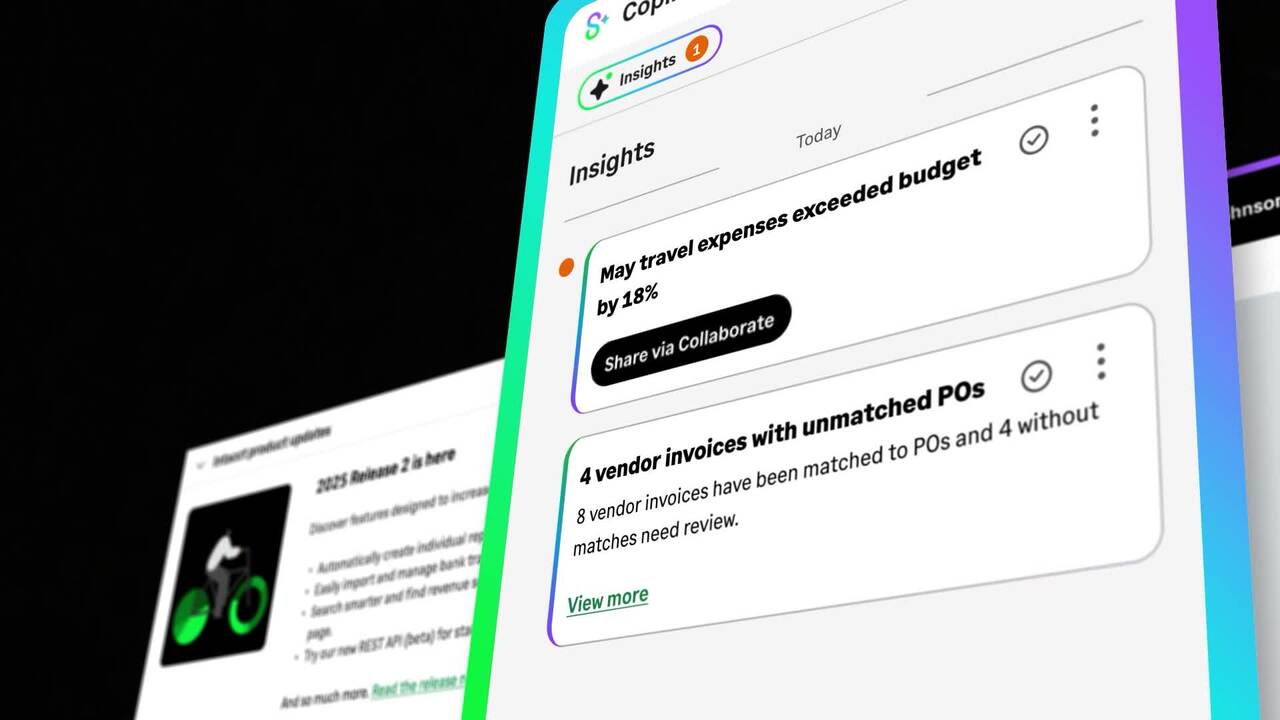
What Sage Copilot Actually Does and Why Construction and Real Estate Teams Should Pay Attention
Blog Posts

How to Get Started With WIP Reporting

Practical steps to move from guesswork to clarity in your construction projects.
- Part I: What is WIP Reporting and Why it Matters
- Part II: What’s the Difference Between Job Cost and WIP?
- Part III: How to Get Started with WIP
- Part IV: Understanding Key WIP Metrics (Earned Revenue, Over/Under Billings, FCAC)
- Part V: The Role of Project Managers in Accurate WIP Reporting
- Part VI: What to Look for in a WIP Reporting Solution
- Part VII: How Sage Intacct Automates WIP Reporting and Saves You Time
- Part VIII: How to Transition from Excel to Sage Intacct WIP Reporting?
If you’ve read about Work in Progress (WIP) reporting, you already know why it matters: it gives you a clear picture of where each job stands financially—while the work is still in progress. The challenge for many contractors isn’t understanding the value. It’s figuring out where to start.
The good news? WIP reporting doesn’t have to be overwhelming. With the right process and tools, you can move from manual spreadsheets to a system that gives you reliable, real-time insights. Here’s how.
Step 1: Build a Consistent Routine
The most important part of WIP reporting is consistency. A WIP schedule is only useful if it’s updated regularly — ideally once a month. By reviewing costs, billings, and percent complete on a consistent cadence, you can:
- Spot profit fade early
- Adjust forecasts before issues snowball
- Strengthen cash flow visibility
Think of WIP reporting as a monthly “financial health check” for your projects.
Step 2: Bring Operations and Accounting Together
WIP reporting works best when the field and the back office collaborate.
Accounting contributes the actual costs, billing data, and revenue recognition rules. Project managers add critical context—like weather delays, pending change orders, or labor issues—that may not show up in the numbers yet.
Together, they create a more accurate forecast of what it will take to complete the job. This alignment is what makes WIP so powerful.
Step 3: Focus on the Right Metrics
To get started, zero in on a few key WIP metrics:
- Percent complete: (Job-to-date cost ÷ Forecasted cost at completion)
- Earned revenue: (Percent complete × Total contract value)
- Over/under billings: (Billed amount – Earned revenue)
- WIP gross profit: (Earned revenue – Job-to-date cost)
These numbers form the backbone of WIP reporting and give you a quick snapshot of project health.
Step 4: Outgrow the Spreadsheet
Many contractors start WIP reporting in Excel. It’s a natural first step—but it doesn’t take long before spreadsheets become a liability. Outdated formulas, version control issues, and manual errors can quickly undermine trust in your reports.
That’s why more construction companies are moving to Sage Intacct Construction. Unlike spreadsheets, Sage Intacct integrates job cost data, automates calculations, and gives you real-time visibility into WIP metrics. It’s designed to handle the complexity of construction projects without adding extra administrative burden.
Step 5: Partner With Experts Who’ve Done It Before
The best way to set up WIP reporting that actually works for your business is to work with a partner who understands both construction and the technology behind it.
That’s where Alliance Solutions Group comes in. As Sage ‘s #1 Sage Intacct partner in North America, we help construction companies transition from manual processes to smart, connected reporting systems. We’ll work with your team to design a WIP reporting process that’s accurate, repeatable, and tailored to your business.
Take the First Step Today
WIP reporting doesn’t have to be complicated. Start with a monthly routine, align your teams, and track a handful of key metrics. From there, the right software and guidance will take you the rest of the way.
If you’re ready to see how Sage Intacct can simplify WIP reporting for your business, Alliance Solutions Group can help. Contact us for a personalized demo and learn how to move from spreadsheets to clarity.
.jpg)
ERP 101: Choosing the Right System for Construction
How to evaluate ERP systems for construction. Discover what features matter most and what questions to ask.
If you’re running a growing construction business using spreadsheets, disconnected systems, or accounting software that isn’t built for construction, you already know the challenges. Things get messy fast—missed deadlines, cost overruns, and confusion about which version of the budget is actually correct. That’s where ERP (Enterprise Resource Planning) systems come in.
But with so many ERP systems out there, how do you know which one is right for your construction business? Let’s break it down.
What Is an ERP System?
An ERP system brings all your core business functions—like accounting, project management, purchasing, billing, and payroll—into one connected platform. For construction companies, this means tighter control over job costs, better visibility into projects, and less time wasted jumping between systems.
Think of ERP as the digital job trailer for your business. It gives everyone from field teams to finance the information they need, when they need it.
What Makes a Construction ERP Different?
Not all ERP systems are created equal. Some are designed for retail. Some for manufacturing. Others, like Sage Intacct for Construction, are purpose-built for the unique demands of construction.
A good construction ERP should include:
- Project-based accounting – Track costs and revenue by job, phase, or task
- Real-time reporting – Know your financial position and project status without waiting for month-end reports
- Integration with field tools – Connect with systems your field teams use to minimize double entry
- Multi-entity support – Handle joint ventures, real estate subsidiaries, and multiple business units with ease
- Compliance-ready tools – Manage change orders, retainage, and union requirements with confidence
Key Questions to Ask When Evaluating ERP Options
Before choosing a system, take time to understand what your business needs now—and what it might need a few years down the road. Here are some questions to guide your decision:
Can it grow with us?
Look for a system that supports multiple entities, locations, and job types so you don’t outgrow it.
Does it speak construction?
You need more than generic accounting. Look for software that understands job cost coding, AIA billing, and WIP reporting.
How easy is it to get answers?
Can your team pull real-time reports without needing IT? Visibility is key to staying profitable.
What’s the total cost of ownership?
Don’t just compare software license fees. Ask about implementation, training, updates, and support.
Is it cloud-based?
A cloud ERP gives your team secure access from anywhere, typically includes automatic updates and backups, and supports easy integration with other tools.
Why Sage Intacct for Construction?
Sage Intacct for Construction is a modern, cloud-based ERP solution designed specifically for construction companies. It combines powerful financial management with project visibility and automation tools that save time and reduce risk.
Because it’s built for the cloud, it supports remote teams, integrates easily with field operations, and keeps your information safe and accessible.
See It in Action
Alliance Solutions Group has helped hundreds of construction companies streamline operations and gain better financial control with Sage Intacct for Construction. If you’re ready to explore whether it’s the right fit for your business, contact us for a personalized demo. We’ll walk you through what the system can do and how it can be tailored to your needs—no hard sell, just helpful answers.
.jpg)
WIP vs. Job Costing: What’s the Difference?
Two essential tools, one big difference: timing and visibility. This is Part II of a contractor’s 8-part guide to tracking job progress, profitability, and financial health while the work is still underway.
- Part I: What is WIP Reporting and Why it Matters
- Part II: What’s the Difference Between Job Cost and WIP?
- Part III: How to Get Started with WIP
- Part IV: Understanding Key WIP Metrics (Earned Revenue, Over/Under Billings, FCAC)
- Part V: The Role of Project Managers in Accurate WIP Reporting
- Part VI: What to Look for in a WIP Reporting Solution
- Part VII: How Sage Intacct Automates WIP Reporting and Saves You Time
- Part VIII: How to Transition from Excel to Sage Intacct WIP Reporting?
If you manage construction projects, you’ve likely heard both terms: job costing and WIP reporting. And while they’re closely related—and sometimes even use the same data—they serve very different purposes.
Think of job costing as the foundation. It’s where you track how much money you’re spending. WIP reporting builds on that foundation to show what those costs mean in terms of progress, revenue, and profitability—while the job is still in motion.
Let’s break it down.
What Is Job Costing?
Job costing is all about tracking the actual costs of a project—down to the penny.
Every labor hour, piece of material, equipment rental, and subcontractor expense gets logged and assigned to a specific job, and often to a specific cost code within that job. The goal is to know exactly where your money is going, and how closely those costs align with your estimate or budget.
With job costing, you can answer questions like:
- How much have we spent on concrete for Job 104?
- Are we exceeding our labor budget for the framing phase?
- What’s the total cost of this project so far?
This level of detail is critical for managing day-to-day project expenses. But while job costing tells you what you’ve spent, it doesn’t automatically tell you how far along the project is or whether you’ve earned the revenue to match those costs. That’s where WIP comes in.
What Is WIP Reporting?
WIP stands for Work in Progress, and WIP reporting takes job costing to the next level.
Instead of just showing what’s been spent, a WIP report measures job performance over time. It compares actual costs to forecasted costs to determine how much of the job is complete—and how much revenue you’ve earned to date, based on that progress.
WIP reports help you spot:
- Overbilling (you’ve billed more than you've earned)
- Underbilling (you’ve earned more than you've billed)
- Potential profit fade
- Jobs running behind (or ahead of) schedule or budget
WIP reporting also gives you a clearer financial picture for your company as a whole. Instead of waiting until a job wraps to measure profitability, WIP lets you recognize revenue as work gets done—month by month.
The Key Difference: Timing and Insight
The big difference between job costing and WIP reporting comes down to timing and visibility.
In short:
- Job costing tells you what’s happened.
- WIP reporting tells you where you’re headed.
Why You Need Both
If you’re only using job costing, you might know that you’ve spent $500,000—but have no idea if that’s 50% of the job or 80%. Without context, it’s hard to know what to do next. WIP provides that context.
Together, these tools help you:
- Forecast final project costs
- Recognize revenue more accurately
- Identify issues early (before they hit your bottom line)
- Build trust with financial stakeholders through consistent, transparent reporting
And when they’re integrated—especially within a modern system like Sage Intacct Construction—you can stop chasing spreadsheets and start managing with confidence.
Turn Your Numbers into Insight
At Alliance Solutions Group, we help construction companies move beyond basic job costing and manual spreadsheets. With Sage Intacct Construction, we’ll show you how to connect your cost data to real-time forecasts and generate accurate WIP reports with ease. If you’re ready to see where your jobs really stand, contact us for a personalized demo.

Navigating Inflation, Labor Shortages, and Tariff Volatility with Smarter Construction Tech
How construction-specific ERP systems — and artificial intelligence — help contractors stay resilient when the market gets unpredictable.
Few industries feel the ripple effects of inflation, labor shortages, and global trade shifts as strongly as construction. Material prices swing from one month to the next. Skilled labor is harder to find—and harder to retain. And tariffs can suddenly change the cost equation for everything from steel to electrical components.
These challenges aren’t going away anytime soon. But contractors who embrace smarter construction technology—including artificial intelligence (AI)—are better positioned to adapt, protect margins, and keep projects on track, even when the market doesn’t cooperate.
Inflation: Managing Costs You Can’t Control
Rising material costs and price volatility make it difficult to predict project expenses with confidence. Contractors that rely on spreadsheets or manual reporting often don’t realize they’re overrunning budgets until it’s too late.
How modern, construction-specific ERP helps:
- Real-time cost tracking ensures you always know where your projects stand against budget.
- Forecasting tools let you reforecast mid-project, adjusting for material spikes before they eat into profitability.
- Historical data analysis helps you bid more accurately, factoring in past cost swings.
Where AI adds value: AI can analyze years of historical project data, supplier invoices, and commodity price trends to predict future material cost spikes. It can even flag unusual purchase orders or invoices that suggest costs are rising faster than expected—giving you early warning before budgets are blown.
Labor Shortages: Doing More With Fewer Hands
The shortage of skilled workers has become a defining issue in construction. Labor costs are climbing, while the competition for talent makes it tough to staff projects effectively.
How modern, construction-specific ERP helps:
- Job costing integration shows you exactly how labor hours impact each phase of a project.
- Automation reduces manual data entry, freeing up office staff for higher-value work.
- Dashboards and reports highlight inefficiencies so you can adjust staffing before labor costs balloon.
Where AI adds value: AI can analyze workforce data to predict labor shortages before they occur, based on patterns like weather, scheduling, and regional workforce availability. It can also optimize crew scheduling by matching worker skills and availability to project phases, helping you do more with fewer people.
Tariff Volatility: Preparing for What’s Next
Tariffs and supply chain disruptions create uncertainty around materials. Contractors can’t control global policy changes, but they can control how prepared they are to absorb or adapt to them.
How modern, construction-specific ERP helps:
- Scenario planning tools model different cost outcomes, helping you prepare for tariff-related spikes.
- Committed cost tracking ensures purchase orders and subcontracts are accounted for in forecasts.
- Cloud-based systems make collaboration easier, so decisions happen faster when circumstances change.
Where AI adds value: AI can simulate different cost scenarios across multiple projects if tariffs shift suddenly, showing the financial impact of 5%, 10%, or 20% changes in material costs. It can also scan supplier data and global news feeds to flag early signals of tariff changes or supply disruptions, giving you a competitive edge in planning.
Building Resilience With Smarter Tech
Inflation, labor shortages, and tariff volatility may be out of your hands, but how you respond is within your control. Contractors who rely on outdated spreadsheets are left guessing. Contractors who embrace smarter construction tech—and AI—gain real-time visibility, better forecasting, and the ability to pivot with confidence.
Sage Intacct Construction, implemented by Alliance Solutions Group, gives contractors the tools they need to thrive in uncertain times. From automated WIP reporting to AI-driven forecasting and labor cost analysis, Sage Intacct delivers clarity when it’s needed most.
Ready to Take Control?
At Alliance Solutions Group, we help construction companies replace manual processes with connected systems that turn uncertainty into opportunity. If you’re ready to see how Sage Intacct—and AI-powered insights—can help your business navigate today’s challenges, contact us for a personalized demo.

Why Multi-Entity Construction Firms Need ERP Built for Construction
Managing multiple entities in construction is complex. Find out why comprehensive, construction-specific ERP is essential for consolidation, compliance, and growth.
If your construction business operates multiple entities—whether that’s separate business units, real estate developments, joint ventures, or regions—you already know that managing finances gets complicated fast.
Each entity might have its own bank accounts, chart of accounts, vendors, and projects. But when you’re using general-purpose accounting software—or worse, running separate instances of the same software—things quickly become inefficient, error-prone, and hard to scale.
That’s where a comprehensive ERP system built specifically for construction comes in. It’s not just helpful. It’s essential.
What Does “Multi-Entity” Really Mean in Construction?
Multi-entity doesn’t just mean owning multiple companies. In construction, it often includes:
- Parent companies overseeing multiple divisions or subsidiaries
- Separate entities for each project or development
- Joint ventures with shared ownership and profit splits
- Entities created to isolate risk, costs, or tax exposure
Each of these structures comes with its own compliance, reporting, and operational requirements. And often each needs to be accounted for individually and rolled up into consolidated financials.
The Pitfalls of Using Software Not Built for Multi-Entity Construction
When construction firms try to manage multi-entity operations with entry-level or generic accounting systems, problems multiply:
1. Duplicate Work Across Entities
You may have to log in and out of separate company files just to pay vendors, post journal entries, or run reports. That means duplicate setups, duplicate data entry, and a higher risk of inconsistency.
2. Manual Consolidations
Combining financials across entities often happens in spreadsheets—outside the system—leading to version control headaches and late, unreliable reporting.
3. Limited Intercompany Accounting
Without built-in intercompany functionality, transactions between entities (like shared equipment, labor, or overhead allocations) require manual journal entries. One mistake can throw your books off balance.
4. Compliance Risk
Each entity may have its own tax filings, certified payroll requirements, or contractual obligations. Without centralized controls and visibility, important deadlines or details can slip through the cracks.
5. Scaling Becomes a Slog
As your firm takes on more projects or adds new entities, your team spends more time managing the system instead of managing the business.
Why You Need ERP That Understands Multi-Entity Construction
A construction-specific ERP like Sage Intacct Construction is built to handle these challenges with grace. Here’s what that looks like in practice:
- True multi-entity architecture lets you manage multiple companies in a single system, with shared or unique vendors, employees, and accounts as needed.
- Automated consolidations mean you get real-time roll-ups across entities—no spreadsheets required.
- Intercompany transactions are recorded automatically, keeping your books clean and audit-ready.
- Role-based access and controls ensure the right people see the right data, even across different organizational structures.
- Centralized dashboards give you visibility into performance by entity, region, project type, or any other dimension you choose.
In other words, your system adapts to your structure—not the other way around.
The Bottom Line
For growing construction firms with multiple entities, the right ERP system isn’t just about accounting. It’s about control, visibility, and scalability. Trying to jerry rig a one-entity tool to do a multi-entity job will cost your team time, accuracy, and ultimately, money.
If you’re spending more time managing your software than managing your business, it might be time for a change.
Ready to Simplify Your Multi-Entity Operations?
At Alliance Solutions Group, we help construction firms implement Sage Intacct Construction, a cloud-based ERP designed to support multi-entity operations with ease. If you’re ready to streamline your back office, reduce risk, and gain better insight across every corner of your business, contact us for a personalized demo. We’ll show you what a system built for construction can really do.

What Is WIP Reporting and Why it Matters
Part I of a contractor’s 8-part guide to tracking job progress, profitability, and financial health while the work is still underway.
- Part I: What is WIP Reporting and Why it Matters
- Part II: What’s the Difference Between Job Cost and WIP?
- Part III: How to Get Started with WIP
- Part IV: Understanding Key WIP Metrics (Earned Revenue, Over/Under Billings, FCAC)
- Part V: The Role of Project Managers in Accurate WIP Reporting
- Part VI: What to Look for in a WIP Reporting Solution
- Part VII: How Sage Intacct Automates WIP Reporting and Saves You Time
- Part VIII: How to Transition from Excel to Sage Intacct WIP Reporting?
When you’re running a construction company, it’s not enough to know where your projects were last month. You need to know—right now—whether jobs are running on budget, how much profit you’ve actually earned, and if your billings reflect the work that’s been completed. That’s the value of Work in Progress (WIP) reporting.
WIP reporting is a method of tracking the financial performance of a project while it’s in progress. It helps you measure how much work has been completed, how much revenue you’ve earned, and whether your costs are aligned with expectations, all before the final invoice goes out. And for construction companies, where job scopes shift and margins can be razor thin, that kind of insight isn’t just helpful. It’s essential.
What Exactly Is WIP Reporting?
A WIP report compares the actual job costs you’ve incurred so far against the estimated total cost to complete the job. From that, it calculates the percent complete, which is a foundational number used to determine how much revenue you’ve earned and whether you're under- or overbilled.
Here’s how it works at a high level:
- Percent complete = Job-to-date cost ÷ Forecasted cost at completion (FCAC)
- Earned revenue = Percent complete × Total contract value
- Over/under billing = Billed amount – Earned revenue
These formulas help you spot key financial truths about a job. Are you ahead of schedule? Are you at risk of losing margin? Did you invoice too little or too much? By answering these questions monthly (or more often), you can spot red flags early and take corrective action before issues snowball.
Why Does WIP Reporting Matter?
WIP isn’t just about staying organized. It’s about building a financially stronger business. Here’s what accurate, consistent WIP reporting empowers you to do:
1. Make informed decisions in real time
A good WIP report gives you a clear, current picture of job performance—so you can act fast if a project starts to slide. Instead of reacting after the damage is done, you can revise forecasts, adjust staffing, or correct billing issues before they affect your cash flow.
2. Prevent profit fade
Profit fade—when projected margins gradually erode over the life of a project—is a common challenge in construction. WIP reporting helps you identify this erosion early by comparing original estimates to updated forecasts and actuals. That visibility helps preserve your margins.
3. Strengthen trust with external stakeholders
Banks, bonding companies, and sureties often require WIP reports to assess the financial health of your business. Clean, well-supported WIP reports show that you’re in control of your jobs, which can help you secure better financing terms and bonding capacity.
4. Improve internal communication
WIP reporting is most accurate when it brings together insights from both accounting and operations. Project managers contribute real-time knowledge about site conditions, pending change orders, or scheduling delays—factors that may not show up in the books yet but can greatly affect the forecast.
5. Lay the foundation for automation and growth
If you’re still managing WIP in spreadsheets, it’s hard to scale. Manual errors, outdated data, and inconsistent formats make it difficult to get reliable insights. Moving to a connected platform like Sage Intacct Construction allows for real-time updates, integrated forecasts, and standardized reporting, all critical for growing companies.
Common Pitfalls to Avoid
WIP reporting is only as good as the data that feeds it. Some common issues to watch out for:
- Infrequent updates: If you’re not reviewing your WIP report monthly (at minimum), you’re likely missing opportunities to adjust.
- Disconnected forecasts: If the accounting team is guessing at cost-to-complete without input from the field, your numbers might look good on paper but not reflect reality
- Overreliance on billing: It’s tempting to equate billing with progress, but earned revenue tells the real story. Overbillings can mask performance issues if you’re not careful.
- Spreadsheet errors: Manual entry mistakes can throw off your entire report. One extra zero or missed formula can lead to major misjudgments about job health.
Start Smart, Finish Strong
WIP reporting isn’t just a financial exercise—it’s a strategic advantage. It gives you the clarity to manage projects proactively, the visibility to reduce risk, and the predictability to grow with confidence. It also brings accounting and operations together around a shared understanding of what’s really happening on the job.
If you're ready to upgrade from spreadsheets to a smarter, more automated approach, Sage Intacct Construction makes it easy. It’s built to integrate forecasting, actuals, and billing in real time so you can generate WIP reports that are accurate, timely, and trusted.
Let’s Build It Together
Alliance Solutions Group helps construction companies take the guesswork out of WIP reporting. We specialize in implementing Sage Intacct Construction and can help you transition from manual reporting to a connected, cloud-based system that supports better decision-making.
Ready to see how it works? Contact us for a personalized demo.
Customer Testimonials